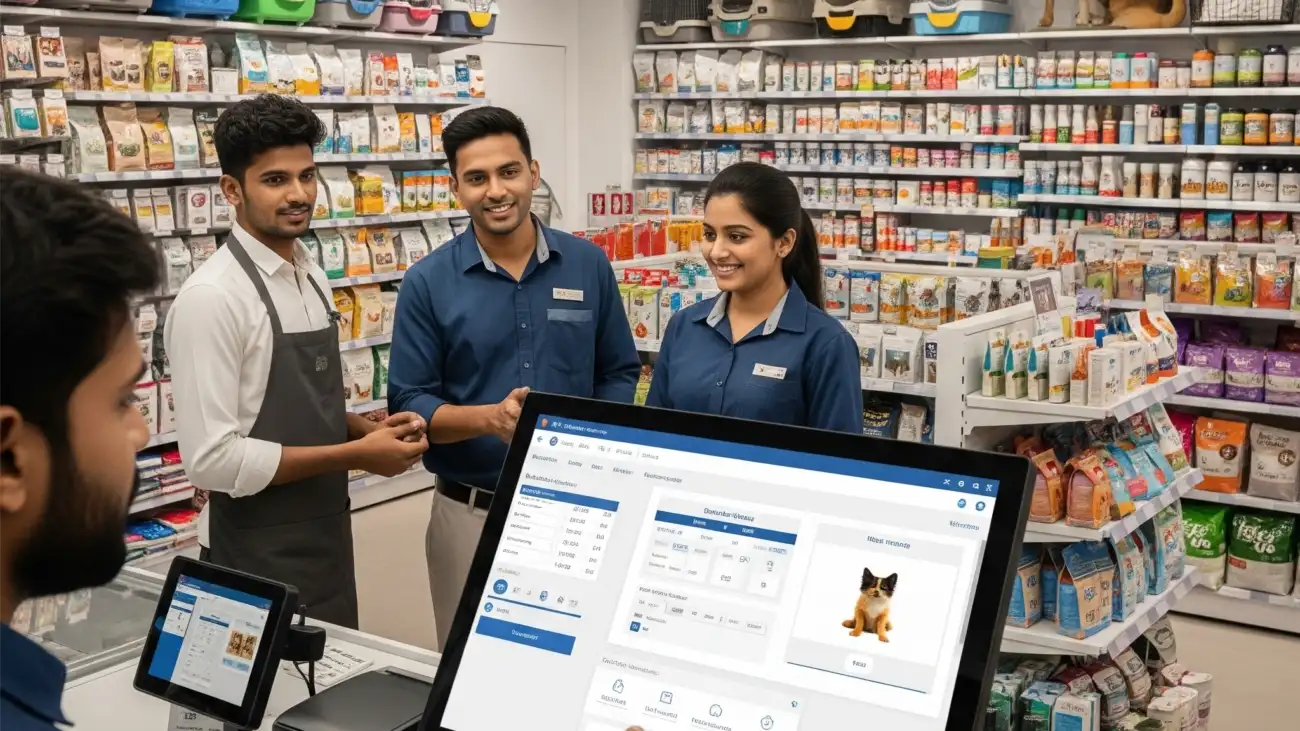
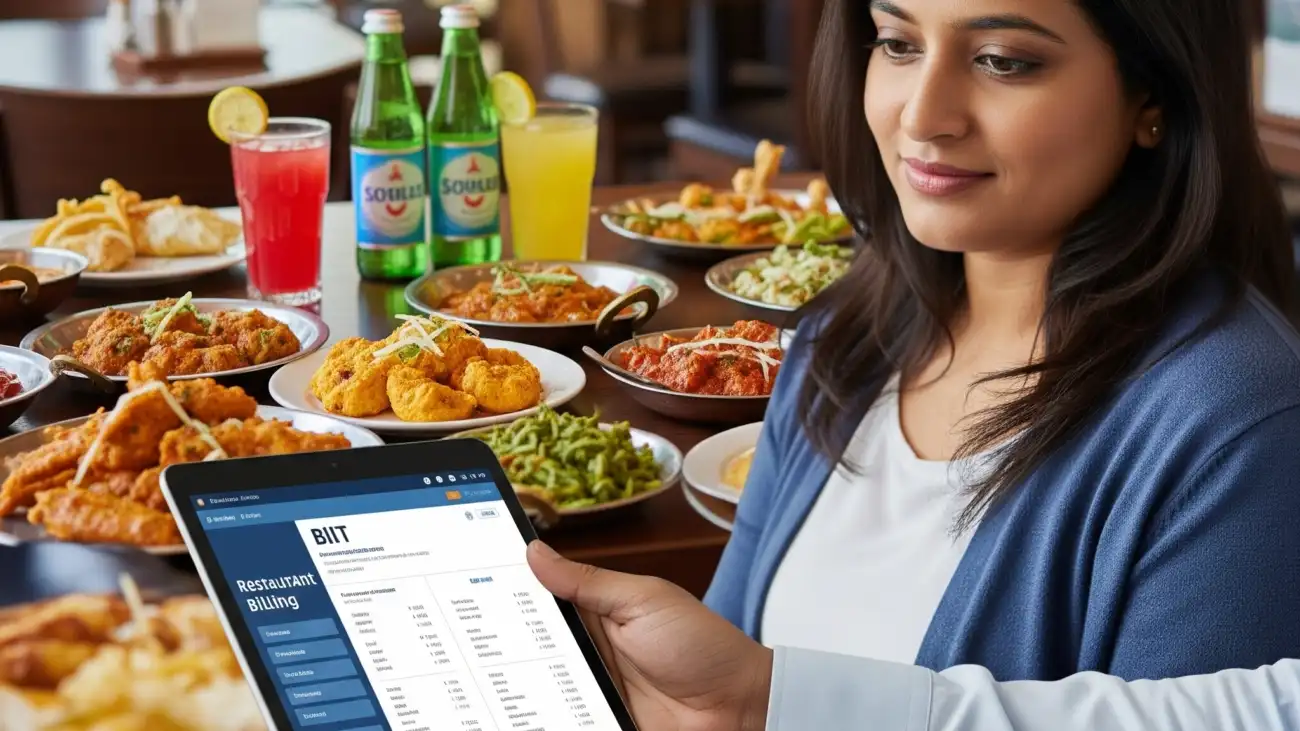
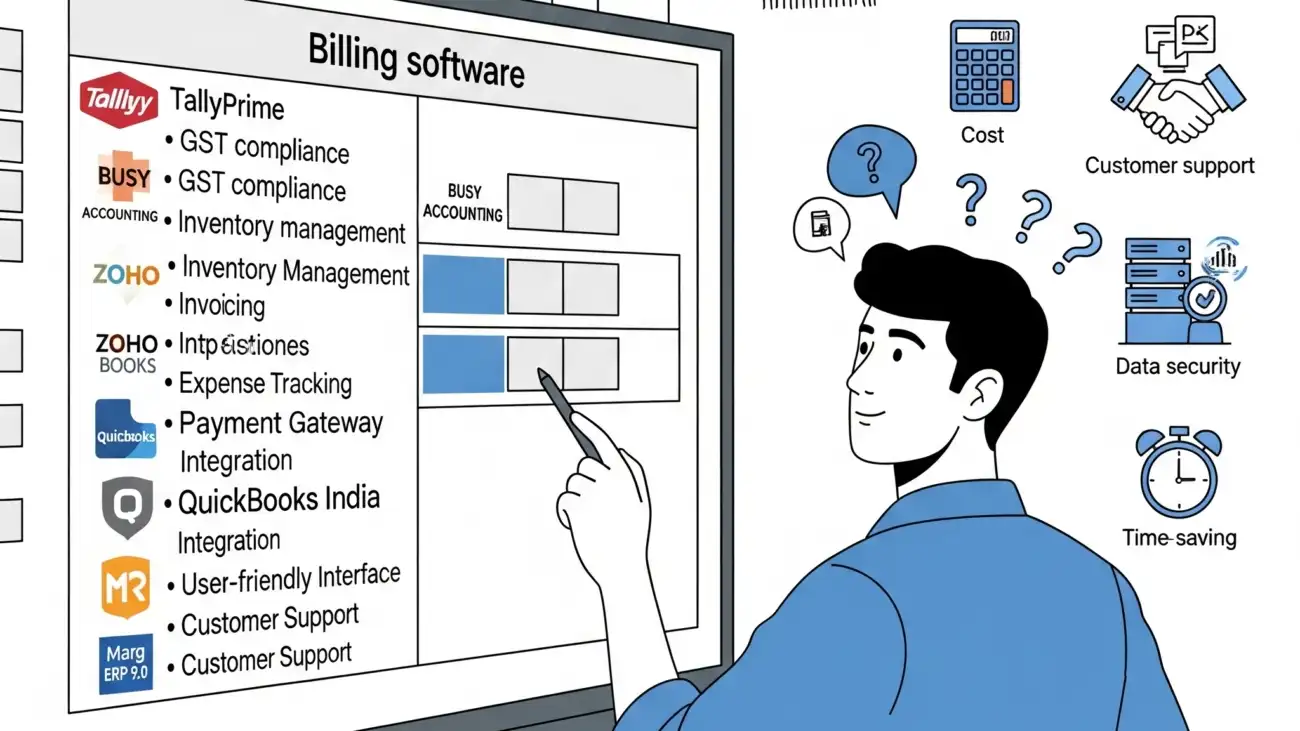
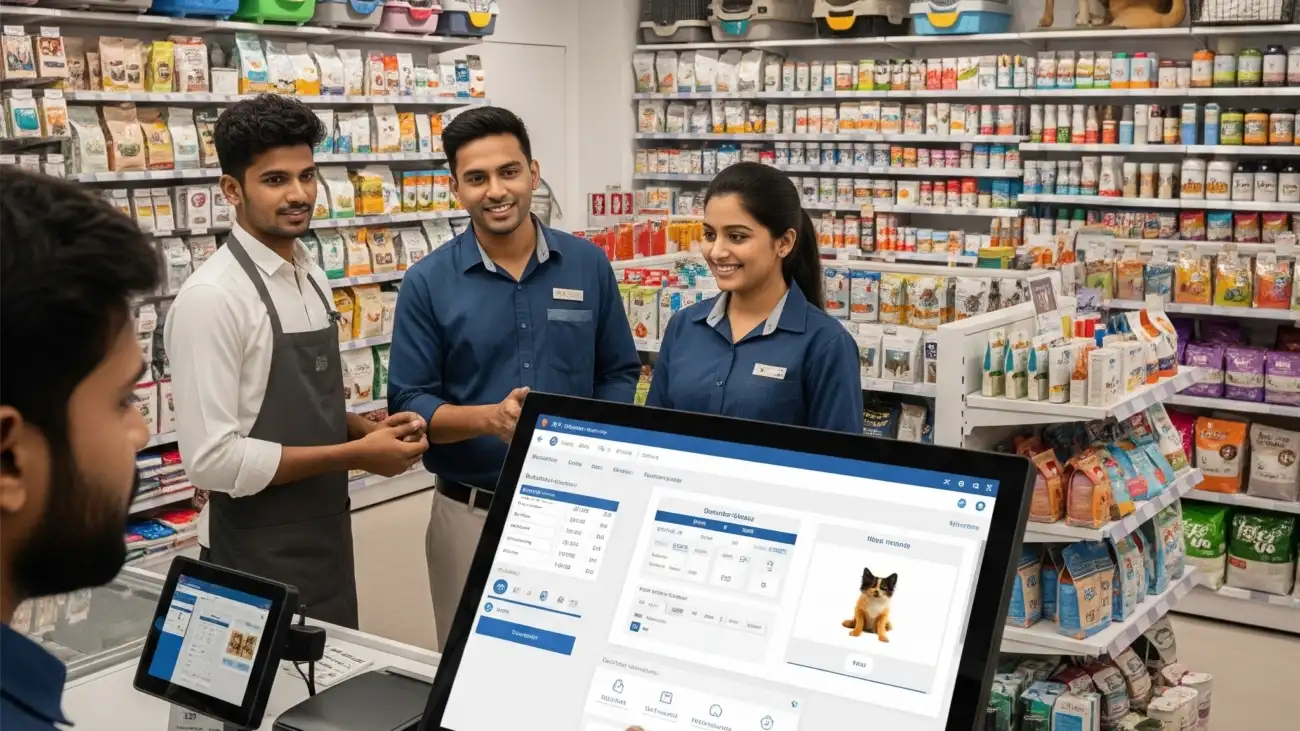
A new restaurant owner using free billing software on a laptop, highlighting how the solution handles everything from KOTs to inventory, providing a powerful start for their business.

How to Start Your Restaurant with Free Billing Software That Handles Everything

Starting a restaurant is an exciting venture, but managing it efficiently from day one is critical for success. One of the most overlooked tools in a new restaurant’s tech stack is the billing software — and thanks to technology, you don’t always need to pay for it. Today, you can start with free restaurant billing software that offers powerful features like GST invoicing, order tracking, KOT (Kitchen Order Tickets), and inventory control — without any upfront cost.

Whether you’re launching a cloud kitchen, café, or quick service restaurant (QSR), this guide shows how free billing software can streamline your restaurant operations right from day one.

Why Billing Software Is Essential for Restaurants

In a restaurant setting, speed, accuracy, and compliance are everything. Billing software simplifies the entire order-to-invoice process by:

  • Generating GST-compliant invoices
  • Printing KOTs for kitchen staff
  • Tracking inventory in real time
  • Accepting payments via cash, card, or UPI
  • Providing daily sales and tax reports

Using software from day one helps you avoid human errors, reduce billing time, and focus more on service quality.

Benefits of Using Free Restaurant Billing Software

FeatureHow It Helps
No Upfront CostGreat for startups or small eateries with limited budgets
GST SupportEnsures tax compliance from day one
POS BillingFast checkout for dine-in, takeaway, and delivery
KOT PrintingSends order tickets directly to kitchen
Inventory ControlHelps manage stock, reduce waste, and plan reorders
Multi-Device AccessAccess via desktop, tablet, or mobile
Reports & AnalyticsDaily sales, tax, and item-wise billing summaries

Key Features to Look For in Free Restaurant Billing Software

  1. GST-Compliant Invoicing
    Auto-calculate CGST, SGST, and generate proper GST bills
  2. KOT (Kitchen Order Ticket) System
    Separate kitchen slips for dine-in and takeaway
  3. Table Management
    Assign, split, and merge tables easily
  4. Menu Customization
    Add items with tax, category, and modifiers (e.g., spice level)
  5. Payment Integration
    Accept UPI, card, and split payments
  6. Inventory & Recipe Tracking
    Deduct ingredients per order and manage wastage
  7. Cloud Backup
    Ensure your data is safe and accessible anytime

Best Free Restaurant Billing Software Options in India

OurERP Restaurant Billing (Free Version)

  • GST invoicing, inventory, and KOT
  • Table-wise billing and daily sales reports
  • Supports offline and cloud sync
  • Option to upgrade as business grows

Petpooja (Basic Plan)

  • POS, menu setup, and order handling
  • Basic reporting with add-on modules
  • Android POS app available

JustBilling (Lite)

  • Mobile-based POS and GST billing
  • Ideal for small cafés and kiosks
  • Inventory alerts and basic customer management

SlickPOS (Trial + Freemium)

  • Kitchen display, multi-terminal POS
  • Recipe tracking, real-time reports
  • Designed for quick-service restaurants

Free vs Paid Restaurant Billing Software

FeatureFree VersionPaid Version
GST & Basic Billing Yes Yes
KOT Printing Included in some tools Included
Inventory Management Limited Full inventory and recipe tracking
Reports & Analytics Basic Advanced filters & insights
CRM & Loyalty Programs Not included Integrated
Customer SupportEmail/community only Priority support

How to Get Started with Free Restaurant Billing Software

  1. Define Your Needs – Are you a takeaway, dine-in, or cloud kitchen?
  2. Compare Software Options – Choose one that fits your business type
  3. Check GST Features – Ensure GST invoice formats and tax calculation
  4. Test the Software – Most free versions offer trials or basic plans
  5. Train Your Staff – Familiarize team with billing and order processes
  6. Start Using It Live – Go live on day one and monitor performance

Final Thoughts

Starting your restaurant doesn’t need to be expensive — and choosing the right free restaurant billing software can help you set a strong foundation for operations, customer service, and compliance. With tools like OurERP, Petpooja, or SlickPOS, you can manage GST, billing, KOTs, and stock — all for free or at a very low entry cost.

As your business grows, you can always upgrade to a paid plan with more advanced features. But when you’re just starting out, a free solution can be exactly what you need to launch with confidence.

For more details and resources, please return to OurERP..

A pharmacist using a modern medical store billing software on a computer, highlighting the seamless process of managing inventory, billing, and GST compliance.

Why Every Pharmacy Needs Medical Store Billing Software with GST Support

Running a pharmacy in India isn’t just about dispensing medicine — it requires accuracy, compliance, inventory control, and GST readiness. With government regulations tightening and customer expectations rising, using pen-and-paper billing or generic POS systems no longer cuts it. That’s why adopting dedicated medical store billing software with GST support is essential for modern pharmacies.

Whether you operate a small chemist shop or a large medical store chain, the right billing software helps streamline operations, manage stock, and remain tax compliant — all while saving time and reducing human error.

What Is Medical Store Billing Software?

Medical store billing software is a pharmacy-specific billing system that automates invoicing, batch-wise inventory management, expiry tracking, GST calculation, and report generation. It’s designed to meet the unique needs of chemists, druggists, and pharmaceutical distributors.

Unlike general billing tools, it supports:

  • Drug license entry
  • Schedule H drug tracking
  • Expiry/near-expiry stock alerts
  • Batch number-wise sales

Why GST Support Is Critical for Pharmacies

With GST in place, pharmacies must comply with tax rules on every transaction — including calculating CGST, SGST, and IGST, issuing GST-compliant invoices, and filing monthly/quarterly returns.

Key GST Features in Billing Software:

  • Auto GST calculation based on item category
  • HSN/SAC code management for medical goods
  • Integrated GSTR-1 and GSTR-3B reports
  • e-Invoicing and e-Way bill generation
  • GST-compliant thermal and A4 bill formats

Benefit: Accurate tax calculation and error-free GST filing reduce audit risk and compliance issues.


Top Features to Expect in Medical Store Billing Software

FeatureWhy It Matters
Batch & Expiry ManagementPrevents sale of expired medicines and alerts you in advance
Barcode Scanning & PrintingEnables fast, accurate billing and stock updates
Real-Time Stock ManagementTracks medicine availability and low-stock alerts
GST Billing & ReportingGenerates GST-compliant invoices and tax return reports
Purchase & Sale TrackingMaintains supplier records and customer purchase history
Credit & Outstanding ManagementTracks credit sales and customer dues
Customer & Doctor DatabaseMaintains prescriptions, referrals, and repeat customers

Who Needs Medical Store Billing Software?

  • Retail pharmacies and chemist shops
  • Wholesale medicine distributors
  • Ayurvedic and homeopathy stores
  • Multi-branch medical outlets
  • Online pharmacy businesses

Top Medical Store Billing Software in India (2025)

OurERP – Pharma Edition

  • GST-ready invoices and expiry tracking
  • Multi-user and cloud-based system
  • Supports barcode billing and credit management

Marg ERP – Pharma Software

  • Designed for wholesale and retail medicine stores
  • Advanced batch, rack, and schedule drug tracking
  • Customizable with mobile app access

Hitech Pharma Software

  • Simple desktop software for chemists
  • Includes stock, GST, and expiry alerts
  • Suitable for single-location stores

GoFrugal RxPOS

  • Cloud-based, with KOT, loyalty, and CRM features
  • Prescription scan and doctor registry
  • Mobile billing and multi-branch support

Benefits of Using Billing Software in Medical Stores

  • Faster Billing – Reduce customer wait times with barcode and POS support
  • Zero Stockouts – Get alerts for low stock and near-expiry products
  • Smart Insights – View purchase trends, profit margins, and medicine turnover
  • Legal Compliance – Stay audit-ready with GST and drug license tracking
  • Automated Reports – Access daily sales, tax summaries, and inventory valuation

Final Thoughts

In the highly regulated and fast-moving pharmaceutical industry, using the right medical store billing software is no longer optional — it’s a necessity. From tracking expiry dates to filing accurate GST returns, modern pharmacy billing systems simplify critical operations and reduce the risk of errors.

If you own or manage a pharmacy in India, now is the time to invest in billing software that’s purpose-built for medical businesses. With solutions like OurERP Pharma Edition, Marg ERP, or GoFrugal RxPOS,

For more details and resources, please return to OurERP.

A business team collaborating on a billing software dashboard, showing the seamless workflow and efficiency of a solution with GST compliance and multi-user access.

Why the Best Billing Software in India Must Include GST & Multi-User Access

India’s retail and SME landscape is evolving fast — and so are the expectations for billing and accounting systems. In today’s competitive market, a basic invoicing tool is no longer enough. Businesses now need smarter billing solutions that are GST-compliant, multi-user capable, and easy to use across teams and locations.

If you’re looking for the best billing software in India, it’s important to ensure the software supports GST filing and allows multi-user access. These two features can significantly improve your operational efficiency, compliance, and team collaboration.

In this blog, we’ll explore why GST support and multi-user access are essential for modern Indian businesses and what to look for when choosing the right billing software.

What Makes Billing Software “The Best” in India?

The best billing software isn’t just about generating invoices. It’s about:

  • Accurate GST tax handling
  • Inventory tracking
  • Customizable billing formats
  • Multi-mode payment support
  • User access for different departments
  • Real-time reporting and data backups

Most importantly, the software must be built for Indian regulations and retail workflows.

1. GST Compliance Is Non-Negotiable

Since the rollout of the Goods and Services Tax (GST) in 2017, every registered business in India is required to issue GST-compliant invoices and file regular returns.

Why It Matters:

  • Avoid penalties and tax mismatches
  • Ensure e-invoicing and e-way bill generation
  • Simplify monthly filings (GSTR-1, GSTR-3B, etc.)
  • Get real-time HSN code and tax slab updates

Must-Have GST Features:

  • Auto-calculation of CGST, SGST, IGST
  • Pre-configured HSN/SAC codes
  • Built-in GSTR reports
  • One-click e-invoice and e-way bill generation
  • GST-ready formats for A4 and thermal printing

Without proper GST functionality, your billing software puts you at financial and legal risk.

2. Multi-User Access Is Essential for Team-Based Workflows

As your business grows, your billing process must be handled by multiple users: cashiers, accountants, inventory managers, and even store owners.

Why It Matters:

  • Delegation – Let sales staff handle POS, while admins manage taxes
  • Security – Restrict permissions and track user activity
  • Scalability – Works across multiple billing counters or store branches
  • Audit Trails – Know who did what and when

Common User Roles:

  • Admin (full access)
  • Cashier (billing only)
  • Store Manager (inventory control)
  • Accountant (GST and financial reports)

Without multi-user access, your billing process becomes bottlenecked and prone to errors.

Key Features to Expect from the Best Billing Software in India

FeatureDescription
GST-Ready BillingAuto GST, HSN codes, e-invoicing, GSTR reports
Multi-User AccessRole-based login with permission control
Inventory ManagementStock updates, batch tracking, reorders
POS IntegrationFast billing, barcode scanner support, UPI/card integration
Cloud or Offline SupportAccess from multiple devices and real-time sync
Reports & AnalyticsSales, tax, profit, inventory valuation reports

Recommended Billing Software in India with GST & Multi-User Support

OurERP Retail Billing

  • Built for Indian GST & multi-location stores
  • Role-based login for admin, cashier, inventory team
  • Barcode billing, cloud sync, and real-time reports

Vyapar

  • Ideal for small businesses and startups
  • GST billing, inventory control, and party ledger
  • Android and desktop version available

Marg ERP

  • Full-featured solution for wholesalers and distributors
  • Multi-branch, multi-user access
  • GST return-ready and batch-level inventory

GoFrugal POS

  • Suitable for supermarkets, apparel, and pharmacy chains
  • Strong user access control and GST integration
  • Cloud dashboard and mobile POS support

Final Thoughts

When evaluating the best billing software in India, don’t just compare pricing — look for long-term value. If your software doesn’t support GST compliance or allow multiple users to work seamlessly, it may end up limiting your business growth.

GST support ensures that your invoices are legally compliant and audit-ready, while multi-user access ensures your operations scale smoothly across departments and locations.

Whether you’re a small shop or a growing chain, investing in a modern billing system like OurERP, Vyapar, or GoFrugal will help you save time, reduce errors, and stay compliant — all from one smart platform.

For more details and resources, please return to the OurERP.

A retail shop owner using a modern billing software system, illustrating the comprehensive features that help Indian retailers manage their business, from billing to inventory.

Everything You Need to Know About Shop Billing Software for Indian Retailers

As India’s retail sector grows rapidly, managing day-to-day operations with manual billing methods is no longer practical. Shop owners need fast, accurate, and GST-compliant solutions that simplify billing, track inventory, and enhance customer service. That’s where shop billing software becomes a necessity.

Whether you run a grocery store, clothing shop, hardware outlet, pharmacy, or electronics store, choosing the right billing software can transform your business operations.

In this guide, we’ll walk you through everything you need to know about shop billing software — from key features and benefits to popular options available in India.

What Is Shop Billing Software?

Shop billing software is a digital tool that helps shopkeepers and retailers generate invoices, manage stock, track sales, calculate taxes, and streamline checkout — all from a single platform. Designed for small to medium-sized retail shops, it automates repetitive tasks and ensures GST compliance.

Why Indian Retailers Need Shop Billing Software

Here are the major reasons shop owners across India are switching to billing software:

  • Faster and error-free billing
  • GST-compliant invoicing and tax filing
  • Real-time inventory tracking
  • Customer and supplier management
  • Better financial visibility through reports
  • Multi-payment mode handling (UPI, cash, card, etc.)

Key Features to Look for in Shop Billing Software

1. GST-Ready Invoicing

  • Auto calculation of CGST, SGST, and IGST
  • HSN/SAC code mapping
  • GSTR reports (GSTR-1, GSTR-3B, etc.)
  • e-Invoice and e-Way bill generation

2. Inventory Management

  • Real-time stock updates
  • Low stock and out-of-stock alerts
  • Barcode scanning and printing
  • Batch, expiry, and multi-unit handling

3. POS & Billing

  • Fast invoice generation via POS
  • Touchscreen and keyboard-friendly interface
  • Customizable bill format (thermal or A4)
  • Multiple billing counters and users

4. Customer & Vendor Management

  • Store contact and purchase history
  • Credit balance tracking
  • Loyalty points and discounts

5. Payment Integration

  • Cash, UPI, credit card, mobile wallet support
  • Split billing and payment tracking
  • Outstanding receivables report

6. Reports & Insights

  • Daily sales reports
  • Profit & loss analysis
  • Stock movement and purchase history
  • Tax summary reports

Best Shop Billing Software in India (2025)

OurERP – Retail Edition

  • Ideal for: Grocery, general stores, apparel, electronics
  • GST-ready, barcode billing, POS, and stock management
  • Offline and cloud options with multi-user support

Vyapar

  • Windows and Android support
  • GST invoicing, party ledger, inventory control
  • Free plan with upgrade options

Hitech BillSoft

  • One-time downloadable software
  • GST and barcode billing
  • No monthly fees; suitable for offline usage

Marg ERP

  • Comprehensive features for distributors and retailers
  • High configurability; requires initial setup support
  • Multi-branch, pharma, and supply chain support

GoFrugal POS

  • Cloud-based with mobile access
  • Stock alerts, CRM, loyalty, and GST filing
  • Preferred by large grocery stores and supermarkets

Free vs Paid Shop Billing Software

FeatureFree SoftwarePaid Software
GST Compliance Basic GSTR support Full GSTR + e-invoicing
Inventory Management Limited or none Complete tracking
Barcode Support Often excluded Fully integrated
Multi-user Access Usually single-user Yes
Reporting & Analytics Basic only Advanced reports and insights
Support & Updates Limited or community-based Dedicated customer support

Who Should Use Shop Billing Software?

  • Grocery & general stores
  • Electronics & mobile shops
  • Stationery & book shops
  • Apparel & footwear stores
  • Pharmacies & optical stores
  • Hardware & building material suppliers

How to Choose the Right Software for Your Shop

  1. Define your business size and needs
  2. Choose between offline or cloud-based access
  3. Check for GST and barcode features
  4. Compare pricing and support plans
  5. Take a demo or trial before finalizing

Final Thoughts

Investing in reliable shop billing software is one of the smartest moves you can make as a retail business owner in India. From speeding up the billing process to ensuring tax compliance and managing your stock efficiently, billing software helps you stay ahead of the competition.

If you’re just starting out or managing a single-location shop, platforms like OurERP or Vyapar offer affordable, feature-rich solutions tailored for Indian retail businesses.

For more details and resources, please return to OurERP.

Store Billing Software: GST, Inventory, and Fast Checkout Solutions

Best Store Billing Software for GST Invoicing, Inventory & Fast Checkout

In today’s fast-paced retail environment, store owners need more than just a simple billing system. Manual invoicing and inventory tracking can lead to delays, errors, and lost sales. That’s where modern store billing software steps in — offering integrated tools for GST billing, inventory management, and fast checkout.

Whether you run a grocery store, electronics shop, garment outlet, or hardware store, the right billing software can simplify operations, boost accuracy, and enhance customer experience.

This blog will help you explore the top store billing software solutions that support GST, inventory tracking, and lightning-fast billing.

Why Your Store Needs a Billing Software

From tracking sales to filing taxes, store billing software centralizes your business processes. Key reasons to invest in one include:

  • Faster Billing & Checkout
  • GST-Compliant Invoicing
  • Real-Time Inventory Tracking
  • Reduced Manual Errors
  • Better Decision-Making with Reports

Must-Have Features in Store Billing Software

When selecting software for your retail store, ensure it includes the following:

GST-Compliant Billing

  • CGST, SGST, and IGST calculations
  • GST invoice formats with HSN/SAC codes
  • GSTR-1, GSTR-3B, and purchase register reports

Real-Time Inventory Management

  • Live stock updates
  • Low-stock alerts and reorder notifications
  • Multi-unit, batch, and expiry tracking

Barcode & POS Support

  • Barcode scanning for faster billing
  • Thermal and A4 invoice printing
  • Touchscreen-compatible POS

Payment & Customer Management

  • Multi-mode payment (cash, card, UPI, credit)
  • Customer profiles with transaction history
  • Credit balance and loyalty programs

Reporting & Insights

  • Daily sales, profit margins, and tax reports
  • Stock valuation and turnover analysis
  • Purchase and supplier summaries

Top Store Billing Software Options in India

Here are some of the best billing software choices trusted by Indian retailers:

OurERP Store Billing

  • Ideal for: Grocery, garments, electronics, and general stores
  • GST-ready invoicing and real-time stock tracking
  • Barcode billing, POS interface, and purchase management
  • Offline and cloud versions available

Vyapar

  • Good for: Small to mid-size stores
  • Desktop and Android app available
  • GST invoicing, stock tracking, and party ledger management
  • Basic features available for free

Hitech BillSoft

  • Offline store billing with barcode and GST support
  • User-friendly dashboard with thermal printing
  • One-time payment model with no subscription

Marg ERP 9+ Retail

  • Best for: Growing businesses and wholesalers
  • Advanced features for inventory and distributor tracking
  • High customizability, but requires initial training

GoFrugal Retail POS

  • Cloud-based solution with POS and KOT support
  • Used by supermarkets, apparel stores, and restaurants
  • Inventory, CRM, GST, and multi-store compatibility

Benefits of Using the Best Store Billing Software

FeatureBusiness Impact
GST ComplianceError-free invoicing and tax filing
Inventory TrackingPrevents overstock and shortages
Faster CheckoutEnhances customer satisfaction
Accurate ReportsSupports better planning & decisions
Multi-Store ManagementEasy scaling for chain stores

Free vs Paid Store Billing Software

FeatureFree VersionPaid Version
Basic GST Billing YesYes
Inventory Control Limited Full Control
POS Integration Not Included Barcode, printer, scanner support
Reports & Analytics Basic Only Advanced filters
Customer Support Community Only Dedicated phone/email/chat

Final Thoughts

Investing in the best store billing software can completely transform your retail operations. From GST-ready invoices and inventory tracking to rapid checkout and customer management, the right software brings structure, speed, and accuracy to your store.

If you’re a small or medium-sized store looking to grow and stay compliant, consider starting with OurERP, Vyapar, or GoFrugal. They’re built for Indian retailers and offer both offline and cloud flexibility.

For more details and resources, please return to OurERP.

A restaurant owner using free billing software on a mobile device, showing how the solution simplifies billing and order management for small food businesses.

How Free Restaurant Billing Software Can Simplify Billing and Order Management

Running a restaurant involves more than just great food and service — it requires fast billing, smooth order management, accurate tax handling, and inventory control. For many small restaurants, cafés, and cloud kitchens in India, investing in a premium POS system may feel out of reach. But thanks to free restaurant billing software, managing your day-to-day operations is now easier and more affordable than ever.

In this article, we’ll explore how free billing software can help restaurants automate billing, manage kitchen orders, and stay GST-compliant without breaking the bank.

What Is Restaurant Billing Software?

Restaurant billing software is a digital tool designed specifically to handle billing, kitchen order tickets (KOT), GST calculations, payment tracking, and basic inventory for food service businesses. It streamlines the front-desk to kitchen workflow and ensures faster service with minimal errors.

Why Use Free Billing Software for Restaurants?

Free restaurant billing tools are ideal for:

  • Small restaurants and food joints
  • Quick-service restaurants (QSRs)
  • Cafés and tea stalls
  • Cloud kitchens and tiffin services
  • Food trucks or pop-up stalls

These tools typically offer essential billing and order management features without monthly subscription fees.

Key Benefits of Free Restaurant Billing Software

1. Faster and Error-Free Billing

Generate bills in seconds with auto-filled menu items, tax calculations, and customer details.

Features:

  • GST-compliant invoices
  • Support for dine-in, takeaway, and delivery orders
  • Auto-printing to thermal printers
  • Customizable invoice formats

Benefit: Reduces billing time during rush hours and improves customer experience.

2. Simplified Order Management (KOT)

Kitchen Order Tickets (KOT) help bridge communication between wait staff and kitchen staff.

Features:

  • Generate and print KOT directly to the kitchen printer
  • Separate orders by table or token number
  • Edit or cancel orders before final billing
  • Track order time and status

Benefit: Reduces miscommunication and streamlines kitchen workflow.

3. GST Invoicing Made Easy

No more manual GST calculations — the software handles it all for you.

Features:

  • Pre-set GST rates for each menu item
  • Automatic CGST/SGST calculation
  • Export GSTR reports for filing
  • Print GST-compliant invoices with HSN/SAC codes

Benefit: Ensures tax compliance and reduces filing errors.

4. Payment Tracking & Split Billing

Handle different payment methods and customer preferences with ease.

Features:

  • UPI, cash, card, or wallet support
  • Split bills by item or number of guests
  • Discounts and promo code management
  • Refunds and adjustments

Benefit: Improves accuracy and transparency at checkout.

5. Basic Inventory and Stock Alerts

Track usage of raw materials and finished items to avoid shortages or wastage.

Features:

  • Item-wise stock deduction with every order
  • Low-stock alerts for key ingredients
  • Purchase entry and inventory value tracking

Benefit: Helps reduce food waste and optimize kitchen planning.

Popular Free Restaurant Billing Software in India

Here are some of the top-rated free options available for restaurants:

OurERP – Restaurant Lite

  • Free plan with KOT, GST billing, and kitchen printer support
  • Simple POS interface for small restaurants
  • Upgrade available for multi-branch access

Hitech Restaurant Billing

  • Offline software for Windows PCs
  • Fast billing, GST, and menu customization
  • Free version supports basic restaurant operations

eHopper POS (Free Plan)

  • Cloud-based POS for food service businesses
  • Mobile and tablet support
  • Limited to 300 transactions/month on free plan

Chromis POS

  • Open-source POS system
  • Kitchen printer support and table layout
  • Customizable but requires tech knowledge to install

Limitations of Free Software

While free tools are great for startups, they may lack:

  • Cloud backup or real-time data sync
  • Advanced analytics and CRM tools
  • Multi-branch or multi-user access
  • 24/7 customer support

Tip: Start with free software and upgrade later as your business grows.

Final Thoughts

For small restaurants, cloud kitchens, or food stalls operating on tight budgets, free restaurant billing software offers the core tools needed to manage orders, billing, and GST — all without monthly fees. These systems are easy to use, reliable, and built for fast-paced food service environments.

If you’re looking to streamline your billing process, reduce kitchen confusion, and stay tax compliant, free solutions like OurERP, Hitech, or Chromis POS can help you get started with minimal investment.

For more details and resources, please return to OurERP.

A pharmacist using a modern medical store billing software on a computer, highlighting the seamless process of managing inventory, billing, and GST compliance.

How Medical Store Billing Software Helps Track Stock, Batches & GST Automatically

Running a medical store in India involves more than just selling medicines — you must manage inventory, monitor expiry dates, comply with GST, and serve customers quickly and accurately. Manual processes or generic billing tools can lead to stock mismatches, expired products, and tax errors.

That’s why thousands of pharmacies now rely on medical store billing software tailored specifically for the pharmaceutical industry. These solutions not only simplify billing but also automate batch tracking, expiry alerts, and GST filing — all in one place.

In this blog, we’ll explore how the right billing software can streamline your pharmacy operations and improve profitability.

What Is Medical Store Billing Software?

Medical store billing software is a specialized point-of-sale (POS) and inventory management tool designed for chemists, drugstores, and pharmacy chains. Unlike standard retail software, it includes pharmaceutical-specific features such as:

  • Batch and expiry date tracking
  • Drug name, salt, and brand classification
  • Schedule H and prescription control
  • GST-ready invoicing for medicines and medical supplies
  • Alerts for low stock, near-expiry, and stock audits

1. Real-Time Stock Tracking

Keeping accurate records of fast-moving and slow-moving drugs is crucial for a medical store.

How it works:

  • Every sale and purchase automatically updates stock
  • Supports SKU-wise stock levels and unit conversions
  • Manages batches, strips, bottles, and loose quantities
  • Tracks sales returns and expired inventory adjustments

Benefit:

Prevents overstocking or stockouts, reduces losses, and simplifies restocking decisions.

2. Batch and Expiry Date Management

Medicines are perishable and must be sold before expiry to avoid legal and financial penalties.

How it works:

  • Add batch numbers and expiry dates while creating purchase entries
  • Alerts for near-expiry products
  • Auto-blocks expired items from billing
  • Batch-wise sales tracking for better transparency

Benefit:

Helps reduce expired inventory, improves patient safety, and maintains compliance.

3. GST-Compliant Invoicing

With GST regulations in India, pharmacies must issue proper tax invoices and file monthly returns.

How it works:

  • Generates GST invoices with HSN codes and tax rates
  • Auto-applies CGST, SGST, or IGST based on customer location
  • Creates GSTR-1, GSTR-3B, and purchase register reports
  • Supports e-invoice generation and export to Excel/JSON

Benefit:

Eliminates manual tax errors and saves time during monthly filing and audits.

4. Barcode Billing for Speed and Accuracy

Many pharmacy billing solutions come with integrated barcode support for faster billing.

How it works:

  • Scan product barcodes to auto-fill product details
  • Reduce manual entry errors during checkout
  • Print barcode labels for untagged products

Benefit:

Faster transactions and fewer mistakes, especially during busy hours.

5. Integrated Purchase and Supplier Management

Maintain healthy supplier relationships and efficient purchase planning.

How it works:

  • Track supplier-wise purchase history and outstanding payments
  • Generate purchase orders and GRNs
  • Maintain credit notes and purchase returns
  • Set reorder levels and automatic purchase suggestions

Benefit:

Streamlined procurement and better credit control.

6. Comprehensive Reporting and Analytics

Make data-driven decisions to boost profitability.

Reports included:

  • Daily sales and profit margin
  • Fast/slow-moving drugs
  • Expiry and near-expiry stock list
  • GST summaries and pending returns
  • Customer balances and outstanding reports

Benefit:

Gain full control over pharmacy operations and improve decision-making.

7. Other Essential Features

  • Multi-user access with role-based permissions
  • Prescription upload and schedule drug control
  • Customer database with medical history
  • Backup and data recovery options
  • Offline and cloud-based versions available

Recommended Medical Store Billing Software in India

OurERP – Medical Store Edition

  • GST-compliant pharmacy billing
  • Batch, expiry, barcode, and prescription support
  • Desktop and cloud options available
  • Ideal for standalone chemists and medical shops

Marg ERP 9+ Pharma

  • Trusted by thousands of pharmacies
  • Advanced stock, batch, and accounting features
  • Includes wholesaler-distributor tools

EazyMed POS

  • Simple interface for small medical shops
  • Expiry and batch alerts with GST support
  • Good for first-time software users

Conclusion

If you’re still using manual registers or generic billing apps, you’re missing out on the speed, accuracy, and compliance that medical store billing software can provide. From stock tracking and expiry control to automated GST reports, these tools are essential for running a pharmacy efficiently in today’s regulated market.

Whether you’re a standalone chemist or operate multiple stores, investing in the right software can improve operations, customer service, and profitability — all while keeping you fully GST-compliant.

For more details and resources, please return to OurERP.

A small business owner using a billing software dashboard on a laptop, highlighting the process of selecting the right solution for their business.

How to Choose the Best Billing Software in India for Your Small Business

In the fast-growing Indian business environment, small business owners are under increasing pressure to deliver accurate billing, stay GST compliant, manage stock, and handle customer data — all while keeping costs low. Manual invoicing or outdated billing tools often lead to errors, inefficiencies, and revenue loss.

Choosing the best billing software in India can solve these challenges by streamlining operations, automating compliance, and improving cash flow. But with dozens of options available, how do you know which software is right for your business?

This guide will walk you through the key features, comparisons, and expert tips to help you make the right decision for your retail shop, wholesale unit, service center, or small enterprise.

Why Billing Software Is Essential for Small Businesses

Whether you run a grocery store, garment outlet, pharmacy, electronics shop, or service agency, accurate billing is crucial. The right billing software helps you:

  • Generate GST-compliant invoices
  • Track real-time sales and inventory
  • Automate tax calculations and GSTR reports
  • Manage customers, suppliers, and payments
  • Reduce billing errors and save time

Key Features to Look for in the Best Billing Software in India

1. GST Compliance

  • Automatic calculation of CGST, SGST, and IGST
  • Invoice formats with HSN/SAC codes
  • GSTR-1, GSTR-3B, and GSTR-9 reports
  • e-Invoice and e-Way bill generation

2. Inventory Management

  • Real-time stock updates
  • Low-stock alerts and batch tracking
  • Barcode-based billing and stock entry
  • Multi-location inventory (if needed)

3. User-Friendly Interface

  • Easy navigation for billing staff
  • Touch and keyboard support
  • Quick product search with barcode scanning

4. POS & Device Integration

  • Thermal printer, barcode scanner, cash drawer support
  • A4, POS, and custom bill formats
  • QR code and UPI payment support

5. Reporting & Analytics

  • Daily, weekly, and monthly sales reports
  • Purchase summaries and profit margins
  • Customer dues and payment tracking

6. Offline & Cloud Access

  • Offline desktop support for low-internet areas
  • Cloud backup for security and remote access
  • Multi-user and multi-device login (if needed)

Top Billing Software in India (2025)

Here are some of the most trusted and widely used billing software options for small businesses in India:

🔹 OurERP

  • Ideal for: Retail, wholesale, and distributors
  • GST-ready, barcode billing, inventory & multi-user access
  • Offline desktop and cloud versions available
  • Free and paid plans

🔹 Vyapar

  • Ideal for: Retail shops and small service providers
  • Android and Windows support
  • GST invoicing, stock tracking, expense recording
  • Free plan with limited features

🔹 Marg ERP

  • Ideal for: Pharma, FMCG, and high-volume retailers
  • Comprehensive GST features and inventory controls
  • Requires training for setup
  • Paid license-based pricing

🔹 Hitech BillSoft

  • Ideal for: Small stores and local shops
  • One-time download, offline use
  • Supports barcode and GST formats
  • Free version available

🔹 Zoho Books (with invoicing module)

  • Ideal for: Freelancers, service businesses
  • Cloud-based invoicing, GST reports, client portals
  • Includes accounting features
  • Free for limited users

How to Choose the Best Billing Software for Your Needs

Step 1: Define Your Business Type

Are you in retail, wholesale, services, or distribution? Choose a software that matches your industry workflow.

Step 2: Decide Between Offline and Cloud

If your shop has frequent internet access, cloud solutions are great. If not, go with offline desktop software.

Step 3: Check for GST Features

Make sure the software supports full GST invoicing, tax calculations, and returns (GSTR-1, GSTR-3B, etc.).

Step 4: Test the Free Version or Demo

Most providers offer a free version or demo. Test the interface, speed, and reporting before you buy.

Step 5: Compare Pricing and Support

Some software is free for life; others require monthly or annual subscriptions. Check for included customer support, training, and updates.

Benefits of Using the Best Billing Software

  • Save time with automated invoicing and tax
  • Eliminate billing errors and missed entries
  • Get clear reports for decision-making
  • Offer faster checkout with barcode scanning
  • Stay 100% compliant with Indian GST laws
  • Manage returns, discounts, and loyalty programs

Final Thoughts

Choosing the best billing software in India depends on your business type, budget, and workflow needs. A good billing solution should offer GST-ready invoicing, stock control, payment tracking, and reporting — all in one easy-to-use package.

If you’re looking for an affordable, reliable option tailored for Indian small businesses, consider OurERP, Vyapar, or Marg. These tools offer the features you need to stay efficient, accurate, and compliant in 2025 and beyond.

For more details and resources, please return to OurERP.

A small business owner using a billing software dashboard on a laptop, highlighting the process of selecting the right solution for their business.

Best Shop Billing Software for Small Businesses with GST and Inventory Support

For small shop owners in India, managing daily sales, stock, and tax compliance can be overwhelming—especially without the right tools. Manual billing or outdated software often leads to errors, delays, and missed tax deadlines. That’s where shop billing software comes in.

The right billing solution not only automates invoicing but also handles GST calculations, inventory tracking, and business reporting — all from a single platform. In this blog, we explore the top shop billing software for small businesses in India that are GST-ready and offer robust inventory support.

Why Do Small Shops Need Billing Software?

Whether you own a general store, garment shop, medical store, or electronics outlet, accurate billing and inventory control are essential. A reliable shop billing software helps you:

  • Generate GST-compliant invoices
  • Track sales and stock in real-time
  • Handle discounts, returns, and multiple payment modes
  • File tax returns with GSTR reports
  • Save time and reduce billing errors

Key Features to Look for in Shop Billing Software

When choosing software for your store, make sure it includes:

  • GST-compliant billing (CGST, SGST, IGST)
  • Barcode generation and scanning
  • Real-time stock management
  • Multiple invoice formats (POS, A4, thermal)
  • Customer and supplier records
  • GSTR-1, GSTR-3B reports and export options
  • Offline or cloud access
  • Easy-to-use dashboard

Top Shop Billing Software for Small Businesses

1. OurERP – Retail Edition

Best for: Grocery shops, general stores, and pharmacies

  • GST-ready invoicing and barcode billing
  • Inventory tracking by unit, batch, and expiry
  • Multi-user access and offline support
  • Delivery challans, debit/credit notes, and return handling
  • Free and paid plans available

2. Vyapar Billing Software

Best for: Kirana stores and small retail shops

  • GST-compliant invoices and reports
  • Stock tracking, expense records, and payment reminders
  • Desktop and Android versions
  • Free version with limited features

3. Hitech BillSoft

Best for: Local shops wanting offline use

  • Fully offline desktop application
  • Barcode and thermal printer compatible
  • Simple dashboard for billing and inventory
  • One-time license cost, no monthly fees

4. Marg ERP 9+

Best for: Shops with growing inventory and sales

  • Advanced inventory and batch tracking
  • GST billing with e-invoice and e-way bill
  • Ideal for distributors and wholesalers too
  • Higher learning curve for beginners

5. GoFrugal Retail POS

Best for: Garment stores, electronics, and supermarkets

  • Cloud-based and mobile POS features
  • Supports multiple stores and users
  • Automated reports and real-time stock view
  • Integrated loyalty and promotions

Free vs Paid Shop Billing Software

FeatureFree SoftwarePaid Software
GST-Compliant InvoicesBasic support Full GSTR reports + e-invoice
Stock Tracking Manual or basic Real-time with low stock alerts
User Access Single-user only Multi-user with roles
Customer Support Community forums only Dedicated support
Backup & Security Manual or limited Cloud sync or automated backup

Conclusion: Startups and micro-businesses can begin with free tools like Vyapar or Hitech, but growing businesses will benefit more from paid options like OurERP or Marg for better automation and support.

Benefits of Using Shop Billing Software

  • Faster Checkout: Reduce billing time with barcode support
  • Accurate Tax Filing: No manual GST calculations needed
  • Stock Visibility: Know what’s selling and when to restock
  • Professional Invoices: Custom format with GSTIN, logo, and terms
  • Business Insights: Reports for sales, returns, profit, and payments

Final Thoughts

Using the right shop billing software can transform how your store operates. From speeding up billing to managing inventory and ensuring GST compliance, the right tool saves time and reduces stress.

If you’re a small business owner looking to simplify operations and grow your retail shop, start by choosing billing software that fits your business needs and supports future scaling. OurERP, Vyapar, and Hitech are great starting points with options for both desktop and cloud-based access.

For more details and resources, please return to OurERP.

A retail store owner setting up a billing software system on a computer, highlighting the process of making their operations GST-ready.

How to Set Up Store Billing Software for GST-Ready Retail Operations

As a retail store owner in India, managing invoices, inventory, and tax compliance is a daily challenge. With the rollout of GST, every business—whether small or large—is required to issue proper GST-compliant invoices and maintain accurate records. That’s where store billing software comes into play.

Whether you run a grocery shop, garment store, electronics outlet, or general store, implementing a GST-ready store billing system can help you streamline operations, eliminate manual errors, and stay tax compliant.

This blog explains how to set up store billing software step-by-step for smooth, efficient, and legally compliant retail billing.

What Is Store Billing Software?

Store billing software is a point-of-sale (POS) and invoicing tool designed for retail shops. It helps you:

  • Generate GST-compliant invoices
  • Track sales and inventory in real-time
  • Manage customers and suppliers
  • Integrate barcode scanning and POS hardware
  • File GST returns with ease

Modern billing software often comes with cloud backup, multi-user support, and mobile access.

Why GST-Ready Billing Matters for Retailers

The Goods and Services Tax (GST) has made it mandatory for all registered retailers to:

  • Issue invoices with GST breakdown (CGST, SGST, IGST)
  • Maintain sales and purchase records
  • File GSTR-1, GSTR-3B, and other returns
  • Use HSN codes and comply with e-invoice/e-way bill rules (if applicable)

Store billing software automates these tasks, reducing errors and saving time.

Step-by-Step Guide: Setting Up Store Billing Software

1. Choose the Right Billing Software for Your Store

Look for features that match your business type:

  • GST-ready invoicing
  • Barcode and inventory management
  • POS device compatibility (printer, scanner, drawer)
  • Customer and supplier database
  • GSTR report generation

Popular options in India:

2. Install the Software on Your PC or POS System

Most billing software offers an installation wizard. Choose the platform:

  • Windows desktop (offline or local network)
  • Cloud-based (web browser and mobile)
  • Hybrid (offline with cloud sync)

Follow on-screen instructions or request setup support from the provider.

3. Add Your Store and GST Details

During setup, enter:

  • Store name, address, contact info
  • GSTIN number
  • Invoice prefix format
  • Business type and applicable tax rates

The software will use these details to create GST-compliant invoices automatically.

4. Configure Tax Settings and HSN Codes

  • Set GST rates (5%, 12%, 18%, etc.) for your products
  • Link each item with an HSN or SAC code
  • Enable auto-tax calculation for every sale

This ensures your invoices meet legal requirements and are ready for GSTR filing.

5. Set Up Products and Stock Inventory

  • Add products with names, categories, units, and prices
  • Input opening stock levels
  • Assign barcodes (manually or auto-generate)
  • Set reorder levels and batch details (for perishables)

Real-time stock tracking will now work with every sale and purchase.

6. Connect POS Hardware (Optional)

For physical stores, connect:

  • Thermal printer for bills
  • Barcode scanner for fast item lookup
  • Cash drawer for secure transactions

Most billing software integrates easily with standard hardware.

7. Customize Invoice Format

Choose from invoice types:

  • Retail invoice (B2C)
  • Tax invoice (B2B)
  • Quotation or delivery challan

Customize your bill with:

  • Store logo and branding
  • Terms and conditions
  • Return policies
  • QR code for UPI payments (if supported)

8. Test and Train Your Staff

Before going live:

  • Do test billing and inventory updates
  • Check invoice GST accuracy and print format
  • Train billing staff or cashier on software usage
  • Assign user roles (admin, cashier, manager)

9. Start Billing and Monitor Daily Reports

Once live, track:

  • Daily sales
  • Tax collection
  • Top-selling products
  • Customer balances
  • Inventory levels and reorders

You can also export data for GST return filing.

Benefits of Using Store Billing Software

  • Faster and accurate billing
  • GST compliance without manual calculations
  • Automated inventory tracking
  • Easy return and discount handling
  • Instant access to sales reports
  • Improved customer service and professionalism

Conclusion

Setting up store billing software is a smart investment for any retail business aiming to stay GST-compliant, efficient, and customer-friendly. With the right setup and configuration, you can simplify invoicing, automate taxes, and make better business decisions through real-time data.

If you’re looking for reliable billing software for your retail store, explore solutions like OurERP, Vyapar, or Marg ERP, which are designed for Indian businesses and support both GST compliance and day-to-day retail operations.

For more details and resources, please return to OurERP.