An infographic-style image illustrating how inventory billing software automates stock and sales, showing a barcode scan leading to an updated inventory count and a generated digital invoice.

Inventory & Billing Software for Retail: Maximize POS Efficiency and Accuracy

In the competitive retail landscape, managing inventory and billing efficiently is paramount. Retailers require robust solutions that not only streamline point-of-sale (POS) operations but also provide comprehensive inventory management. This article delves into top ERP billing software platforms, including OurERP, comparing their features, strengths, and weaknesses to help retailers make informed decisions.

Why Retailers Need Integrated Inventory & Billing Software

An integrated ERP system that combines inventory management with billing functionalities offers numerous benefits:

  • Real-Time Inventory Tracking: Monitor stock levels across multiple locations, reducing the risk of overstocking or stockouts.
  • Seamless Billing: Generate invoices directly from sales transactions, ensuring accuracy and saving time.
  • GST Compliance: Automatically calculate and apply Goods and Services Tax, ensuring adherence to regulations.
  • Enhanced Customer Experience: Speed up checkout processes and provide detailed receipts, improving customer satisfaction.
  • Data-Driven Insights: Access reports on sales trends, inventory turnover, and financial performance to make informed business decisions.

Top ERP Billing Software Platforms for Retail

1. OurERP

Overview: OurERP is a comprehensive ERP solution designed to streamline retail operations, from inventory management to billing and beyond.

Key Features:

  • Integrated POS and Inventory Management: Manage sales and inventory seamlessly within a single platform.
  • Barcode Scanning: Speed up checkout processes and reduce human errors.
  • GST-Compliant Billing: Automatically generate GST-compliant invoices with IRN and QR codes.
  • Multi-Location Support: Track inventory across multiple retail outlets.
  • Cloud-Based Access: Access the system from anywhere, ensuring flexibility and real-time updates.

Strengths:

  • Comprehensive Solution: Combines POS, inventory, and billing functionalities in one platform.
  • User-Friendly Interface: Designed for ease of use, reducing training time.
  • Scalable: Suitable for small to medium-sized retail businesses.

Weaknesses:

  • Learning Curve: New users may require time to familiarize themselves with the system.
  • Limited Third-Party Integrations: May not integrate with all external applications.

Why Choose OurERP: For retailers seeking an all-in-one solution that integrates POS, inventory, and billing functionalities, OurERP offers a comprehensive and scalable platform.

2. Zoho Inventory

Overview: Zoho Inventory is a cloud-based inventory management software that offers billing capabilities suitable for small to medium-sized businesses.

Key Features:

  • Multi-Channel Selling: Sell across multiple platforms, including online and offline stores.
  • GST-Compliant Invoicing: Generate GST-compliant invoices with ease.
  • Inventory Tracking: Monitor stock levels and set reorder points.
  • Order Management: Manage sales and purchase orders efficiently.
  • Mobile Access: Access the system via mobile devices for on-the-go management.

Strengths:

  • Integration with Zoho Suite: Seamlessly integrates with other Zoho applications.
  • User-Friendly Interface: Intuitive design for easy navigation.
  • Affordable Pricing: Competitive pricing suitable for small businesses.

Weaknesses:

  • Limited POS Features: Lacks advanced POS functionalities.
  • Customization Limitations: Limited options for customizing invoices and reports.

Why Choose Zoho Inventory: Ideal for small retailers seeking an affordable and user-friendly inventory management solution with basic billing capabilities.

3. TallyPrime

Overview: TallyPrime is a widely used accounting software that offers inventory and billing functionalities, catering to businesses of all sizes.

Key Features:

  • Comprehensive Accounting: Manage financial transactions and generate reports.
  • Inventory Management: Track stock levels and manage multiple warehouses.
  • GST-Compliant Billing: Generate GST-compliant invoices and returns.
  • Multi-User Support: Allow multiple users to access the system simultaneously.
  • Data Security: Ensure data integrity with robust security features.

Strengths:

  • Established Reputation: Trusted by businesses for decades.
  • Comprehensive Features: Offers a wide range of functionalities beyond inventory and billing.
  • Customization Options: Allows customization to suit business needs.

Weaknesses:

  • Complex Interface: May require training to navigate effectively.
  • Limited Cloud Integration: Primarily a desktop-based solution with limited cloud capabilities.

Why Choose TallyPrime: Suitable for businesses seeking a comprehensive accounting solution with integrated inventory and billing functionalities.

4. QuickBooks POS

Overview: QuickBooks POS is a retail management software that integrates POS, inventory, and billing functionalities, catering to small to medium-sized retailers.

Key Features:

  • POS Integration: Process sales transactions and manage inventory in real-time.
  • Inventory Tracking: Monitor stock levels and set reorder points.
  • Customer Management: Track customer information and purchase history.
  • Reporting: Generate sales and inventory reports for analysis.
  • Mobile Access: Manage operations via mobile devices.

Strengths:

  • Integration with QuickBooks Accounting: Seamlessly integrates with QuickBooks accounting software.
  • User-Friendly Interface: Intuitive design for easy navigation.
  • Comprehensive Support: Offers extensive customer support and resources.

Weaknesses:

  • Pricing: Higher cost compared to some competitors.
  • Limited Customization: Limited options for customizing invoices and reports.

Why Choose QuickBooks POS: Ideal for retailers seeking a comprehensive retail management solution with seamless integration into QuickBooks accounting software.

Why Choose OurERP?

While the aforementioned platforms offer valuable features, OurERP stands out as a comprehensive ERP solution tailored for retail businesses.

Key Advantages:

  • Integrated POS and Inventory Management: Manage sales and inventory seamlessly within a single platform.
  • GST-Compliant Billing: Automatically generate GST-compliant invoices with IRN and QR codes.
  • Multi-Location Support: Track inventory across multiple retail outlets.
  • Barcode Scanning: Speed up checkout processes and reduce human errors.
  • Cloud-Based Access: Access the system from anywhere, ensuring flexibility and real-time updates.

Why It’s the Best Choice:

  • Comprehensive Solution: Combines POS, inventory, and billing functionalities in one platform, reducing the need for multiple software solutions.
  • User-Friendly Interface: Designed for ease of use, reducing training time and improving operational efficiency.
  • Scalable: Suitable for small to medium-sized retail businesses, with the ability to scale as the business grows.
  • Cost-Effective: Offers a free version with essential features, making it accessible for businesses with budget constraints.

Conclusion

Selecting the right ERP billing software is crucial for maximizing POS efficiency and accuracy in retail operations. While platforms like Zoho Inventory, TallyPrime, and QuickBooks POS offer valuable features, OurERP provides a comprehensive, user-friendly, and scalable solution tailored for retail businesses. By integrating POS, inventory, and billing functionalities into one platform, OurERP streamlines operations and enhances overall efficiency.

For more details and resources, please return to OurERP.

Dashboard of real-time inventory management software showing stock levels and alerts

Stop Paying! The Best Free Online Billing Software with Unlimited Invoices

In today’s fast-paced business environment, managing finances efficiently is crucial. For small businesses, freelancers, and startups, finding a reliable and cost-effective billing solution is essential. While many paid billing software options are available, several free tools offer robust features, including unlimited invoicing capabilities. This article explores the top free online billing software platforms that provide unlimited invoices, comparing their features, strengths, and weaknesses. Additionally, we’ll highlight why OurERP stands out as a comprehensive solution for billing and business management.

Why Choose Free Online Billing Software?

Opting for free billing software offers several advantages:

  • Cost Savings: Eliminate monthly subscription fees, allowing you to allocate resources elsewhere.
  • Unlimited Invoices: Generate as many invoices as needed without restrictions.
  • Professional Appearance: Create customized invoices that enhance your brand image.
  • Time Efficiency: Automate recurring billing and payment reminders to save time.
  • Accessibility: Access your billing system from anywhere with internet connectivity.

Top Free Online Billing Software with Unlimited Invoices

1. OurERP

Overview: OurERP is a comprehensive ERP platform designed to streamline business operations, including billing, inventory management, and financial reporting.

Key Features:

  • Unlimited Invoices: Generate an unlimited number of invoices without additional costs.
  • Customization: Tailor invoice templates to match your branding.
  • GST Compliance: Ensure compliance with Goods and Services Tax regulations.
  • Integrated Modules: Manage inventory, procurement, and sales within a single platform.
  • Cloud-Based Access: Access your data securely from anywhere.

Strengths:

  • Comprehensive Solution: Combines billing with other business management functions.
  • Scalability: Suitable for businesses of all sizes.
  • User-Friendly Interface: Designed for ease of use.

Weaknesses:

  • Learning Curve: New users may require time to familiarize themselves with the system.
  • Internet Dependency: Requires a stable internet connection for optimal performance.

Why Choose OurERP: For businesses seeking an all-in-one solution that integrates billing with other essential functions, OurERP offers a scalable and user-friendly platform.

2. Zoho Invoice

Overview: Zoho Invoice is a cloud-based invoicing software tailored for small businesses and freelancers.

Key Features:

  • Unlimited Invoices: Create and send unlimited invoices.
  • Customization: Choose from a variety of templates and customize them.
  • Multi-Currency Support: Handle transactions in multiple currencies.
  • Automated Reminders: Send payment reminders automatically.
  • Mobile App: Manage invoices on the go with the mobile application.

Strengths:

  • User-Friendly Interface: Intuitive design for easy navigation.
  • Integration: Seamlessly integrates with other Zoho applications.
  • Mobile Accessibility: Manage billing from anywhere using the mobile app.

Weaknesses:

  • Limited Features in Free Plan: Some advanced features are available only in paid plans.
  • Customization Limitations: Customization options may be limited compared to other platforms.

Why Choose Zoho Invoice: Ideal for small businesses seeking a straightforward and mobile-friendly invoicing solution.

3. Invoice Ninja

Overview: Invoice Ninja is an open-source invoicing platform designed for freelancers and small businesses.

Key Features:

  • Unlimited Invoices: Create an unlimited number of invoices.
  • Customization: Fully customize invoice templates to suit your brand.
  • Recurring Billing: Automate recurring billing processes.
  • Payment Integration: Integrate with various payment gateways.
  • Time Tracking: Track time spent on projects and bill accordingly.

Strengths:

  • Open-Source: Free to use with the option to self-host.
  • Extensive Features: Offers a wide range of features even in the free plan.
  • Customizability: Highly customizable to meet specific business needs.

Weaknesses:

  • Technical Setup: Self-hosting may require technical expertise.
  • User Interface: Interface may not be as polished as some competitors.

Why Choose Invoice Ninja: Suitable for businesses with technical resources seeking a highly customizable and feature-rich invoicing solution.

4. Wave

Overview: Wave is a free accounting and invoicing software designed for small businesses.

Key Features:

  • Unlimited Invoices: Create and send unlimited invoices.
  • Customization: Customize invoices with your business logo and colors.
  • Payment Processing: Accept online payments through credit cards and bank transfers.
  • Accounting Integration: Integrates invoicing with accounting features.
  • Mobile App: Manage invoices on the go with the mobile application.

Strengths:

  • Comprehensive Solution: Combines invoicing with accounting features.
  • No Monthly Fees: Free to use with no monthly subscription fees.
  • User-Friendly Interface: Easy to navigate and use.

Weaknesses:

  • Limited Features in Free Plan: Some advanced features require paid add-ons.
  • Payment Processing Fees: Transaction fees apply for online payments.

Why Choose Wave: Ideal for small businesses seeking an all-in-one accounting and invoicing solution without monthly fees.

5. Paymo

Overview: Paymo is a project management and invoicing software designed for small teams.

Key Features:

  • Unlimited Invoices: Generate unlimited invoices for clients.
  • Time Tracking: Track time spent on projects and bill accordingly.
  • Project Management: Manage projects and tasks within the platform.
  • Payment Integration: Integrate with various payment gateways.
  • Mobile App: Access invoicing features on mobile devices.

Strengths:

  • Integrated Solution: Combines invoicing with project management features.
  • Team Collaboration: Facilitates collaboration among team members.
  • Mobile Accessibility: Manage invoicing on the go with the mobile app.

Weaknesses:

  • Limited Features in Free Plan: Some advanced features are available only in paid plans.
  • User Interface: Interface may not be as intuitive as some competitors.

Why Choose Paymo: Ideal for small teams seeking an integrated solution for project management and invoicing.

Why Choose OurERP?

While the above platforms offer valuable features, OurERP stands out as a comprehensive solution for businesses seeking more than just invoicing capabilities. Here’s why:

  • All-in-One Platform: Integrates billing with inventory management, procurement, and financial reporting.
  • Scalability: Suitable for businesses of all sizes, from startups to large enterprises.
  • Customization: Tailor the system to meet specific business needs.
  • GST Compliance: Ensures compliance with Goods and Services Tax regulations.
  • Cloud-Based Access: Access your data securely from anywhere.

By choosing OurERP, businesses can streamline operations, enhance efficiency, and ensure compliance, all within a single platform.

Conclusion

Selecting the right billing software is crucial for the smooth operation of any business. While several free platforms offer unlimited invoicing capabilities, OurERP provides a comprehensive solution that integrates billing with other essential business functions.

For more details and resources, please return to OurERP.

Tailor billing app interface showing order & measurement management

Stop Using Paper! The 5 Best FREE Tailor Bill Book Apps (Order & Measurement Management)

In the fast-paced world of tailoring, relying on traditional paper-based methods for managing customer orders and measurements can lead to inefficiencies and errors. Embracing digital solutions not only streamlines operations but also enhances customer satisfaction. This article explores the top 5 free tailor bill book apps that facilitate order and measurement management, including a detailed comparison of their features, strengths, and weaknesses. Additionally, we’ll highlight why OurERP stands out as a comprehensive solution for tailoring businesses.

Why Transition from Paper to Digital?

Managing a tailoring business involves handling numerous customer orders, each with unique measurements and specifications. Traditional paper-based systems can be cumbersome, leading to:

  • Lost or misplaced records: Manual entries are prone to errors and can be easily lost.
  • Time-consuming processes: Searching for specific orders or measurements can be inefficient.
  • Limited scalability: As the business grows, paper records become increasingly difficult to manage.

Digital solutions address these challenges by providing:

  • Centralized data storage: Easy access to customer information and order history.
  • Efficient order tracking: Monitor the status of each order in real-time.
  • Accurate measurements: Store and retrieve precise measurements for each customer.
  • Professional invoicing: Generate and send invoices directly from the app.

Top 5 Free Tailor Bill Book Apps

1. OurERP – All-in-One Tailoring Business Solution

Overview: OurERP is a comprehensive ERP platform tailored for tailoring businesses. It integrates various modules, including order management, measurement tracking, inventory, and billing, into a single system.

Key Features:

  • Integrated modules: Combines order management, measurement tracking, inventory, and billing.
  • Customizable templates: Offers customizable invoice templates to suit business needs.
  • Cloud-based access: Access the system from anywhere, ensuring real-time updates.
  • GST compliance: Ensures all transactions are GST-compliant, crucial for businesses in India.

Strengths:

  • Comprehensive solution: Addresses all aspects of tailoring business management.
  • Scalable: Suitable for both small and large tailoring businesses.
  • User-friendly interface: Designed with the user in mind, ensuring ease of use.

Weaknesses:

  • Learning curve: New users may require some time to familiarize themselves with the system.
  • Internet dependency: Being cloud-based, a stable internet connection is required.

Why Choose OurERP: For tailoring businesses seeking an all-in-one solution that integrates various functions into a single platform, OurERP offers a comprehensive and scalable option.

2. TailorMate

Overview: TailorMate is a mobile app designed specifically for tailoring shops and boutiques. It focuses on order management, customer details, and measurement tracking.

Key Features:

  • Order management: Track and manage customer orders efficiently.
  • Measurement storage: Store detailed measurements for each customer.
  • Invoicing: Generate and send invoices directly from the app.
  • Reporting: Access daily and monthly reports to monitor business performance.

Strengths:

  • Mobile accessibility: Manage your business on-the-go with the mobile app.
  • User-friendly interface: Intuitive design ensures ease of use.
  • Customizable templates: Offers customizable invoice templates.

Weaknesses:

  • Limited to mobile: Primarily designed for mobile devices, which may not be suitable for all users.
  • Basic features: Lacks advanced features found in comprehensive ERP systems.

Why Choose TailorMate: Ideal for small tailoring shops seeking a mobile solution for order and measurement management.

3. Darzee

Overview: Darzee is an AI-powered boutique management app designed for fashion designers, tailors, and boutique owners. It offers features to manage orders, customers, and measurements.

Key Features:

  • Order tracking: Monitor the status of each order in real-time.
  • Customer management: Store and manage customer details and preferences.
  • Measurement recording: Record detailed measurements for each customer.
  • Invoicing: Generate and send invoices directly from the app.

Strengths:

  • AI integration: Utilizes AI to enhance business operations.
  • Multi-language support: Offers support for multiple regional languages.
  • User-friendly interface: Designed for ease of use.

Weaknesses:

  • Limited features: May lack some advanced features found in comprehensive ERP systems.
  • Internet dependency: Requires an internet connection for full functionality.

Why Choose Darzee: Suitable for boutique owners and fashion designers seeking an AI-powered solution for managing orders and measurements.

4. TMade

Overview: TMade is a tailor billing app that allows tailors to manage customer details, measurements, discounts, and payments. It also enables assigning work to sub-tailors and tracking real-time data.

Key Features:

  • Bill generation: Generate bills with customer details, measurements, and payments.
  • Sub-tailor management: Assign work to sub-tailors and track progress.
  • Reporting: Access daily, monthly, and yearly reports with filters such as cloth type and payment status.

Strengths:

  • Sub-tailor management: Efficiently manage and track sub-tailor assignments.
  • Comprehensive reporting: Access detailed reports to monitor business performance.
  • User-friendly interface: Designed for ease of use.

Weaknesses:

  • Limited to mobile: Primarily designed for mobile devices.
  • Basic features: Lacks advanced features found in comprehensive ERP systems.

Why Choose TMade: Ideal for tailoring businesses that require sub-tailor management and detailed reporting.

5. TailoBill

Overview: TailoBill is a tailoring store management software designed to facilitate easy and reliable management processes for tailor shop owners. It addresses challenges like inventory control and cash management.

Key Features:

  • Order management: Track and manage customer orders efficiently.
  • Inventory control: Manage fabric and material inventory.
  • Billing: Generate and manage bills for customers.

Strengths:

  • Inventory management: Helps in maintaining strong inventory control.
  • Cash management: Assists in tight cash control.
  • User-friendly interface: Designed for ease of use.

Weaknesses:

  • Limited features: May lack some advanced features found in comprehensive ERP systems.
  • Internet dependency: Requires an internet connection for full functionality.

Why Choose TailoBill: Suitable for tailor shop owners seeking a solution for order management, inventory control, and billing.

Why Choose OurERP for Your Tailoring Business?

While the above apps offer valuable features, OurERP stands out as a comprehensive solution for tailoring businesses. Here’s why:

  • Integrated Modules: OurERP combines order management, measurement tracking, inventory, and billing into a single platform, reducing the need for multiple applications.
  • Customization: Tailor the system to fit your specific business needs with customizable templates and workflows.
  • Scalability: Whether you’re a small boutique or a large tailoring business, OurERP scales to accommodate your growth.
  • GST Compliance: Ensure all transactions are GST-compliant, which is crucial for businesses in India.
  • Cloud-Based Access: Access your business data from anywhere, ensuring real-time updates and collaboration.

By choosing OurERP, you’re investing in a solution that streamlines your operations, enhances customer satisfaction, and supports your business growth.

✅ Conclusion

Transitioning from paper-based methods to digital solutions is a significant step toward modernizing your tailoring business. The apps discussed above offer various features to assist in order and measurement management.

For more details and resources, please return to OurERP.

OurERP GST billing dashboard showing invoice template and tax summary

Professional Invoices: Free Billing Software for PC That Looks Great (No Watermark!)

When you run a small business, one of your earliest needs is billing — sending clean, professional invoices that impress clients and keep your cash flow moving. But free billing tools often come with limitations: ugly templates, watermark, limited features, or forced ads. What if you could download free PC billing software that lets you generate polished, watermark-free invoices, complete with your branding?

In this article, you’ll learn:

  1. What makes a truly “professional invoice”
  2. What to look for in free billing / ERP software on PC
  3. Key comparisons of 5 ERP / billing platforms (including OurERP)
  4. Why OurERP stands out for serious businesses
  5. How to get started with a free or low-cost solution

Let’s get started.

What Makes an Invoice “Professional”?

Before choosing software, know what defines a polished, credible invoice:

  • Custom branding & logo: Your logo, business name, and design identity
  • Clean layout & readability: Proper alignment, spacing, fonts, tax breakdowns
  • Detail & clarity: Item descriptions, units, taxes, totals, terms
  • No watermark / no forced ads: The invoice should represent you, not the software
  • Compliance fields: In many jurisdictions, you need legal fields (tax id, GST, HSN/SAC, address)
  • Export / print / PDF options: You must easily send or archive the invoice
  • Template flexibility: Ability to modify columns, hide/show fields
  • Support for multiple invoice types: Proforma, regular, credit note, advance invoice
  • Integration with stock, accounting, tracking (if needed)

Now, free PC software that meets all these is rare — but some come close. Let’s compare some contenders.

5 ERP / Billing / Invoicing Platforms (Free / Freemium / PC-capable)

Below is a comparative table of 5 tools (some fully ERP, some billing tools) that either run on PC, desktop, or have strong free versions, along with their strengths, limitations, and how they align to the “professional invoice, no watermark” goal.

PlatformFree / Desktop / PC SupportKey FeaturesStrengthsWeaknesses / Tradeoffs
OurERPWeb / cloud ERP (not purely desktop), but supports billing / invoice moduleIntegrated ERP modules: billing, inventory, accounting, etc.Unified modules, local (Indian) compliance, scalable, polished templates, no forced watermarkingIt may not have a forever-free desktop version; learning curve; ecosystem may be smaller compared to big players
ERPNextOpen source, can self-host and access via PC browserFull ERP suite: sales, purchase, inventory, accounting, POS, billing modulesVery flexible, no licensing cost for core, strong communityTemplate and UI tweaks may require technical effort; invoice design may need customization to look very polished
InvoiceraSaaS / web – accessible on PC via browserInvoicing, recurring billing, client management, templatesStrong in invoicing features, templates, automationFree tier limited (few customers), lacks deep inventory / ERP integration, may include branding in lower tiers
Hitech BillSoftDesktop / PC (Windows) billing software in IndiaOffline billing, inventory, print optionsGood for offline use, works on PCs, no internet dependencyFree version may be limited in modules; invoice templates may be basic; watermarks or feature limits in trial / free edition
Sleek BillDesktop / Windows, free GST billing software in IndiaInvoice & billing, GST calculation, export, print/email templatesDesigned for Indian small businesses, good invoice design focus, supports GST templatesInventory features may be limited; for larger ERP needs you’ll need more; might lack advanced modules or multi-branch support

Let’s go deeper into each.

OurERP

Overview & Features

  • A cloud-based ERP platform that includes a strong invoice / billing module integrated with inventory, accounting, CRM, purchase, etc.
  • Allows generating various bill types — tax/GST invoices, pro forma, delivery challans, quotations — using professional templates.
  • Provides multi-module support so billing is not isolated.
  • Templates are cleaner and not forced watermarked.

Strengths

  • Because it’s ERP, your billing ties directly into stock, accounting, and operations without manual sync.
  • It is built with Indian taxation / compliance in mind.
  • The design and template capabilities are better than many basic free tools (the site advertises “professional invoice format”)
  • When you move beyond billing to full operations, you don’t need a separate system.

Limitations / Considerations

  • It’s not strictly a desktop app — you’ll be working via web/online (though usable on PC).
  • It may not offer a totally free version forever at full scale (the marketing emphasizes trials, etc.).
  • For advanced customization, you might need technical help.
  • As a relatively smaller brand, plugin / integration ecosystem might be less extensive.

Given your goal of “professional invoices, no watermark, running on PC,” OurERP offers a strong balance between professionalism, integration, and design, even though it’s web-based rather than pure desktop.

ERPNext

Overview & Features

  • Open source ERP, available for self-hosting or via cloud.
  • Strong modules: accounting, sales, purchase, inventory, POS, billing.
  • You can use PC to access via browser, or host locally for performance.

Strengths

  • No licensing cost for the open source core.
  • Very flexible — you can modify invoice templates, workflows, modules.
  • Strong community support and documentation.
  • Because you host or control it, no forced branding or watermarks unless you add them.

Drawbacks

  • Out-of-box invoice templates are generic — you may need to customize to achieve high design quality.
  • Customization / theming may require developer skills.
  • Self-hosting brings responsibility for backups, security, and maintenance.
  • For users wanting plug-and-play, the setup might feel more technical.

If you or your team are comfortable with some configuration, ERPNext is a powerful candidate for professional invoice design without watermark, and full ops integration.

Invoicera

Overview & Features

  • A SaaS billing platform accessed through browser (thus usable from PC).
  • Supports invoices, quotations, recurring billing, multiple templates.
  • Free / freemium models allow limited usage for no cost.

Strengths

  • Very polished user interface and design templates for invoices.
  • Automation & client management features.
  • No desktop install required — just browser works.

Weaknesses

  • The free tier typically limits the number of clients or invoices; you may need to upgrade to remove restrictions or software branding.
  • Not a full ERP — lacks deep inventory, purchase, or manufacturing modules.
  • Some reviews cite limited reporting or feature gaps (limited time tracking, weak bank feeds

Invoicera is a good choice if your primary need is billing & invoicing with good invoice design — but for retail/wholesale full operations, you may find gaps.

Hitech BillSoft

Overview & Features

  • Desktop / offline billing software for Windows operating systems.
  • Supports invoice printing, billing, inventory tracking in local mode.
  • Works across Windows 7, 8, 10, 11.

Strengths

  • No dependency on internet — works offline on PC.
  • You retain control of your data locally.
  • Good for small shops needing simple billing and stock.

Limitations

  • Free version may have feature or module limits.
  • Invoice templates might be basic in free or low-cost tiers (design sophistication might lag).
  • Scaling to multi-branch or web access is limited.
  • Potential watermarking or branding in the free/trial versions (common in many desktop tools).

If your priority is offline usage and local PC, Hitech BillSoft is a decent pick — though expectations on template polish should be tempered.

Sleek Bill

Overview & Features

  • Desktop / Windows-based free GST billing software, specifically for Indian businesses.
  • Features invoice / billing, GST tax calculation, printing / emailing invoices, backup/restore.
  • Dress the invoices in clean templates, supports customization of fields.

Strengths

  • Good emphasis on looking good: the product page claims “Creating beautiful invoices” with modern templates.
  • Localized for India: includes GST invoice formats, HSN/SAC code support, tax calculations.
  • Works offline on PC and supports data backup/restore.

Limitations

  • Inventory / stock management may be basic or limited in free version.
  • If your business grows (multiple branches, advanced modules), you might outgrow it.
  • Advanced customization or backend modules (accounting, purchase, CRM) are likely limited or require paid upgrades.
  • Desktop-only nature means remote access or cloud sync may be harder.

Sleek Bill is strong among pure desktop billing tools, especially for small retailers in India, if your needs are modest.

Why OurERP Is a Very Strong Choice for Professional Billing

After comparing, here’s why many businesses might choose OurERP over pure desktop billing tools:

  1. Professional Templates with No Forced Branding
    OurERP positions itself as delivering “professional invoice formats” for billing without watermarking, unlike many free apps that require branding or watermarks.
  2. Beyond Invoicing — A Unified Business Suite
    Unlike pure invoicing tools, OurERP connects billing to inventory, accounting, CRM, and more — so your invoices reflect real stock, margins, and data consistency.
  3. Cloud Access & Multi-Device Usability
    While desktop tools restrict you to one PC, OurERP (though web-based) lets you access from any PC, tablet, or even mobile. You get more flexibility.
  4. Localized Compliance & Indian Tax Readiness
    Many desktop tools or global billing apps require customization for GST, HSN, e-invoice regimes. OurERP has Indian compliance built in.
  5. Scalable Growth
    You can start with billing/invoice modules and later add more (inventory, purchase, multiple branches) without switching systems.
  6. Better Support & Updates
    A unified platform often comes with vendor support and continuous updates; free tools or desktop apps may lag on bug fixes, security updates, or compliance changes.
  7. Data Consistency & Integration
    Because invoices are tied directly to stocks, accounts, etc., you avoid manual reconciliation errors or data mismatches.

In effect, OurERP offers invoice professionalism plus the backbone of a full business system — all while avoiding the typical watermark / branding limitations of free billing tools.

For more details and resources, please return to OurERP.

A retail shop owner using a modern billing software, showcasing how the solution simplifies GST invoicing and inventory management.

Lifetime Free GST Software: Download the Best Billing App for Retailers & Wholesalers

Running a retail or wholesale business in India means juggling inventory, taxation, invoicing, and customer records — often in a “too many spreadsheets and too many systems” situation. What if you could get a lifetime free GST billing / ERP module that handles core operations — no subscription, no hidden fees — and still be scalable and dependable?

In this blog, you’ll learn:

  • Why many businesses seek lifetime free GST billing software
  • What features such software must include
  • A curated list of 5 billing / ERP platforms (including OurERP) with pros & cons
  • Why OurERP offers compelling advantages in this space
  • How to choose the right software and implement it successfully

Let’s dive in.

Why “Lifetime Free GST Software” Is Attractive

Why Businesses Want That

  1. Zero recurring costs
    Small retailers and wholesalers often operate on tight margins. A free billing / GST tool reduces overhead.
  2. Lower entry barrier
    You can test, adopt, and grow without a heavy commitment. If a system works for free, you can scale later.
  3. Tax compliance without complexity
    GST in India has nuances (CGST / SGST / IGST, HSN codes, e-invoicing, etc.). A free tool that handles these reduces manual burdens.
  4. Unified billing + inventory + reporting
    Good free tools offer more than just invoices — they tie inventory, stock, and business intelligence.

But Be Wary: The Caveats

  • Free versions often limit features
    Many “lifetime free” tools restrict modules, number of users, number of invoices, or remove advanced features unless you pay.
  • Support & reliability may be limited
    Free software may lack responsive support or guaranteed uptime.
  • Scalability constraints
    As your business grows (multi-branch, large SKUs), free tools may not scale well.
  • Hidden upgrade costs
    At some point, you may be forced to move to a paid plan for critical features or compliance updates.

Hence, when selecting “lifetime free” GST software, choose one that gives you a strong core (billing + inventory + reporting) and room to expand.

What to Expect from a Good Lifetime Free GST Billing & ERP App

Here’s your checklist — software must cover these to be truly useful:

FeatureImportance for Retail / Wholesale
GST compliance + automatic tax split (CGST, SGST, IGST)Ensures legal invoices and tax returns
Invoice generation & templatesFor professional billing, branding, print & digital
Inventory / stock managementEnsure stock levels are tracked, avoid stockouts
Product / SKU managementMultiple items, variations, barcode support
Reports & dashboardsSales trends, top SKUs, margin analysis
Multi-user / role managementFor shops with multiple staff accounts
Offline access or fallbackSo billing works when connectivity is patchy
Backup & data securitySafeguard data; export / backup functionality
Scalability / modularityRoom to grow into accounting, purchase, CRM
Reliable updates / maintenanceEspecially for GST rule changes over time

A free tool that covers most of these is rare — but some come close.

5 Billing / ERP Platforms Compared (Including OurERP)

Here are 5 options worth considering, including “lifetime free GST” or very low-cost models, and full ERP contenders. For each: features, strengths, weaknesses, and how they compare.

PlatformCore Focus / ModelStrengthsWeaknesses / Tradeoffs
OurERPFull ERP + billing system, Indian localization, modular architectureIntegrated modules, GST built-in, scalable, unified data flow, ready for retail/wholesaleMay have fewer extensions than mature platforms, adoption / training effort, support network smaller
GoGSTBillLifetime free GST billing tool (cloud)Designed for Indian GST billing, free forever plan, basic modules includedLimited depth (inventory, branches, advanced accounting) in free tier; reliance on internet / cloud
VyaparFree / freemium GST billing & accounting for SMEsAffordable, simple, trusted among small retailersMay lack advanced ERP modules, limited scalability for larger wholesalers
Tally / TallyPrimeWidely used Indian accounting / billing / ERP toolStrong accounting and compliance, trusted brand, many partnersNot fully free; advanced features / GST modules may cost; learning curve; not always modern UI
InvoiceraSaaS invoicing & billing, subscription modelGood for billing, recurring invoices, automationNot tailored for inventory-heavy operations; free tier is limited; weaker in stock / physical retail logic

Let’s dive deeper.

OurERP — Why It’s a Strong Contender

Key Features

  • End-to-end modules: billing, inventory, accounting, CRM, purchase, etc.
  • Indian GST support (CGST, SGST, IGST)
  • Retail / wholesale / shop workflows (POS, barcode scanning)
  • Modular architecture: start with billing/inventory, grow into more modules
  • Cloud / web-based interface and multi-user support

Strengths

  1. Unified Data & Modules
    Because billing, stock, accounting live in the same system, you don’t need to sync or integrate multiple tools.
  2. GST & Indian Localization
    Unlike many generic tools, the tax logic, invoice formats, and compliance changes are natively addressed.
  3. Scalability Without Switching
    As your business grows (more branches, more SKUs), you can enable further modules without migrating.
  4. Cohesive Growth Path
    Instead of cobbling together add-ons or integrations, you have one vendor and one platform to manage.
  5. Lower Hidden Overheads
    Fewer connectors, fewer data sync jobs, fewer version conflicts or API failures.

Weaknesses / Considerations

  • Because it’s relatively more niche, the marketplace of plugins or third-party add-ons may be smaller.
  • Training / adoption needs to be managed: staff might be used to simpler tools.
  • For extremely advanced or niche customizations, you might still need development work.

In summary: for Indian retailers and wholesalers seeking a robust, integrated billing + inventory + compliance system — OurERP is a promising all-in-one option.

GoGSTBill — Free GST Billing Cloud Tool

What It Offers

  • A lifetime free plan for GST-compliant billing online.
  • Invoice templates, tax calculations, basic purchase / expense logs
  • Cloud / device access

Strengths

  • Low barrier: free to start, cloud-based
  • Good for sole proprietors, small shops wanting basic billing
  • Simple UI, minimal setup

Weaknesses

  • Free tier likely constrains users, SKUs, or features
  • Less suited for inventory-heavy operations / multi-branch
  • Cloud dependency — if internet fails, billing may be disrupted
  • Lacking advanced modules (accounting, purchase, deep reporting)

Vyapar — Freemium GST Billing + Accounting

What It Offers

  • Free basic usage for GST billing and simple accounting tasks Vyapar App
  • Mobile and desktop versions
  • Inventory, invoices, basic reports

Strengths

  • User-friendly for SMEs and smaller retailers
  • Trusted and familiar in certain segments
  • Good support for basic billing and tax logic

Weaknesses

  • Growth limitations: as SKU count, branches, or complexity increases, you may hit paid tiers
  • Doesn’t provide full ERP modules (purchase, CRM, HR, etc.)
  • Integration and advanced reporting may be limited

Tally / TallyPrime — Trusted Indian Accounting & Billing Tool

What It Offers

  • Full accounting, inventory, billing, tax compliance modules
  • Deep integration into Indian business ecosystem and partner network
  • Widely taught, trusted by many accountants

Strengths

  • Strong in accounting and audit compliance
  • Many third-party add-ons and integrations exist
  • Many users already familiar with Tally — lower learning curve for some

Weaknesses

  • Not free — license / service fees apply, especially for advanced versions
  • UI and usability may feel dated compared to modern cloud offerings
  • Scaling to multiple branches or real-time cloud sync can be complex
  • May require add-ons for modern billing / mobile / POS convenience

Invoicera — SaaS Billing / Invoicing Tool

What It Offers

  • Cloud invoicing, recurring billing, automation, client management Wikipedia
  • Integration with payment gateways, scheduling, etc.

Strengths

  • Good for service-oriented or subscription businesses
  • Clean UI and billing automation features
  • Low maintenance burden — SaaS model

Weaknesses

  • Not focused on inventory-heavy setups, retail or wholesale
  • Free tier is limited in scope (few clients, fewer modules)
  • Less suitable for multi-branch, SKUs, stock reconciliation, complex SKU logic

Why OurERP Often Becomes the Best Choice for Retail & Wholesale Billing

After comparing, here are reasons many retailers / wholesalers might gravitate toward OurERP:

  1. Beyond Billing — A Complete Business Backbone
    Many free tools focus only on invoices. But a retailer or wholesaler needs inventory, stock management, branch syncing, purchase, CRM, accounting — and OurERP brings those together under one roof.
  2. GST & Localization Without Gaps
    Because tax logic, declaration formats, HSN codes, e-invoicing, etc., are embedded in the system for Indian context, you avoid delays or misconfigurations often needed when retrofitting generic tools.
  3. Scalable Over Time
    You can start with just billing + inventory and later enable modules like purchase, multi-branch, CRM, HR without migrating systems — saving costs and migration pain.
  4. Data Consistency & Fewer Integrations
    In many multi-tool setups, syncing data between billing, stock tool, and accounting tool causes mismatches. With all modules internal, that risk is minimized.
  5. Better Long-Term Total Cost of Ownership (TCO)
    Paying later for a more capable unified solution may cost less than constantly upgrading, extending, or integrating multiple small tools.
  6. Unified Support & One Vendor Accountability
    Rather than juggling different software vendors or open-source communities, you have one platform and one support chain.

For many growing businesses, OurERP offers the flexibility of free / starter-tier tools, but with a future-proof path for expansion and integration.

For more details and resources, please return to OurERP.

A restaurant server using a modern billing software system on a tablet, showcasing how the solution improves order speed, accuracy, and GST compliance.

Streamline Your Service: Why Cloud-Based Cafe Billing Software is a Must-Have

Running a café is more than brewing great coffee. From order taking, kitchen coordination, billing, inventory, and customer service — every second counts. In this landscape, cloud-based cafe billing software isn’t a luxury — it’s essential.

With the right cloud billing tool, your café can:

  • Speed up billing at tables or counters
  • Sync orders to kitchen instantly
  • Maintain live inventory (ingredients, stock)
  • Manage multiple outlets (if you scale)
  • Access sales & reports anywhere
  • Avoid manual errors, paper slips, and reconciliation pain

In this article, you’ll learn:

  1. Why cloud billing is crucial for cafés
  2. Key features to demand
  3. Comparison of 5 top ERP / billing / cafe-POS systems (including OurERP)
  4. Why OurERP may be your best choice
  5. Implementation tips and caveats

Let’s get started.

Why Cloud-Based Billing Matters for Cafés

Faster, Flexible Billing & Orders

Cloud billing lets your waiters/tablets send orders directly to a kitchen / printer / screen, and then convert them to bills instantly. No more handwritten slips, or manual input delays.

Multi-Device & Remote Access

Whether on a tablet, phone, or laptop (or even from home), you can view sales, monitor performance, check stock, or intervene — all via the cloud.

Real-Time Inventory Sync

Ingredients, stock of consumables, coffee beans, dairy — your inventory updates as orders are placed. No more surprises at the end of the day.

Multi-Outlet & Branch Centralization

If your café expands to multiple branches, cloud billing systems can consolidate data centrally — one dashboard to track all.

Reduced Hardware & Maintenance Burden

No need for powerful local servers; the vendor’s cloud handles scaling, backups, uptime, and updates. You just need reliable internet and devices.

Easier Upgrades & Feature Rollouts

With cloud software, you often get automatic updates and new features seamlessly — no manual patching or version conflicts.

Better Analytics, Reports & Decision Support

Live dashboards show you revenue, most-sold items, table turnover, wastage, costs, and more — driving data-informed decisions.

Given all that, a café without a modern cloud billing system is leaving efficiency and profitability on the table.

Must-Have Features in Cloud Cafe / Billing / POS Software

Here is your checklist to evaluate a candidate system:

  1. Table / floor plan & order mapping (so waiters can assign orders to tables)
  2. Kitchen Order Ticket (KOT) / Order routing (send orders automatically to kitchen / bar)
  3. Split/merge bills, partial billing (customers may want separate bills)
  4. Real-time ingredient / stock deduction (e.g. cups, milk, syrups)
  5. Multi-terminal / multi-device sync
  6. Offline fallback (if internet cuts, you can continue billing)
  7. Cloud hosting / remote access / mobile apps
  8. Menu & modifier flexibility (size, extras, pricing variations)
  9. Billing with taxes / GST / service charges
  10. Reporting / dashboard / sales analytics
  11. Multi-outlet / branch support
  12. Integration with accounting, inventory, CRM
  13. Auto-updates, backups, vendor support & SLA

If the software misses many of the above, it may struggle in real-world café operations.

Top 5 ERP / Cafe Billing / Cloud POS Platforms (Including OurERP)

Here’s how several noteworthy systems stack up. I’ve focused on those that either serve café / retail / hospitality or have ERP + billing / POS capability.

PlatformCore Strengths / FeaturesStrengthsWeaknesses / Tradeoffs
OurERPIntegrated ERP + billing + POS + inventory + accounting; supports retail / café / multi-branch; Indian taxation (GST) support.Unified modules (billing + accounting + inventory), cloud/remote access, Indian localization, modular growth path.Less mature brand / ecosystem compared to giants, potential fewer third-party plugins, onboarding & training needed.
ERPNextOpen-source ERP with modules including POS, inventory, sales, accounts.Very flexible and customizable; no licensing cost for core; community support; ability to mold into cafe / POS workflows.UI may require refinement, modules may need adaptation for café-specific flows, support depends on community or paid consultants.
Odoo (POS / Restaurant modules)Modular ERP & business suite; POS, inventory, sales, accounting modules available.Rich ecosystem of apps, many ready modules / plugins for café / restaurant; decent UI; scalable.Some advanced modules or local tax compliance require paid or custom add-ons; version compatibility and upgrade paths may pose challenges.
PosEaseCloud POS / restaurant / café focus, waiter app, table billing, multi-outlet, targeted at hospitality.Strong hospitality features (table layout, waiter screens, restaurant flows), free plan offered, cloud deployment.As a more specialized POS, may lack deeper ERP modules (accounting, HR) or cross-business features; integration might need effort.
DSO Restaurant (Café / Restaurant POS)Cloud-based restaurant billing, order management, inventory syncing, kitchen integration, multi-payment support.Built for food/hospitality, integrates with payments, menu/order management, handles dine-in/takeaway/delivery.May lack full ERP breadth (HR, deep accounting, purchase) or multi-branch reporting sophistication if your business scales large.

Let me now narratively expand on each so you see real comparisons.

OurERP

What It Offers
OurERP bundles ERP + billing + POS + inventory + accounting in a single system, with modules that support retail, café, and multi-location operations. Its design includes Indian tax (GST) compliance and integration of stock & billing — making it a full-stack solution.

Strengths

  • Because billing, stock, and accounting share the same backend, data flow is smooth and synchronized.
  • Cloud / remote access enables your café manager or owner to review sales or intervene from anywhere.
  • Its modular design means you can start with billing / POS + inventory and scale into HR, CRM, purchase, etc.
  • Local (Indian) orientation reduces friction around tax rules, compliance, and standards.

Weaknesses

  • Compared to mature global ERP / POS giants, its marketplace and ecosystem of third-party connectors may be smaller.
  • Initial adoption and user training can be a challenge for café teams unfamiliar with ERP-style systems.
  • Some highly specific café/hospitality features may require custom setup if not already present.

In practice, for a small or growing café chain in India that needs an integrated, cloud-based solution — OurERP offers a promising balance of coverage, cost, and growth potential.

ERPNext

What It Offers
ERPNext is a full-fledged open-source ERP with modules like accounting, inventory, sales, purchase, POS, manufacturing, CRM, etc. Wikipedia One can configure it for café / restaurant usage (menu items, POS, stock mapping).

Strengths

  • The open-source nature means you can tweak, extend, and customize deeply.
  • It’s cost-effective: the core is free (hosting / support cost aside).
  • Strong community and wide adoption provide many case studies and extension libraries.

Weaknesses

  • Café-specific flows (table management, KOT, waiter app) may need custom development.
  • The UI out-of-box may not be as polished for the hospitality context unless refined.
  • Support is community-driven unless you engage paid partners.

ERPNext is excellent if you have technical capability or a partner to mold it into a café billing / POS system alongside broader business functions.

Odoo (with POS / Restaurant Modules)

What It Offers
Odoo’s modular suite lets you add POS, sales, inventory, accounting, CRM, etc. There are community and paid modules specifically for restaurant / hospitality as well.

Strengths

  • Rich ecosystem of modules and third-party apps.
  • Frequent updates and active partner community.
  • Good UI and usability, with flexible customization using Odoo’s framework.

Weaknesses

  • For Indian tax / compliance, you may need local modules or partner customization.
  • The free (Community) edition sometimes lacks advanced features; the paid Enterprise edition can be costly.
  • Integrations and version compatibility across modules can get complex over time.

If you like the modular approach and want flexibility, Odoo is a strong contender — especially when paired with reliable partners.

PosEase

What It Offers
PosEase is built specifically for hospitality: cafés, restaurants, bakeries, cloud kitchens. It offers waiter devices, table billing, direct billing in 3 clicks, multi-outlet sync, and cloud deployment. Posease

Strengths

  • Deeply suited for café / restaurant operations: waiter app, table map, order routing, etc.
  • Cloud-native, with free plan options to start.
  • Custom-built for hospitality flows, so less “reinventing” needed.

Weaknesses

  • It may lack deeper ERP functionality — e.g., human resources, advanced accounting modules, cross-business features.
  • When moving beyond café operations (into manufacturing, retail, etc.), scaling may require integration or parallel systems.
  • For Indian tax / compliance adaptation, you’ll have to verify local coverage.

PosEase is ideal if your main focus is running café / restaurant operations with minimal ERP overhead. But for those who want full business integration, it may be partial.

DSO Restaurant / POS

What It Offers
DSO’s cloud-based restaurant billing / POS is designed for cafés, QSRs, and dining operations. It integrates billing, menu / order management, kitchen interface, inventory sync, and supports multiple payment methods.

Strengths

  • Built to handle dine-in, take-away, and online order workflows.
  • Cloud-based architecture ensures you can access and manage from anywhere.
  • Incorporates menu management, discounting, tax logic, and reporting.

Weaknesses

  • It may lack full ERP depth in accounting, HR, purchase modules.
  • Multi-location branch reporting or cross-outlet consolidation may be weaker in basic tiers.
  • Customization beyond restaurant workflows might require external integration.

DSO is a strong niche solution for café / restaurant billing, but if your ambition is to connect café operations with broader business modules (like accounting, HR, CRM), you may want something more holistic.

Why OurERP Is a Particularly Attractive Option for Café Billing

After comparing, here’s why many café operators might find OurERP the sweet spot:

  1. Complete Business Integration in One System
    Unlike POS-only systems, OurERP gives you billing, inventory, accounting, reporting, and growth modules — no need to glue disparate tools together.
  2. Cloud / Remote Accessibility + Real-Time Sync
    Because the platform is cloud-friendly, you can monitor your café operations from anywhere — ideal for owners who don’t sit in-store all day.
  3. Indian / Tax Compliance Built-In
    OurERP’s localization for India (GST, tax formats, regulations) means you avoid many pitfalls of foreign systems needing retrofit customization.
  4. Scalable & Modular Growth
    You can start with just the cafe / POS / billing modules, and as your business grows, enable inventory, CRM, purchase, HR modules — all without switching platforms.
  5. Cost & Maintenance Efficiency
    By using one vendor/system, you reduce integration overhead, compatibility issues, API overhead, and data mismatches.
  6. Better Data Consistency & Reporting
    Since all modules share the same database, your sales, inventory, and accounting data is always consistent and trustworthy.
  7. Customizable for Café / Hospitality Needs
    Because you can tailor workflows (menu variants, modifiers, combos, discount rules) within a richer ERP ecosystem, it’s easier to adapt as your café logic evolves.

In many ways, OurERP offers the “best of both worlds” — café-focused billing and POS flows, wrapped in a broader ERP framework that supports your business growth

For more details and resources, please return to OurERP.


.

Dashboard of real-time inventory management software showing stock levels and alerts

How to Get Real-Time Stock Management Software for Free (Seriously!)

In the fast lane of commerce, inventory delays kill profits. Stockouts, overstocking, mismatches between physical and recorded inventory — they all erode margins, frustrate customers, and waste resources. That’s why real-time stock management is not a luxury — it’s a necessity.

But here’s the twist: you don’t always need to spend a fortune to get that real-time visibility. With the right free or open-source tools (or smart low-cost options), you can bring live stock tracking to your business — sooner than you think.

In this post, I’ll guide you through:

  1. What “real-time stock management” really means
  2. Why it’s so important
  3. What features to demand
  4. Free / low-cost platforms you can try (and pitfalls)
  5. Comparison of 5 ERP / inventory / billing systems (including OurERP)
  6. Why OurERP may be your best all-round choice

Let’s dive in.

What Is Real-Time Stock Management?

When we say “real-time,” we mean:

  • Inventory levels update the instant a sale, return, stock transfer, or receipt happens
  • All branches / sales channels reflect the same up-to-date stock
  • Dashboards, warnings, reorder triggers, and reports reflect live data
  • No lag or manual sync required

In other words: your stock is never stale. Your decisions, alerts, and operations happen on actual facts.

Real-time stock management is often built into a good ERP or inventory system, tying together sales, warehouse, purchase, and reporting functions.

Why Real-Time Stock Is a Game Changer

Here are compelling reasons you should aim for real-time stock now:

  • Avoid over-selling: If stock isn’t live, you might sell items you don’t have.
  • Better replenishment: Dynamic reorder alerts based on actual usage.
  • Smarter purchasing: See trends, turnover, and act proactively.
  • Customer trust: Show accurate “in stock / out of stock” for eCommerce or sales.
  • Efficiency in operations: Less manual reconciliation, fewer mismatches.
  • Cross-branch consistency: One central truth across all locations.
  • Speed in decision-making: React instantly to shortages or surges.
  • Reduced write-offs & shrinkage: Catch shrinkage or mismatches faster.

Simply put: real-time stock improves accuracy, responsiveness, and profitability.

What Your Real-Time Stock Platform Must Offer

Before you adopt any solution (especially a free one), ensure it supports:

  1. Live stock deduction / updates whenever sales, returns, transfers happen
  2. Multi-location / multi-branch support
  3. Integration with billing / POS / sales modules
  4. Reorder triggers, thresholds, alerts
  5. Batch, expiry, lot tracking (if applicable)
  6. User roles & access control
  7. Reporting dashboards & analytics
  8. APIs / integrations (for growth)
  9. Offline fallback / caching (if your shop loses internet)
  10. Scalability / modular architecture

If your candidate system lacks any of these, it can become a bottleneck as you grow.

Free / Open-Source Tools You Can Use Now

Yes — “free” doesn’t always mean limited. There are solid open-source or freemium tools you can deploy to start:

  • ERPNext — Fully open-source ERP (including inventory, sales, POS) with real-time updates.
  • Odoo (Community edition) — Basic inventory and warehouse features are free/open.
  • Dolibarr — Open-source ERP/CRM with stock modules.
  • Metasfresh — Open-source ERP with inventory & supply chain modules.
  • InvenTree — Specialized open-source inventory / parts management tool.

These tools let you start with real inventory tracking at little to no license cost — you may only pay for hosting, customizations, or support.

However, each has tradeoffs (UI limitations, need for setup, module gaps). That’s why doing a comparative analysis is wise before committing.

Comparative Review: 5 ERP / Inventory / Billing Platforms

Below is a side-by-side, in-depth comparison of five systems including OurERP.

PlatformKey Features / FocusStrengthsWeaknesses / Tradeoffs
OurERPFull ERP + inventory + billing + POS, built with Indian localization, supports real-time stock, barcoding, multi-branch, retail workflows.Strong module integration (billing + inventory + accounting), Indian tax & compliance support, real-time stock built-in, modular growth, targeted support for retail / SME use cases.May have fewer third-party plugins than major global platforms; newer or smaller brand (so support network might be less vast); training & adoption effort needed.
ERPNextOpen source ERP including inventory, sales, accounting, POS.Free/open source, flexible customization, active community, many built-in modules.Setup / customization needed; some advanced features may require paid support or add-ons; UI or user experience may lag polished commercial systems.
Odoo (Community / Enterprise)Modular ERP with inventory, manufacturing, sales, POS, etc.Large ecosystem, many modules/apps available, vibrant marketplace.Community edition may lack some advanced modules; Enterprise version and add-ons can get costly; localization (GST, etc.) may need work.
DolibarrLightweight open-source ERP/CRM with stock & sales modules.Simple, modular, easier to install and maintain.May lack real-time sophistication in large-scale operations; modules may not be as deep in inventory or supply chain features.
MetasfreshOpen-source ERP focused on robust inventory, supply chain, multi-warehouse.Strong for supply chain / inventory-heavy businesses; open architecture.Possibly steeper learning curve; UI or documentation may lag; more ideal for mid-scale than basic SMB.

Now let me walk you through each in more narrative detail.

OurERP — Why It’s a Strong Choice

What It Offers

  • Real-time stock updates integrated with sales, returns, transfers
  • Billing, POS, inventory, accounting in one suite
  • Barcoding and retail / counter billing capabilities
  • Support for Indian taxation (GST) and compliance
  • Modular approach: start small, expand modules as you grow
  • Multi-branch and multi-location stock management

Strengths

  • Because Your billing, inventory, and accounts work in the same system, you avoid data silos or sync issues.
  • Indian-centric compliance means the system is more “plug-and-play” for Indian businesses vs general global tools needing retrofit.
  • Real-time stock is built into the core, not an optional plugin.
  • Enables growth: once the basic inventory & billing works, you can adopt sales, purchase, CRM, etc.
  • Likely lower integration overhead — you don’t need multiple tools stitched together.

Weaknesses / Tradeoffs

  • Because it may be newer or less widely adopted, the plugin / extension ecosystem could be smaller than for Odoo or ERPNext.
  • Support and user communities might not be as large.
  • For specialized workflows or large enterprises, custom extensions may still be required.
  • Training & change management is always a hurdle whenever moving to a real-time system.

Overall: for many small-to-medium businesses (especially in India) that want one unified system with real-time stock, OurERP offers a compelling balance.

ERPNext — The Open-Source Powerhouse

What It Offers

ERPNext is open source and provides modules spanning:

  • Inventory, warehouse, stock movement
  • Sales, billing, POS
  • Accounts, HR, manufacturing, CRM, etc.
  • Support for multi-company, multi-warehouse
  • Active community and extensions

Strengths

  • Zero licensing cost (for the open source core).
  • You can modify, extend, or build modules to your exact need.
  • Broad coverage: not just inventory, you get full ERP modules.
  • Well-tested over many deployments; a mature open-source project.

Weaknesses

  • The default UI and workflows may require tweaking / training for your business.
  • Some advanced or localized features (especially Indian GST, regulatory quirks) may require additional development.
  • Support outside the community often means paying consultants or third-party experts.

It’s a robust option if you have technical capability or partnerships. But for plug-and-play ease in your region, you may face extra setup.

Odoo (Community / Enterprise)

What It Offers

  • Modular approach: you can add inventory, sales, POS, eCommerce, CRM, etc.
  • Large marketplace of apps/extensions
  • The Community edition is free; Enterprise unlocks more features and support.
  • Modern UI and ecosystem.

Strengths

  • Very flexible and scalable — you can tailor modules you need.
  • Good ecosystem and partner network.
  • Solid base features right out of the box (inventory, warehouse, basic stock movement).
  • Attractive UI and usability.

Weaknesses

  • Many advanced features are reserved for Enterprise or paid modules.
  • Localization (tax rules, compliance) often needs community or partner modules.
  • Integration costs and version compatibility of third-party apps can complicate maintenance.

It’s a popular choice, but you’ll need to choose carefully which modules to pick and plan for future costs.

Dolibarr

What It Offers

Dolibarr is a modular, open-source ERP/CRM which includes:

  • Catalog, stock management, orders, supplier, sales
  • Optional modules for billing, point of sale, etc.
  • Simpler architecture and easier to host.

Strengths

  • Lightweight and easier to get started than heavyweight ERPs.
  • Good for small businesses wanting basic stock + sales operations.
  • Flexible: modules can be turned on/off as needed.

Weaknesses

  • May lack depth in advanced inventory features (lots, expiry, advanced warehousing).
  • Real-time multi-branch synchronization might require custom work.
  • UI and reporting can be less polished in large-scale use.

Dolibarr works well when your operations are simpler and you don’t need extremely complex supply chain features.

Metasfresh

What It Offers

Metasfresh is an open-source ERP oriented toward:

  • Strong inventory / supply chain / warehoushttps://metasfresh.com/e functionality
  • Multi-warehouse, demand planning, stock operations
  • Modular architecture suitable for mid-scale businesses

Strengths

  • Designed for inventory-intensive and supply chain-centric operations.
  • Open architecture makes extensions possible.
  • Good support for warehouse logic, stock rules, and processes.

Weaknesses

  • For very small businesses, Metasfresh may feel complex or overbuilt.
  • UI and ease-of-use might lag more consumer-focused tools.
  • Documentation and adoption can be steeper.

If your business emphasis is heavy in inventory operations, Metasfresh may shine — but for straightforward retail or POS plus billing use, simpler systems may suffice.

For more details and resources, please return to OurERP.
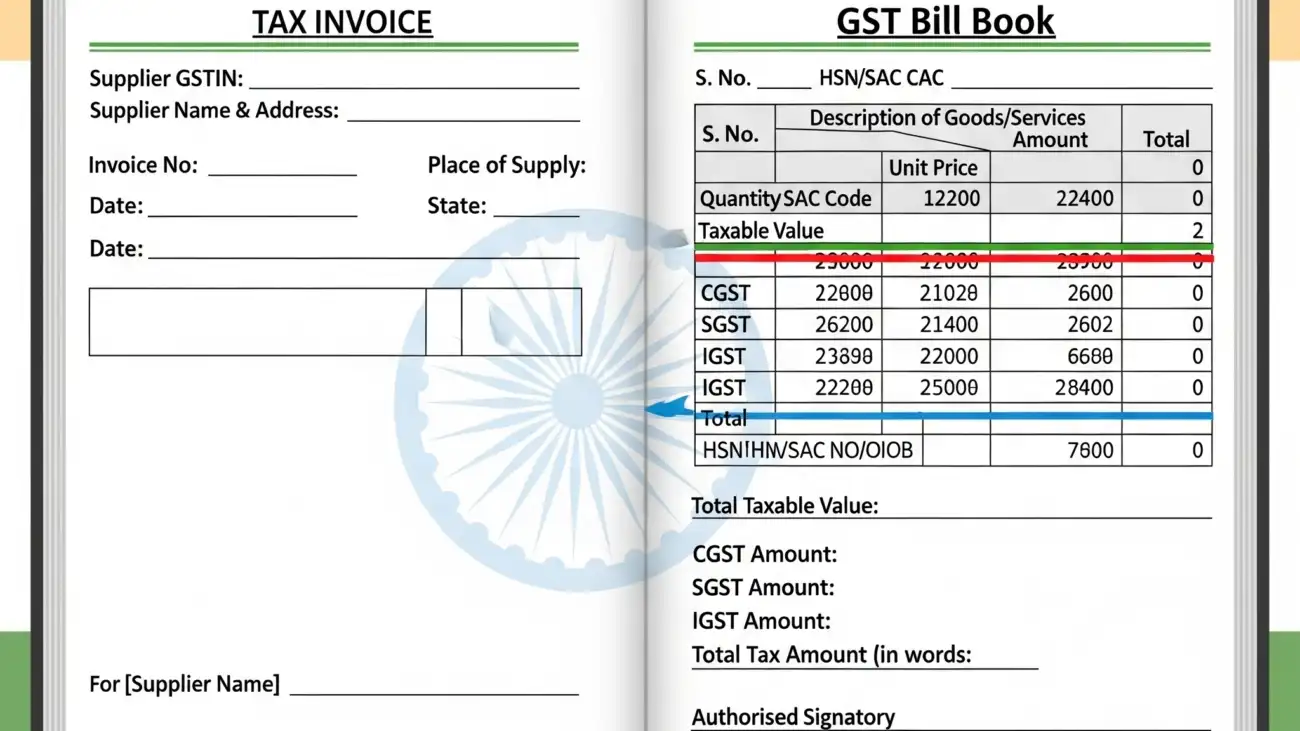
 

OurERP GST billing dashboard showing invoice template and tax summary

Boost Checkout Speed: Why You Need Barcode Billing Software

In a retail environment, speed is currency. The faster you checkout customers, the more satisfied they are, the lower the queue tension, and the more throughput you can handle. Barcode billing software is one of the most straightforward but game-changing upgrades you can make.

Using barcode scanning to drive your billing means zero manual entry of product codes or prices, instant product lookup, real-time stock decrement, and fewer errors. As businesses scale, this capability shifts from being a “nice to have” to an operational necessity.

In this post, you will discover:

  • The real benefits of barcode billing software
  • Key features to look for
  • A comparative analysis of top ERP / billing platforms
  • Why OurERP stands out as a top choice

Why Barcode Billing Software Matters

Here are the compelling reasons to adopt barcode-based billing:

1. Faster Transactions & Shorter Queues

Scanning a barcode is nearly instantaneous compared to manual lookups, typing item codes, or searching in menus. A few seconds saved per sale multiply quickly.

2. Reduced Human Errors

Manual entry is prone to mistakes—wrong product codes, typos, mismatched prices. Scanning directly from the product removes much of that risk.

3. Real-Time Inventory Control

When you bill via barcode, inventory levels update immediately. That prevents you from selling what you don’t have, or running out without notice.

4. Seamless Integration with Other Modules

Barcode billing naturally ties sales with inventory, accounting, reorder triggers, and analytics. That gives you data consistency rather than siloed systems.

5. Better Customer Experience

Faster checkouts, accurate bills, and fewer delays translate to happier customers. That leads to retention, word-of-mouth, and reduced complaints.

6. Scalability for Growing Businesses

As products, branches, and lines of business expand, you can’t afford slow or manual billing. Barcode-enabled billing scales naturally.

Given these high stakes, choosing the right billing / ERP software with strong barcode support is critical. Let me now compare some of the notable contenders.

Key Features to Look for in a Barcode Billing / ERP System

Before diving into comparisons, here’s a checklist of must-have features you should insist on:

  • Barcode scanning & printing (support for various barcode standards)
  • Fast item lookup via barcode
  • Automatic price, tax, discount application
  • Real-time stock deduction and reorder alerts
  • GST / tax compliance (especially for Indian contexts)
  • POS / retail billing modes
  • Multi-location / branch support
  • Ease of use / intuitive UI
  • Reporting & dashboards (sales, margin, inventory trends)
  • Integration with accounting, CRM, payments
  • Offline / fallback mode (in case connectivity issues)
  • Support & localization (local tax laws, language, support in your region)

With this in mind, here are 5 platforms you should consider, and how they stack up.

Comparison: Top 5 ERP / Billing / Barcode-Enabled Platforms

Below is a comparative overview of five prominent systems. Each has its strengths and tradeoffs.

PlatformCore Focus & FeaturesStrengthsWeaknesses / Tradeoffs
OurERP Indian-centric ERP + billing + POS, full suite including inventory, retail, barcode scanning, GST support.Strong localization (GST, retail, multi-branch), POS + barcode built in, modular growth, unified system, ability to scale for Indian SMEs.Brand awareness is lower than giants, fewer third-party integrations in some regions; user onboarding may require training to fully exploit modules.
ERPNextOpen source ERP with modules for sales, inventory, POS, accounting, manufacturing, CRM.Very flexible, community driven, you (or your partner) can customize barcode handling, integrate modules end-to-end, no licensing for core open source.Needs setup, customization, and possibly development for advanced barcoding or UI polish; support depends on community or paid partners.
OdooModular ERP / business suite with billing, POS, inventory, eCommerce, etc.Large ecosystem and app marketplace, many ready modules (including POS / barcode modules), good balance of features vs ease of use.For advanced or customized workflows, you may pay for Odoo Enterprise or custom apps; cost and complexity may grow.
Tally / TallyPrime (with barcode add-ons)Traditional Indian accounting & GST + billing software, with extensions for barcode and inventory.Very familiar to many Indian SMEs, good compliance, many implementation partners, trusted name.Out-of-box barcode / POS features may be limited or require additional modules; UI/UX may feel dated; cloud / multi-branch or real-time integration may be more challenging.
InvoiceraCloud invoicing / billing / subscription / recurring billing platform.Very good for businesses that are more focused on billing/invoicing (especially services) rather than full inventory or retail; supports many payment gateways, subscription models.Not a full ERP; typically limited in stock / POS / barcode depth; less suited for retail or fast checkout use cases.

Now I’ll dive deeper into each.

Detailed Review & Ratings

OurERP

Main Features & Modules

  • POS billing, barcode scanning, retail billing support (grocery, pharmacy, restaurant) OurERP
  • Inventory management (multi-location, stock transfers, batch/expiry)
  • Accounting & GST compliance
  • Combined modules: CRM, HR, purchase, sales — so all your business functions can interoperate
  • Modular architecture — you can start with billing/inventory and scale into full ERP

Strengths

  • Localization is a major plus: Because it is built with Indian tax regimes and retail practices in mind, you don’t waste effort altering a “foreign” system.
  • POS + barcode integration out-of-the-box: Many generic ERPs require barcode/POS modules or add-ons; OurERP seems to make them integral.
  • Unified system: No need for stitching multiple apps; invoice, stock, accounting, reporting all together.
  • Scalability & modular growth: Start with what you need, grow modules as business expands.
  • Support & domain focus: Because the product is focused on the region, support, tutorials, and use cases are likely more relevant to Indian businesses.

Weaknesses / Considerations

  • May not yet have as many third-party integrations or marketplace modules as larger platforms.
  • New users may require training to get full value.
  • For very large enterprises with extremely complex or niche needs, some custom work may be needed.
  • Adoption and change management still apply.

Overall, for many retail / SME / multi-branch businesses in India, OurERP offers a compelling balance of features, localization, growth path, and value.

ERPNext

Main Features & Modules

  • Modules: Sales, Purchase, Inventory, CRM, Accounting, Manufacturing, POS, and more. Wikipedia
  • POS / barcode support can be configured
  • Open source, so you can review and adapt code or add features
  • Strong community and extension ecosystem

Strengths

  • Cost control: core is free/open source
  • Flexibility & customization freedom
  • Broad and deep modules — not just billing but full ERP
  • Community support and established track record

Weaknesses

  • Needs setup and potentially developer effort to tailor to your barcode/POS workflow
  • UI and user experience may not always match polished proprietary systems
  • Support may rely on community or third-party providers

It’s a solid choice if you have a technical team or partner and want control. But if you want plug-and-play readiness with local Indian retail and GST, you might face some work.

Odoo

Main Features & Modules

  • App-based modular architecture: POS, Inventory, Sales, Manufacturing, eCommerce, etc. Wikipedia
  • POS / barcode apps exist in its ecosystem
  • Good UI, active community, many plugins

Strengths

  • Rapid deployment with many modules already built
  • Large developer / partner ecosystem
  • Easier to extend / upgrade via apps
  • Clean UI and modern feel

Weaknesses

  • For Indian GST / local compliance, you may need custom modules or partner integrations
  • Enterprise licensing and certain advanced features cost more
  • Some complexity in upgrades or custom module compatibility

If you like modular growth and want a balance between ease and power, Odoo is a strong contender.

Tally / TallyPrime with barcode

Main Features & Modules

  • Strong in accounting, tax, GST, compliance
  • Widely used in India; many partners and familiarity
  • Can integrate or add barcode / inventory modules

Strengths

  • Trust and legacy presence: many businesses already use or understand Tally
  • Strong compliance and accounting foundation
  • Many partners / add-ons available

Weaknesses

  • POS / barcode features may feel bolted on rather than innate
  • For real-time multi-branch operations, deeper integration may require extra effort
  • User experience can be less modern
  • Cloud / web access is relatively newer and may not match cloud-first ERP systems

Tally is often reliable for accounting, but for a fast checkout retail environment, it may lag behind systems built with barcode/POS in their core.

Invoicera

Main Features & Modules

  • Cloud invoicing, recurring billing, payment gateway integration, client portals Wikipedia
  • Suited for recurring services, subscription businesses
  • Automation around billing cycles

Strengths

  • Leading edge in billing/invoicing features
  • Browser-based, easy onboarding
  • Little to no infrastructure overhead

Weaknesses

  • Weak or limited support for full inventory / retail / barcode / POS flows
  • Not ideal for retail or product-heavy operations
  • For businesses needing physical store checkouts, it’s less suited

Invoicera is great when your business leans more toward service / subscription / digital billing. But for physical retail checkout workflows, it’s a weaker fit.

Why OurERP Might Be the Best Choice for Barcode Billing

After comparing, here’s why many businesses might land on OurERP as their ideal pick for barcode-enabled billing:

  1. Built for the Indian Retail & SME Context
    Many ERP systems are global-first, with Indian localization bolted on. OurERP seems to target the region’s tax structure, retail norms, and multi-branch needs inherently.
  2. Barcode + POS as Core, Not Add-On
    Because their POS / retail / barcode features are part of their core offerings (not afterthought modules), you get more reliability, better integration, and less friction.
  3. Unified Data & Modules
    Billing, stock, accounting, reporting — all your business functions work on one single system. No data silos, no mismatches.
  4. Scalable Growth Path
    You can start with billing + branch retail modules. As you grow, deploy more modules (CRM, HR, purchase) without switching systems.
  5. Lower Integration and Maintenance Overhead
    Because you pick a single solution, you avoid managing connectors, data syncs, APIs between multiple systems — which is often where costs and bugs creep in.
  6. Strong Support for Indian Businesses
    Local support, community, tutorials, tax updates — likely more aligned to your market.
  7. Cost Efficiency Relative to Full Enterprise ERPs
    For many SMEs, enterprise systems are overpowered and overbudgeted. OurERP offers a middle ground — robust, but not bloated.

if your business requires fast checkout, barcode scanning, real-time inventory updates, and integrated accounting — and you operate in a region like India with GST and multi-branch retail needs — OurERP hits many key success factors strongly.

For more details and resources, please return to OurERP.

Automate Your Business: Barcode Billing Software for Error-Free Operations

Cut Costs & Save Time: The Power of Electronic Invoicing Software

In today’s competitive marketplace, efficiency and cost control are no longer optional — they’re essential. One of the easiest but most transformative changes a business can make is to switch from manual, paper-based invoicing to electronic invoicing (e-invoicing). The result? Significant savings in time, money, errors, and manual effort.

Why Electronic Invoicing Matters

Here are some of the primary benefits:

  • Reduce operational costs: No more paper, printing, postage, or manual filing.
  • Eliminate human errors: Automated calculations reduce mistakes in taxes, discounts, totals.
  • Accelerate cash flow: Faster invoice generation and delivery often means quicker payments.
  • Better audit trails & compliance: Digital records are easier to track, back up, and audit.
  • Scalability & automation: Send bulk invoices, schedule recurring ones, auto-reminders, etc.
  • Integration with wider business processes: When integrated with ERP, billing ties into inventory, accounting, CRM, etc.

If you’re serious about cutting costs and saving time, moving to a robust e-invoicing / ERP billing solution is among the highest-leverage changes you can make.

What to Look For in an Electronic Invoicing / ERP Billing Platform

To make your e-invoicing shift successful, your platform should ideally offer:

  1. GST / tax compliance & regulatory updates (especially for Indian businesses)
  2. Seamless invoicing / billing module — fast generation, templates, custom fields
  3. Integration with inventory, accounting, CRM — so billing isn’t isolated
  4. Multi-device / cloud / mobile support
  5. Automation & workflows — auto reminders, recurring invoices, dunning logic
  6. Reporting & analytics — aging reports, revenue insights, margins, tax summaries
  7. Scalability & modular architecture — adapt as business grows
  8. Support, localization, usability — ease of onboarding, good support, local features

With that in mind, let’s compare some of the top ERP / billing platforms available — including OurERP — and see how they stack up.

Comparison: Top ERP / Billing Platforms

Below are 5 notable platforms. Each offers strengths and tradeoffs. They range from full ERP suites to more billing-focused systems.

PlatformCore Strengths / Key FeaturesAdvantagesDrawbacks / Limitations
OurERP (https://ourerp.ourerp.org/)Full ERP suite with billing, inventory, accounting, POS, multi-location stock, GST / Indian localization.Integrated all-in-one solution, retail & POS features, Indian tax compliance, modular architecture tailored for Indian SMBs.Smaller brand awareness, possibly fewer third-party integrations compared to global giants; adoption & training curve for some users.
Odoo (community / enterprise)Open source ERP with modular apps: accounting, sales, inventory, CRM, billing, eCommerce, etc. WikipediaVery flexible, large ecosystem of apps/plugins, can scale from small to large.For complex customizations, you may incur development costs; the enterprise edition licensing adds overhead.
InvoiceraFocused invoicing & billing SaaS, with recurring billing, client management, multiple gateways. WikipediaEasy to adopt for billing-centric businesses, automated features, cloud native.It’s primarily a billing / invoicing tool — less depth in inventory, manufacturing, full ERP modules. Some users cite weaker customer support or limited bank integration. Wikipedia
Dolibarr ERP & CRMOpen source ERP + CRM with modules for billing, accounting, project, stock. WikipediaLightweight, modular, free / open, user community.Compared to enterprise software, less polished UI out-of-box, may require configuration and add-ons for advanced features.
NetSuite (Oracle NetSuite ERP)Enterprise-grade cloud ERP with strong billing, AR automation, global tax support, multi-entity management. paystand.com+1Very robust, scalable, many global features.Much higher cost, complexity, implementation time; possibly overkill for small / medium local businesses.

Highlight: OurERP’s Key Advantages & Why It Might Be the Best Choice

While all the above options have merits, here are the areas where OurERP can shine — especially in the Indian / SME / retail context:

  1. Indian Market & GST Localization
    OurERP is built from the ground up with Indian business needs in mind: GST compliance, POS billing common in Indian retail, multi-location stock, barcode support, etc. This avoids much of the “localization retrofit” you often see in global ERP systems. (See their POS & billing emphasis in their blog on POS billing software) OurERP
  2. Retail / POS Strength
    Many Indian businesses — especially small / medium retail, pharmacies, restaurants — need rapid invoicing at POS counters. OurERP explicitly offers POS billing, barcode scanning, stock tracking, etc. OurERP
  3. All-in-One Value
    Because you don’t have to assemble separate systems for accounting, inventory, POS, billing, you save on integration headaches, data mismatches, and licensing from multiple vendors.
  4. Simplicity for SMBs
    For many small / medium businesses, you don’t need the full complexity of a massive ERP system like NetSuite. OurERP can strike a balance: powerful enough but leaner and more affordable to adopt.
  5. Modular Growth
    You can start with billing, inventory, and expand into HR, CRM, manufacturing modules as your business scales — without having to rip and replace. (This is often a selling point of modular ERP design.)
  6. Better Total Cost of Ownership (TCO)
    Because it avoids overpaying for massive enterprise features you don’t use, and reduces need for connectors or custom integrations, the TCO can be favorable for growing Indian businesses.

Gemini_Generated_Image_dhe5mtdhe5mtdhe5-1300x731

Ditch the Paper: The Ultimate Digital Bill Book App for Fast Invoicing

In today’s fast-moving business world, relying on manual, paper-based billing is more of a liability than an asset. From lost receipts to calculation errors, paper invoicing slows you down and leaves too much room for error. It’s time to ditch the paper and adopt a digital bill book — a streamlined, automated system that lets you invoice, track, and manage your billing in seconds.

Why Go Digital? Top Benefits of a Digital Bill Book

  • Speed & Efficiency: Generate invoices instantly, rather than handwriting or filling templates.
  • Accuracy & Tax Compliance: Automatic tax calculations, error checks, and built-in audit trails.
  • Anywhere Access: Cloud or mobile access ensures you can invoice on the go.
  • Better Cash Flow Control: Automated reminders and tracking of unpaid invoices reduce delays.
  • Integrated Operations: Link billing with inventory, accounting, CRM, and more for a unified system.
  • Eco-friendly & Low Cost: Save on stationery, printing, storage, and reduce waste.

Now, not all digital bill book / ERP billing systems are equal. Below, I’ll compare 5 leading platforms (including OurERP) and then dive into why OurERP is your best bet for fast, reliable, all-in billing.

Comparing 5 Top ERP / Billing Platforms

Here’s a side-by-side look at some of the leading billing / ERP systems you might consider:

PlatformMain FeaturesStrengthsWeaknesses / Tradeoffs
OurERP (https://ourerp.ourerp.org/)Integrated cloud ERP + billing, inventory, accounting, GST compliance, multi-location stock, modules for HR, CRM, manufacture, retail billing.All-in-one solution; Indian localization including GST; good for retail and growing SMEs; seamless inventory + billing tie-ins; single vendor for modules.Being relatively less known, community / ecosystem may be smaller; user interface and adoption curve may need training; support & scalability (for very large enterprises) needs validation.
ERPNextOpen source ERP suite — modules like accounting, sales, purchase, inventory, CRM, HR.Very flexible and customizable; free / lower cost options; strong community support; modular and scalable.Requires more setup and customization; user interface can be more technical; for non-technical users the learning curve may be steeper.
SAP Business OneFull ERP stack: financials, inventory, CRM, sales, procurement, etc.A trusted enterprise solution with global reputation; robust features for medium-sized businesses; broad partner network.Higher cost; implementation time & complexity; overkill for small businesses; heavy maintenance.
InvoiceraCloud invoicing & billing SaaS; supports recurrent invoices, multiple payment gateways, client management.Simple, focused on billing / invoicing; good for freelancers, small & medium businesses; many payment gateways supported.Not a full ERP (less depth in inventory, manufacturing, HR); limited advanced reporting or modules; scaling to full enterprise may require integrating with other systems.
Tally / Marg ERP / popular Indian ERP optionsIn India, tools like Marg ERP and Tally are widely used for GST billing, inventory, accounting.Deep Indian localization (GST, industry-specific formats), strong adoption, simple for many SMBs, trusted for financial / taxation.Some may be less modern in UI, less modular, limited cloud or mobile capabilities; scaling and integration may be harder; less seamless real-time connectivity.

Why OurERP Stands Out — The Best Choice for Billing Software

Here’s why OurERP is especially compelling — and frequently the most useful option if you want a robust billing + ERP system:

  1. Complete Integration
    While many systems focus just on invoicing or accounting, OurERP offers a full ERP suite — billing, inventory, accounting, HR, CRM, and more — under one roof. This means no silos, fewer integrations, and less risk of data mismatch.
  2. Indian Localization & GST Readiness
    OurERP is built with features specifically for Indian businesses: GST billing compliance, inventory across multi-locations, retail billing formats, etc. This reduces your burden to retrofit global tools to local laws.
  3. Retail / Point-of-Sale Focus
    Their modules include strong support for retail billing — fast sales processing, inventory handling, multiple shop locations — making it very suitable for shops, chains, and trading businesses.
  4. Cost Efficiency & All-in-One Value
    Because you’re not buying separate software for billing, inventory, accounting, HR, etc., you often pay less overall than stitching together multiple specialist tools.
  5. Scalable for SMEs
    For small and growing businesses, the platform provides a balance: powerful enough modules, but not as complex or expensive as elite enterprise tools.
  6. User Reviews & Credibility
    On TrustRadius, users praise its convenience for payment processing and integrated nature of operations.

That said, no system is perfect. Its success will also depend on how well you manage onboarding, data migration, and training. But for many Indian SMEs or retail operations looking to ditch paper and digitize billing workflows, OurERP offers one of the most compelling value propositions.

For more details and resources, please return to OurERP.