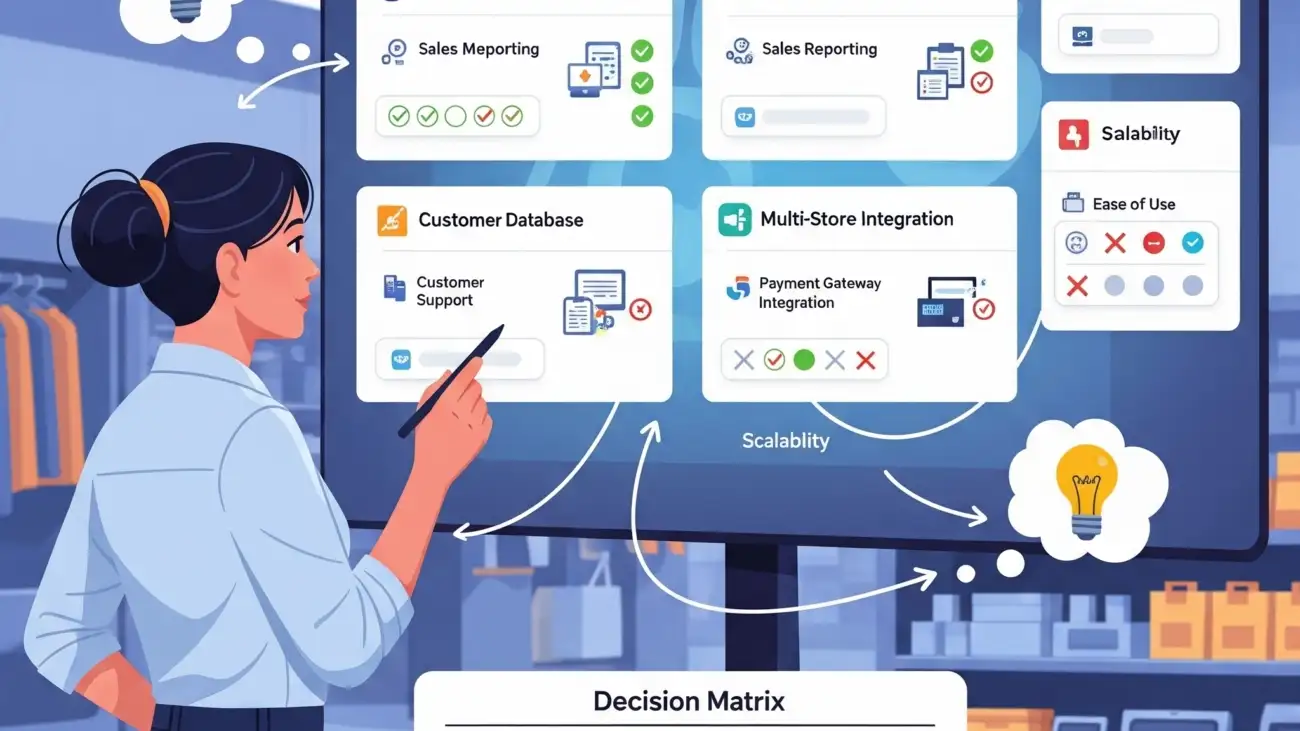
A retail shop owner using a free billing software on a laptop, highlighting the process of selecting the best solution for their business.

Grow Your Retail Business with India’s Best Free Billing Software

In the fast-paced Indian retail market, efficiency is everything. Juggling manual billing books (khatas), tracking inventory by hand, and ensuring every invoice is GST-compliant can slow you down and lead to costly errors. But what if you could automate these tasks, understand your business better, and improve customer satisfaction—all without spending a single rupee on software?

Welcome to the world of modern billing software. In 2025, powerful, free-to-use tools are no longer a luxury; they are a strategic asset for growth. This guide will show you exactly how free billing software can fuel your retail business’s expansion and introduce you to the best options available in India today.

How Free Billing Software Fuels Your Business Growth

Before we get to the list, let’s understand why this is more than just a cost-saving tool. A good billing software is a growth engine. Here’s how:

1. Save Time and Eliminate Costly Errors

Automating your billing process means faster checkouts and no more manual calculation mistakes. This frees up your valuable time to focus on customer service, marketing, or sourcing new products.

2. Make Smarter Decisions with Data

Which products are your bestsellers? What are your peak business hours? Free billing software provides you with instant sales reports, giving you the data you need to make informed decisions about stock, staffing, and promotions.

3. Achieve Effortless GST Compliance

Generating professional, GST-compliant invoices is one of the biggest challenges for small businesses. The right software automatically calculates taxes (CGST, SGST, IGST) and helps you generate reports, making tax filing simpler than ever.

4. Enhance the Customer Experience

Provide customers with quick, professional printed or digital receipts via WhatsApp or SMS. Faster checkouts and accurate billing leave a lasting positive impression, encouraging repeat business.

5. Master Your Inventory (Stock) Management

Get automatic alerts when your most popular items are running low. Proper inventory tracking prevents you from losing sales due to stockouts and avoids tying up capital in slow-moving products.

India’s Best Free Retail Billing Software for 2025

We’ve analyzed the top contenders in the Indian market to bring you this list. Each of these offers a robust, free-forever plan perfect for getting started.

1. Vyapar: Best for Kirana Stores & General Traders

Vyapar is a household name among MSMEs in India, and for good reason. It’s designed specifically for the Indian business owner, with a strong focus on billing, inventory, and GST.

  • Best For: Kirana stores, mobile shops, pharmacies, and small traders.
  • India-Specific Features: Excellent GST invoicing and reporting, UPI payment integration, delivery challan creation, and support for thermal printers.
  • Key Free Features:
    • Unlimited transactions and invoicing.
    • Inventory and stock management.
    • Business reports (P&L, stock reports, etc.).
    • Works offline, which is great for areas with unstable internet.
  • Growth Path: The premium version offers features like multi-user access and synchronization across multiple devices.

2. Zoho Invoice: Best for Professional Invoicing & Service Retail

Part of the globally trusted Zoho ecosystem, Zoho Invoice is a powerful and completely free tool for businesses that need polished, professional invoicing.

  • Best For: Retailers who also offer services (e.g., electronic repair shops), consultants, and businesses that need detailed, customizable invoices.
  • India-Specific Features: GST-compliant invoicing, integration with Indian payment gateways like Razorpay, and robust expense management.
  • Key Free Features:
    • Send unlimited invoices to up to 5 customers.
    • Customizable invoice templates.
    • Automated payment reminders and expense tracking.
    • A client portal for customers to view and pay their invoices online.
  • Growth Path: As you grow, you can easily integrate with other Zoho apps like Zoho Inventory or Zoho Books for a complete business management suite.

3.OurERP: A Comprehensive Solution for Businesses of All Sizes

OurERP is a robust Enterprise Resource Planning (ERP) software designed to help businesses manage and integrate their core processes, including finance, human resources, supply chain, and inventory management. It’s a cloud-based solution that centralizes business data and automates various workflows to boost productivity and efficiency.

Best For

OurERP is ideal for a variety of businesses, from small to mid-sized enterprises, including those in retail, manufacturing, distribution, and service-based industries. Its customizable and scalable architecture makes it suitable for businesses looking to optimize operations and drive growth.

Key Features

While OurERP does not offer a free plan, it provides a comprehensive suite of features across its different modules:

Integrated Business Operations: OurERP centralizes data from various departments, providing real-time insights and a unified view of your business.

Inventory & Supply Chain Management: The software provides complete visibility of inventory, tracks product movements, and automates stock updates with every sale. It also offers features like barcode scanning and IMEI/serial number tracking for specific industries like mobile retail.

Financial & Accounting Management: It automates ledger entries, manages accounts payable and receivable, and generates financial reports like P&L statements, balance sheets, and cash flow statements. For businesses in India, it also offers GST-compliant invoicing and tax reports.

Customer & Sales Management: OurERP allows you to build customer profiles, track purchase history, and implement loyalty programs. It also features a point-of-sale (POS) interface for faster checkouts and supports multiple payment options.

Human Resources & Payroll: It includes modules for payroll processing, attendance tracking, and statutory compliance (e.g., PF, ESI, and TDS in India).

Cloud-Based Deployment: The software is accessible from anywhere with an internet connection, providing flexibility and secure data storage with encryption and automatic backups.

Pros

Customizable and Scalable: OurERP offers extensive customization options, allowing businesses to tailor the software to their specific workflows and add or remove modules as they grow.

Comprehensive Features: It’s an all-in-one platform that handles a wide range of business functions, reducing the need for multiple software solutions.

Integrated Business Intelligence: With advanced reporting tools and dashboards, it provides valuable insights for data-driven decision-making.

3. Loyverse POS: Best for Cafes, Boutiques & Lifestyle Stores

If you’re looking for a modern, tablet-based Point of Sale (POS) system that looks professional and is packed with features, Loyverse is a top global contender that works great in India.

  • Best For: Clothing stores, gift shops, small cafes, and any business focused on a great in-store customer experience.
  • India-Specific Features: While not India-specific, it supports multiple currencies and has a simple interface that is easy to adopt.
  • Key Free Features:
    • Robust POS and inventory management (including items with variants like size/color).
    • A built-in customer loyalty program (a huge value-add).
    • Sales analytics and reports.
    • Works on any iOS or Android smartphone or tablet.
  • Growth Path: Paid add-ons include advanced inventory management, employee management, and integrations.

4. myBillBook: Best for Wholesalers and Distributors

myBillBook is another popular India-focused application that excels in managing both billing and inventory with ease, making it a strong competitor to Vyapar.

  • Best For: Small to medium-sized retailers, wholesalers, and distributors.
  • India-Specific Features: Strong GST support, UPI payment reminders, and options to share greetings with clients on festivals.
  • Key Free Features:
    • Professional invoicing and billing.
    • Stock management with low-stock alerts.
    • Manage business expenses and track accounts receivable/payable.
  • Growth Path: Premium plans unlock features like removing branding and advanced user management.

The Final Verdict

Moving from a manual system to a digital one is the single most impactful step you can take to grow your retail business today. Free billing software removes the financial barrier, giving you access to tools that were once reserved for large corporations.

Stop spending hours on manual billing and paperwork. Choose the software from this list that best fits your business needs, download it today, and start investing your time where it truly matters—in growing your business.

For more details and resources, please return to OurERP.

Which software do you use for your retail shop in India? Share your experience in the comments below!

A retail shop owner using a modern billing software, showcasing how the solution simplifies GST invoicing and inventory management.

The Ultimate List: Free Billing Software for Every Type of Retail Shop

Managing a retail shop is a balancing act. Between tracking inventory, processing sales, and keeping customers happy, the last thing you need is a hefty bill for your billing software. The good news? You don’t need one. Powerful, efficient, and user-friendly billing software is no longer exclusively for big-box stores with big budgets.

Whether you run a bustling kirana store in Bengaluru, a chic clothing boutique, or an electronics shop, there’s a free billing software solution designed for your unique needs. This ultimate list for 2025 breaks down the best free options, helping you streamline operations, save money, and focus on what truly matters—growing your business.

What Makes a Great Free Retail Billing Software?

Before diving into the list, let’s set the criteria. A top-tier free plan should offer more than just basic invoicing. We’ve focused on software that provides:

  • A True Free-Forever Plan: Not just a 14-day trial.
  • Essential Retail Features: Core functionalities like invoicing, basic inventory tracking, and sales reporting.
  • Ease of Use: An intuitive interface that you and your staff can learn quickly.
  • Scalability: The option to upgrade to a paid plan as your business grows.

Here are the best free billing software solutions for every type of retail shop.

1. Square POS: Best Overall for Small Retail Shops & Cafes

Square is a giant in the point-of-sale industry for a reason. Its free plan is incredibly robust and perfect for new and small retail businesses, from small kiosks to independent cafes.

  • Best For: Small physical retail stores, pop-up shops, quick-service restaurants, and businesses starting their first store.
  • Key Features of the Free Plan:
    • Unlimited product listings and transactions.
    • Real-time inventory management.
    • Customer directory and basic sales analytics.
    • Seamlessly integrates with Square’s payment processing hardware.
    • Create and manage a free online store that syncs with your physical inventory.
  • Pros:
    • Extremely easy to set up and use on a tablet or smartphone.
    • The free online store feature is a massive bonus.
    • Transparent, flat-rate payment processing fees.
  • Limitations:
    • You must use Square’s payment processing.
    • Advanced features like employee management and advanced inventory reports are on paid plans.

2. Zoho Invoice: Best for Retailers Needing Powerful Invoicing

While part of the larger Zoho ecosystem, Zoho Invoice is a fantastic, completely free tool. If your primary need is creating professional, customized invoices and tracking payments, this is an unbeatable choice.

  • Best For: Service-based retail (e.g., repair shops), businesses that need detailed invoicing, and freelancers who also sell products.
  • Key Features of the Free Plan:
    • Create and send customized, professional invoices.
    • Track expenses and billable hours.
    • Automated payment reminders to reduce late payments.
    • Accept online payments through gateways like Razorpay, Stripe, and PayPal.
    • Client portal for customers to view and pay their invoices.
  • Pros:
    • Completely free for a single user, with no ads or gimmicks.
    • Excellent mobile app for billing on the go.
    • Integrates with other Zoho apps, offering a path to a full business suite.
  • Limitations:
    • Inventory management features are basic compared to a dedicated POS system. It’s more invoice-focused than stock-focused.

3. Loyverse POS: Best for Boutiques & Grocery Stores

Loyverse POS packs an impressive number of features into its free plan, including a loyalty program—a feature almost always reserved for paid tiers. Its robust inventory management makes it ideal for shops with many product variations.

  • Best For: Clothing boutiques, grocery stores (kiranas), gift shops, and any retail business looking to build customer loyalty.
  • Key Features of the Free Plan:
    • Point-of-sale system that works on smartphones and tablets.
    • Inventory management with stock level alerts.
    • Built-in customer loyalty program (points-based).
    • Sales analytics and reports.
    • Works offline and syncs when you reconnect to the internet.
  • Pros:
    • The free, built-in loyalty program is a game-changer for customer retention.
    • Handles items with variants (size, color) very well.
    • Supports barcode scanners and receipt printers.
  • Limitations:
    • Integrations with other business tools (like accounting software) are paid add-ons.
    • Advanced features like employee management and detailed inventory analysis require a subscription.

4. Wave: Best for Retailers Focused on Accounting

Wave is renowned for its free accounting, invoicing, and receipt-scanning software. For a retail shop owner who handles their own bookkeeping, Wave offers a powerful all-in-one solution for managing finances and sales.

  • Best For: Sole proprietors and small retail businesses where the owner manages all accounting and billing.
  • Key Features of the Free Plan:
    • Unlimited income and expense tracking.
    • Create and send professional invoices.
    • Comprehensive accounting reports (Profit & Loss, Balance Sheet, etc.).
    • Accepts online payments (standard processing fees apply).
  • Pros:
    • True, double-entry accounting software for free.
    • Saves you from needing separate software for invoicing and accounting.
    • User-friendly and designed for non-accountants.
  • Limitations:
    • No dedicated POS interface or advanced inventory management features. It is not designed for fast-paced, multi-item checkout processes. Best for simpler retail environments.

5.OurERP: A Comprehensive Solution for Businesses of All Sizes

OurERP is a robust Enterprise Resource Planning (ERP) software designed to help businesses manage and integrate their core processes, including finance, human resources, supply chain, and inventory management. It’s a cloud-based solution that centralizes business data and automates various workflows to boost productivity and efficiency.

Best For

OurERP is ideal for a variety of businesses, from small to mid-sized enterprises, including those in retail, manufacturing, distribution, and service-based industries. Its customizable and scalable architecture makes it suitable for businesses looking to optimize operations and drive growth.

Key Features

While OurERP does not offer a free plan, it provides a comprehensive suite of features across its different modules:

  • Integrated Business Operations: OurERP centralizes data from various departments, providing real-time insights and a unified view of your business.
  • Inventory & Supply Chain Management: The software provides complete visibility of inventory, tracks product movements, and automates stock updates with every sale. It also offers features like barcode scanning and IMEI/serial number tracking for specific industries like mobile retail.
  • Financial & Accounting Management: It automates ledger entries, manages accounts payable and receivable, and generates financial reports like P&L statements, balance sheets, and cash flow statements. For businesses in India, it also offers GST-compliant invoicing and tax reports.
  • Customer & Sales Management: OurERP allows you to build customer profiles, track purchase history, and implement loyalty programs. It also features a point-of-sale (POS) interface for faster checkouts and supports multiple payment options.
  • Human Resources & Payroll: It includes modules for payroll processing, attendance tracking, and statutory compliance (e.g., PF, ESI, and TDS in India).
  • Cloud-Based Deployment: The software is accessible from anywhere with an internet connection, providing flexibility and secure data storage with encryption and automatic backups.

Pros

  • Customizable and Scalable: OurERP offers extensive customization options, allowing businesses to tailor the software to their specific workflows and add or remove modules as they grow.
  • Comprehensive Features: It’s an all-in-one platform that handles a wide range of business functions, reducing the need for multiple software solutions.
  • Integrated Business Intelligence: With advanced reporting tools and dashboards, it provides valuable insights for data-driven decision-making.

How to Choose the Right Free Software for Your Shop

Feeling overwhelmed? Ask yourself these three questions:

  1. What is my biggest need? Is it fast checkout (Square, Loyverse), professional invoicing (Zoho), or integrated accounting (Wave)?
  2. How complex is my inventory? If you have many products with variants like size and color, a system like Loyverse is essential. For simpler stock, Square or Zoho might suffice.
  3. How do I plan to grow? Look at the paid plans of your top choices. A free tool is great now, but ensure it can grow with you without costing a fortune later.

The Final Bill

Starting or running a retail business in 2025 doesn’t require a massive investment in software. By choosing the right free billing software, you can manage your sales, track your inventory, and build customer relationships effectively.

Start by identifying your core business type from the list above and give one of these top-tier free solutions a try. You have nothing to lose and a whole lot of efficiency to gain.

For more details and resources, please return to OurERP.

What free tools do you use to manage your retail shop? Share your favorites in the comments below!

Don't Pay for What You Can Get Free: A Guide to Billing Software for PC

Don’t Pay for What You Can Get Free: A Guide to Billing Software for PC

In the world of small businesses and startups, every penny counts. While you might be tempted to invest in an expensive billing system, the truth is that a number of high-quality, professional free billing software options are available for your PC. These solutions offer a powerful alternative to manual invoicing, helping you save money, improve efficiency, and project a professional image. This guide will help you understand the benefits and capabilities of free billing software and how it can be the perfect solution for your business.

Why Choose Free Billing Software for Your PC?

The misconception that “free” means “low quality” is a common one, but it doesn’t apply to modern billing software. These tools are packed with features that can transform your financial operations.

Say Goodbye to Manual Errors

Manual invoicing with spreadsheets or paper bill books is prone to errors, from typos in amounts to incorrect client details. Free billing software automates calculations and data entry, significantly reducing the risk of costly mistakes.

Save Your Hard-Earned Money

This is the most obvious benefit. By using a free solution, you can get a robust billing system without the recurring subscription fees, allowing you to allocate those funds to other critical areas of your business.

Look Professional from Day One

Professionalism starts with the details. Free billing software allows you to create branded, customizable invoices that look polished and credible, helping you build trust with your clients.

Streamline Your Workflow

Automate the entire billing process, from generating invoices to tracking payment status. This saves you valuable time that can be spent on growing your business or focusing on customer relationships.

Key Features to Look for in Free PC Billing Software

While they may be free, these software options often come with a surprising number of powerful features.

Professional Invoice Generation

The core function of any billing software. Look for tools that allow you to create, customize, and save professional-looking invoices with your company logo and details.

Client and Product Management

Keep a clean, organized database of your clients and products or services. This allows for quick and easy invoice creation with pre-filled information.

Basic Reporting

Even free versions often provide basic reports on sales and outstanding payments. This gives you a quick snapshot of your financial health and helps you track who owes you money.

Secure Data Storage

Your data is valuable. The best free software will offer secure, local data storage on your PC, giving you control over your financial records.

Multiple Currency Support

If you have international clients, make sure the software supports multiple currencies. This is a must-have feature for any global-minded business.

Get Started in 3 Simple Steps

Getting up and running with a free billing software is quick and easy.

  1. Download and Install: Find a reputable free billing software for PC and download the installer. The process is usually straightforward and takes only a few minutes.
  2. Set Up Your Business Profile: Enter your company’s information, including your business name, address, and logo. This will be automatically included on all your invoices.
  3. Start Invoicing: Create your first client and item lists, then generate your first professional invoice. It’s that simple to start your journey toward smarter billing.

Free Software vs. Manual Methods: A Comparison

FeatureFree Billing SoftwareManual Methods (Spreadsheet)
Speed & EfficiencyFast and automated invoice generation.Slow, manual, and time-consuming.
AccuracyAutomated calculations, high accuracy.Prone to human errors.
ProfessionalismCreates professional, branded invoices.Invoices can look informal and inconsistent.
ReportingBasic reporting available.Requires manual data compilation.
CostCompletely free.No direct cost, but high time cost.

Built for Every PC User

Free billing software is not just for one type of business. It’s a versatile tool that can be used by various professionals.

  • Freelancers: Easily invoice clients for your services and keep track of project-based income.
  • Small Business Owners: Manage your sales, clients, and inventory without the expense of a paid system.
  • Startups: A great way to get your financial systems in place without a large upfront investment.
  • Sole Proprietors: Simplify your billing and focus on your craft, knowing your finances are organized.

Your Path to Smarter Billing Starts Now

There’s no reason to overcomplicate your billing or spend money when a free solution can do the job. By choosing a free billing software for your PC, you’re not just saving money; you’re gaining efficiency, professionalism, and peace of mind. Make the smart choice for your business and download your free billing software today.

For more details and resources, please return to OurERP.

A retail shop owner using a modern billing software, showcasing how the solution simplifies GST invoicing and inventory management.

Stop Losing Money: The Hidden Benefits of Upgrading Your Billing System

For many businesses, the process of invoicing and getting paid is a necessary but often overlooked part of daily operations. They rely on outdated methods like spreadsheets, manual entry, or even paper-based bill books. While these methods may seem to work, they are costing your business time, money, and valuable opportunities for growth. Upgrading to a modern billing software system isn’t just about sending professional-looking invoices; it’s about unlocking a host of hidden benefits that can directly boost your bottom line.

Why Your Outdated Billing System is Costing You

If your business still relies on manual billing processes, you’re likely facing a number of challenges that a modern system can effortlessly solve.

The Cost of Human Error

Manual data entry is prone to mistakes—typos in item descriptions, calculation errors, and incorrect client information. These errors can lead to invoicing delays, payment disputes, and ultimately, a loss of revenue and trust.

Wasted Time and Resources

The time spent creating invoices, chasing payments, and manually entering data into spreadsheets is time that could be better spent on core business activities like serving customers or developing new products.

Lack of Financial Insight

Without real-time data, it’s nearly impossible to know the true financial health of your business. You can’t easily track outstanding invoices, analyze payment trends, or identify your most profitable clients.

Weak Security

Paper invoices and local spreadsheets are vulnerable to physical damage, theft, or data corruption. A single hard drive failure or a misplaced folder could mean the loss of critical financial information.

Stalled Cash Flow

Manually sending invoices and tracking payments can be slow. This delay in getting paid impacts your cash flow, making it difficult to manage expenses and invest in new opportunities.

Key Features That Drive Profitability

A modern billing system is more than just a tool for generating invoices. It’s a comprehensive solution packed with features designed to improve efficiency and boost revenue.

Automated Invoicing & Reminders

Automate the entire billing cycle, from generating recurring invoices to sending automatic payment reminders. This ensures you get paid on time, every time, without the manual follow-up.

Real-Time Financial Reporting

Gain instant access to dashboards and reports on sales, expenses, and client payment history. This data allows you to make informed decisions and identify areas for growth.

Integrated Payment Gateways

Offer your clients multiple, secure payment options directly from the invoice. This reduces friction and speeds up the payment process, improving your cash flow.

Secure Cloud-Based Data

Your data is stored securely in the cloud, protected from physical and digital threats. Access your billing information from anywhere, anytime, with peace of mind.

Professional and Customizable Templates

Project a polished, professional image with customizable invoice templates. Add your logo, branding, and a personal touch to every communication.

Get Control in 3 Simple Steps

Upgrading your billing system doesn’t have to be complicated.

  1. Analyze Your Needs: Understand your current billing process and identify the key pain points. Do you need to manage subscriptions, track inventory, or integrate with an accounting system?
  2. Select the Right Software: Based on your needs, choose a billing system with the features and pricing that fit your business. Many solutions offer free trials to help you make the right decision.
  3. Go Live & Automate: Once your new system is set up and your team is trained, start automating your billing. You’ll quickly see the benefits in saved time and improved cash flow.

Modern System vs. Old Methods: A Comparison

FeatureOutdated System (Paper/Spreadsheet)Modern Billing Software
EfficiencyManual, time-consuming, and slow.Automated, fast, and highly efficient.
AccuracyProne to human errors, leading to disputes.Automated calculations, high accuracy.
Data SecurityVulnerable to loss, damage, or theft.Secure cloud storage with data backups.
ReportingRequires laborious manual compilation.Instant, detailed, and customizable reports.
Cash FlowSlow due to manual processing.Faster payments with automated reminders.
ProfessionalismCan appear unprofessional.Creates professional, branded invoices.

Built for Every Business Type

Billing software is not a one-size-fits-all solution; it’s adaptable for various business models.

  • Service-Based Businesses: Manage recurring billing, track billable hours, and send automated invoices to clients.
  • E-commerce & Retail: Seamlessly integrate with your online store to automate invoice generation and inventory updates for every sale.
  • Consultants & Freelancers: Create and manage invoices for multiple clients, track project expenses, and accept online payments.
  • Small Businesses: A simple, user-friendly interface makes it easy for small teams to manage all billing and payment needs.

The Ultimate Investment in Your Business

The decision to upgrade your billing system is one of the smartest investments you can make. By moving away from outdated methods, you are not just simplifying your operations; you are actively stopping the small leaks that drain your profits. It’s an investment in efficiency, security, and a healthier cash flow that will help your business thrive for years to come.

For more details and resources, please return to OurERP.

An image showing a modern cloth shop using billing software on a tablet for a fast checkout, representing how technology automates retail operations.

Bill Book vs. Billing Software: Which is Right for Your Business?

In today’s competitive business landscape, efficiency and accuracy are paramount. For many small businesses and startups, the traditional bill book has been the go-to method for managing transactions. However, with the rise of technology, billing software has emerged as a powerful alternative. The choice between these two methods can significantly impact your business operations, from financial management to customer satisfaction. This guide will help you understand the key differences and decide which is the best fit for your business.

Why Modernize Your Billing System?

Relying on a manual bill book can lead to a host of challenges that billing software is designed to solve. While a physical bill book might seem cost-effective and straightforward, it often comes with hidden costs and inefficiencies.

Eliminate Manual Errors

Handwriting invoices and calculating totals can easily lead to mistakes, which can result in financial loss or customer disputes. Billing software automates calculations, minimizing the risk of human error.

Save Time and Resources

Creating, organizing, and retrieving paper invoices is a time-consuming process. Billing software automates the entire workflow, from generating invoices to sending payment reminders, freeing up valuable time for you and your staff.

Gain Financial Clarity

With a physical bill book, it’s challenging to get a real-time overview of your sales, outstanding payments, and overall financial health. Billing software provides instant access to detailed reports and dashboards, giving you a clear picture of your business performance.

Project a Professional Image

Professionally generated invoices from a software system look polished and credible, enhancing your brand image. A traditional bill book, while functional, may not convey the same level of professionalism.

Improve Customer Experience

Billing software enables you to send invoices and payment reminders instantly via email or SMS. It also often supports multiple payment options, making the process more convenient for your customers.

Key Features of Modern Billing Software

To make an informed decision, it’s essential to understand the capabilities of modern billing software.

Automated Invoice Generation

Create and send professional-looking invoices with a single click. Customize templates with your logo and branding.

Inventory Management Integration

Link your billing system with your inventory. As items are billed, the stock count is automatically updated, helping you avoid shortages and overstocking.

Multi-Platform Accessibility

Access your billing data from anywhere, on any device—be it a desktop, tablet, or smartphone. This is particularly useful for businesses with remote teams or multiple locations.

Detailed Reporting and Analytics

Generate comprehensive reports on sales, expenses, and customer behavior. Analyze trends to make data-driven decisions and identify growth opportunities.

Secure Data Storage

Your financial data is stored securely in the cloud, protected from physical damage, loss, or unauthorized access. This is a significant advantage over a physical bill book, which can be easily misplaced or damaged.

Get Started in 3 Simple Steps

Transitioning from a bill book to billing software can be a smooth process.

  1. Assess Your Needs: Evaluate your current billing volume, team size, and specific business requirements to choose the right software.
  2. Set Up the System: Import your product list and customer database. Most software is designed for quick and easy setup.
  3. Train Your Team: A user-friendly interface makes it easy to train your staff. Once they’re comfortable, you can go live and begin reaping the benefits.

Bill Book vs. Billing Software: A Side-by-Side Comparison

FeatureTraditional Bill BookModern Billing Software
Speed & EfficiencyManual and time-consuming.Automated, fast, and highly efficient.
AccuracyProne to human errors.Automated calculations, high accuracy.
Data AccessibilityLimited to physical location.Accessible anywhere, anytime on any device.
ReportingTime-consuming to compile manually.Instant, detailed, and customizable reports.
ProfessionalismCan appear informal.Creates professional, branded invoices.
SecuritySusceptible to physical damage, loss, or theft.Secure cloud storage with data backups.

Built for Every Type of Business

Whether you’re a small-scale service provider or a retail store, billing software can be tailored to meet your unique needs.

  • Service-Based Businesses: Create and send invoices for services rendered, track time, and manage recurring billing for retainers.
  • Retail Stores: Integrate with your POS system to handle both in-store and online sales, manage returns, and track inventory.
  • Freelancers & Consultants: Simplify invoicing clients, track expenses, and manage project-based billing with ease.
  • Wholesale & Distribution: Manage bulk orders, track inventory across multiple locations, and generate complex invoices with different tax rates.

Make the Smart Choice for Your Business

The decision between a bill book and billing software is a choice between the past and the future of your business. While a bill book might get the job done, billing software empowers you to work smarter, not harder. It’s an investment that saves time, reduces errors, improves cash flow, and ultimately, helps you boost your bottom line.

For more details and resources, please return to OurERP.

A restaurant server using a modern billing software system on a tablet, showcasing how the solution improves order speed, accuracy, and GST compliance.

Boost Your Bottom Line: The Ultimate Guide to Restaurant Billing Software

In the fast-paced world of the restaurant industry, every second counts. From taking orders to managing inventory and handling payments, a smooth operation is key to a successful business. This is where modern restaurant billing software comes in, acting as the central nervous system of your establishment. It’s not just about printing bills; it’s about optimizing every aspect of your business to increase profitability and enhance the customer experience.

Why Your Restaurant Needs a Modern Billing System

Moving beyond traditional cash registers and manual billing methods is crucial for growth. A dedicated restaurant billing system provides a range of benefits that directly impact your bottom line.

Streamline Your Operations

Automate order processing, billing, and payment collection to reduce errors and wait times. This allows your staff to focus on what matters most: providing excellent service.

Gain Financial Control

Track sales, manage expenses, and generate detailed financial reports in real-time. This provides clear insights into your restaurant’s performance, helping you make informed decisions.

Enhance the Customer Experience

Faster and more accurate billing leads to happier customers. Features like split-bill functionality, integrated payment gateways, and loyalty programs can further improve satisfaction and encourage repeat visits.

Manage Inventory with Precision

Seamlessly integrate your billing system with inventory management. Every item sold is automatically deducted from your stock, giving you real-time updates and helping you avoid waste and shortages.

Enable Faster Growth

With a robust system in place, you can easily scale your business. Whether it’s adding new menu items, opening another location, or implementing a delivery service, the right software can support your expansion plans.

Key Features to Look for in Restaurant Billing Software

Not all billing systems are created equal. When choosing one, make sure it has the features that will truly empower your business.

Real-Time Reporting & Analytics

Get instant access to sales reports, peak hour analysis, and server performance metrics. This data is invaluable for strategic planning.

Integrated POS and Payment Processing

A single, integrated system for taking orders (Point of Sale or POS) and processing payments ensures a seamless workflow from table to kitchen to checkout.

Mobile and Tablet Compatibility

Enable your staff to take orders and process payments tableside, which is not only efficient but also provides a modern, professional feel.

Customer Relationship Management (CRM)

Capture customer data to create profiles, track their preferences, and run targeted marketing campaigns or loyalty programs.

Inventory and Kitchen Management Integration

Ensure the system links directly to your inventory. It should also be able to send orders directly to the kitchen display system (KDS) for faster and more accurate food preparation.

Get Complete Control in 3 Simple Steps

Choosing and implementing the right software doesn’t have to be complicated.

  1. Select the Right System: Assess your restaurant’s specific needs—whether it’s for a cafe, fine dining, or a quick-service restaurant—and choose a system with the features that align with your goals.
  2. Train Your Team: A user-friendly interface is key. Ensure your staff is properly trained on how to use the system for everything from order entry to end-of-day reporting.
  3. Go Live & Optimize: Once the system is set up, start using it and leverage the data to optimize your menu, staffing, and marketing efforts.

Why Restaurant Billing Software is the Best Choice Over Manual Methods

FeatureRestaurant Billing SoftwareManual Methods (Pen & Paper)
Speed & AccuracyFast, automated, and error-free billing.Prone to human errors and slow processing.
Inventory ControlReal-time tracking and automatic stock updates.Manual counting and high risk of discrepancies.
ReportingInstant, detailed, and customizable reports.Laborious and time-consuming; data is often incomplete.
SecuritySecure payment processing and data protection.High risk of theft and data loss.
Customer ExperienceEnables loyalty programs and faster service.Limited ability to track customer data.

Built for Every Restaurant Concept

Whether you run a small local eatery or a multi-chain franchise, a scalable restaurant billing system can adapt to your needs.

  • Quick Service Restaurants (QSR): Optimize counter service with quick order entry and integrated payment terminals.
  • Fine Dining: Offer a refined experience with tableside ordering and discreet payment processing.
  • Cafes & Bakeries: Manage complex menus and a high volume of small transactions with ease.
  • Bars & Pubs: Streamline bar tabs, manage happy hour pricing, and handle multiple payment methods efficiently.

Start Boosting Your Bottom Line Today

A great restaurant isn’t just about delicious food; it’s also about smart business practices. By investing in the right billing software, you’re not just buying a tool—you’re investing in the efficiency, security, and growth of your business. It’s the ultimate ingredient for long-term success.

For more details and resources, please return to OurERP.

Gemini_Generated_Image_dhe5mtdhe5mtdhe5-1300x731

More Than Just Paper: Why a Bill Book is a Crucial Legal Document for Your Business

In the world of business, it’s easy to see a bill book as a simple, transactional tool—just a place to jot down sales and expenses. But this perspective is a major oversight. A bill book is far more than a stack of carbon copies; it’s a critical legal document that can protect your business, ensure compliance, and even resolve disputes.

Whether you’re a small retailer or a large service provider, understanding the legal weight of your bill book is essential for secure and professional business operations.

Here’s why your bill book is a crucial legal document and not just a piece of paper:

1. It’s Your Primary Proof of Transaction

In any business, a bill or invoice is the official record of a transaction between a seller and a buyer. It serves as irrefutable proof of the sale, detailing the goods or services provided, the price, the date, and the identities of both parties. In a legal dispute, such as a disagreement over a payment or a product delivery, your bill book entries are your first line of defense. They provide a clear, timestamped record that can be presented in a court of law or to a third-party mediator.

2. Essential for GST and Tax Compliance

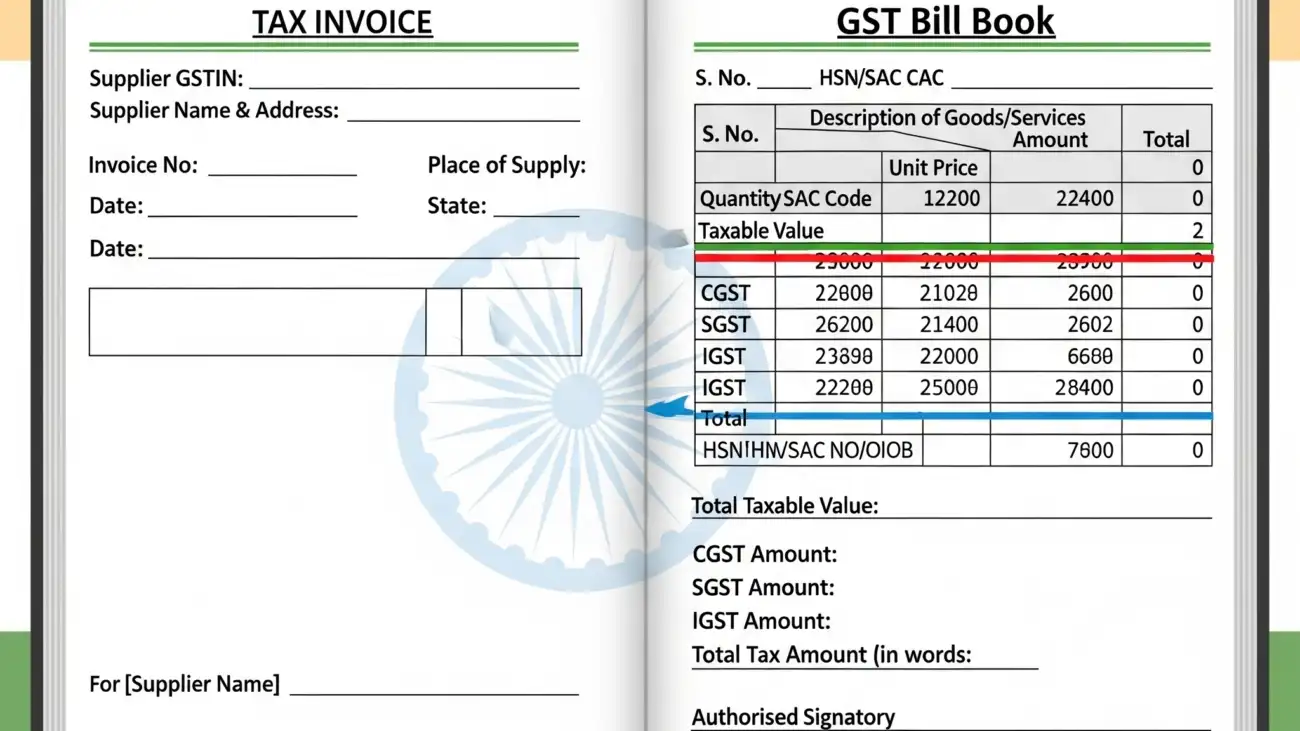
For businesses registered under the Goods and Services Tax (GST) regime, a bill book is the bedrock of compliance. The government mandates that every taxable supply must be supported by a GST-compliant tax invoice. This invoice must contain specific details, including:

  • Seller’s and Buyer’s GSTIN
  • Invoice number and date
  • HSN/SAC code of goods or services
  • Taxable value and tax rates (CGST, SGST, IGST)
  • Total amount

A properly maintained bill book ensures that every transaction is accounted for and accurately documented, which is non-negotiable for filing your GST returns (GSTR-1, GSTR-3B) and avoiding penalties.

3. It Serves as a Guarantee for Customers

A professional, well-documented bill reassures your customers. It’s not just a receipt; it’s often the customer’s only proof of purchase. This is vital for them to claim a warranty, exchange a product, or request a refund. By providing a proper bill, you establish trust and demonstrate a commitment to your customers, which can lead to repeat business and positive word-of-mouth.

4. Protects Against Fraud and Discrepancies

A systematic bill book with sequential numbering helps you maintain an audit trail. This makes it incredibly difficult for internal fraud to go unnoticed and helps you quickly identify any missing or duplicated invoices. By cross-referencing your bill book with your inventory and bank statements, you can spot discrepancies and ensure all sales are correctly recorded. This is a simple but powerful internal control mechanism.

5. Crucial for Business Audits

Whether it’s a government tax audit or an internal financial review, your bill book is one of the first documents auditors will ask to see. They use it to verify your reported income, validate tax claims, and ensure that your financial statements are accurate. A messy or incomplete bill book can raise red flags, leading to more extensive scrutiny and potential penalties. A well-maintained and organized bill book, whether physical or digital, makes the audit process smooth and hassle-free.

Conclusion:

A bill book is much more than a collection of papers—it’s the backbone of your business’s financial and legal integrity. It’s the proof of your transactions, your shield against legal disputes, and your primary tool for tax compliance.

In today’s digital age, while many are moving towards digital invoicing, the principles remain the same. Whether you use a physical bill book or a modern digital invoicing app, the key is to treat every invoice as a crucial legal document. By doing so, you’re not just recording sales; you’re building a foundation of transparency, trust, and security for your business.

A retail shop owner using a modern billing software, highlighting its features that boost accuracy, sales, and GST compliance.

Tired of Manual Billing? 7 Reasons Why a GST Billing Software is a Game-Changer

For businesses in India, managing GST compliance can feel like a full-time job. From calculating the correct tax rates on every invoice to meticulously filing monthly returns, the manual process is not only time-consuming but also prone to costly errors.

If you’re still relying on pen and paper or complex spreadsheets, you’re not just working hard—you’re missing out on a smarter, more efficient way to run your business. A good GST billing software is more than just a tool for generating invoices; it’s a game-changer that can revolutionize your financial operations.

Here are 7 compelling reasons why you should make the switch today:

1. Say Goodbye to Human Errors and Penalties

Manual billing is a breeding ground for mistakes. A wrong GST rate, a misplaced decimal, or a typo in an HSN/SAC code can lead to discrepancies, delayed returns, and hefty government penalties. GST billing software automates these complex calculations, ensuring 100% accuracy on every invoice. This built-in precision saves you from financial loss and the stress of dealing with compliance issues.

2. Unlock Real-Time GST Compliance

GST regulations are constantly evolving. A good software solution stays updated with the latest tax rates, rules, and e-invoicing mandates. This means you don’t have to worry about missing out on a critical update. The software handles the changes automatically, ensuring you are always compliant and audit-ready.

3. Drastically Speed Up Your Billing Process

Imagine generating a GST-compliant invoice in a matter of seconds. With pre-designed templates, automated data entry for customers, and instant tax calculations, GST software dramatically reduces the time spent on billing. This is especially crucial for fast-paced businesses like retail stores or restaurants, where quick checkouts are essential for customer satisfaction.

4. Simplify Your GST Return Filing

The most significant benefit for many business owners is the simplified GST return process. The software records every transaction and can auto-generate reports like GSTR-1 and GSTR-3B with a single click. This eliminates the need for manual data reconciliation and allows you to file your returns on time and without hassle, freeing up valuable time and resources.

5. Gain a Bird’s-Eye View of Your Business

Modern GST billing software often comes with powerful reporting and analytics features. You can get real-time insights into your sales, expenses, and tax liabilities. These dashboards help you track your business’s financial health, identify your best-selling products, and make data-driven decisions to foster growth. It’s not just about compliance; it’s about empowerment.

6. Efficiently Manage Your Inventory and Stock

Many GST billing solutions offer integrated inventory management. This feature allows you to track stock levels in real-time, get low-stock alerts, and manage product variants and batches. By automatically updating your inventory with every sale, you can avoid stock-outs, minimize waste, and ensure a smooth supply chain.

7. Improve Cash Flow and Get Paid Faster

With a GST billing software, you can send professional, digital invoices instantly via email or SMS. Many solutions also support seamless integration with multiple payment gateways, making it easier for your clients to pay you on time. Automated payment reminders further reduce outstanding payments, ensuring a healthy and consistent cash flow for your business.

Conclusion:

Manual billing is a thing of the past. In a dynamic market, staying competitive requires embracing tools that boost efficiency, accuracy, and compliance. Investing in a reliable GST billing software isn’t an expense—it’s a smart business decision that frees you from administrative burdens and empowers you to focus on what truly matters: growing your business