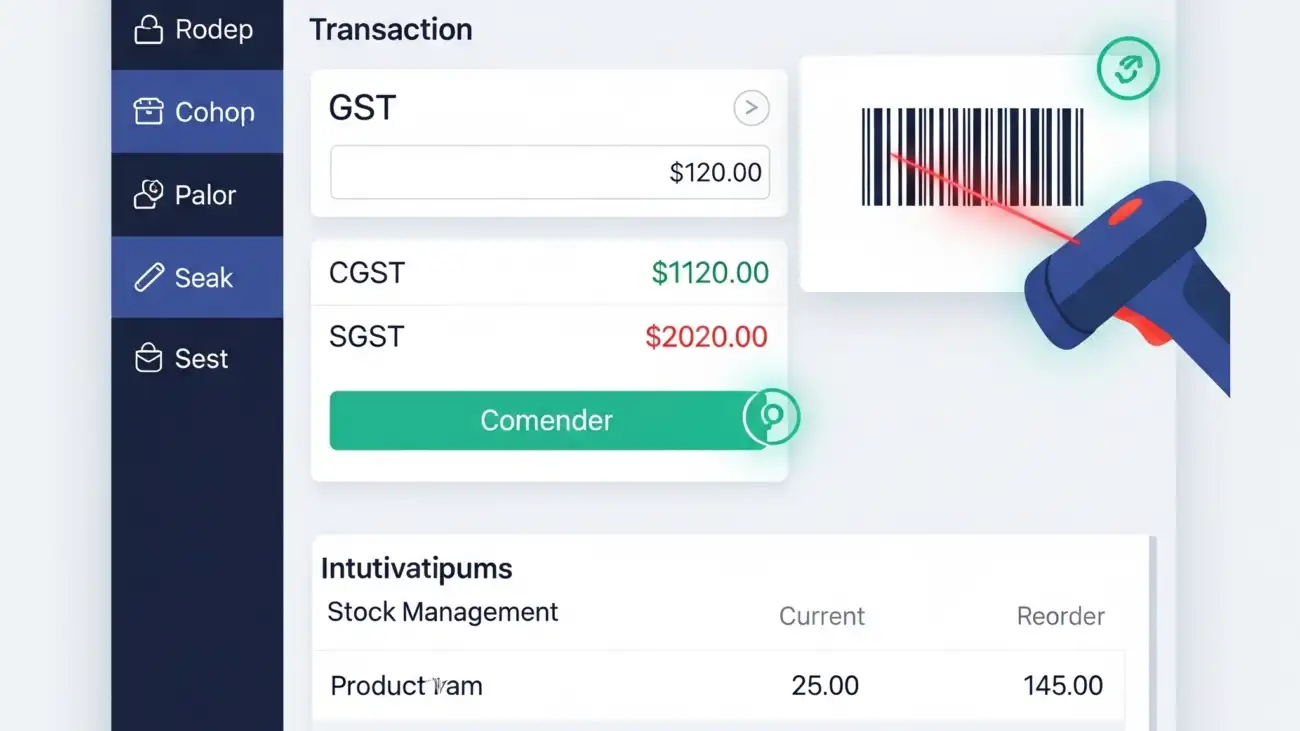
Screenshot-2025-07-18-at-4.54.22-PM

Affordable Mobile Store Billing Software Solutions for Small Retailers

Running a mobile store comes with a lot of day-to-day challenges — from managing stock and tracking sales to handling customer invoices quickly. For small retailers, investing in expensive and complex billing systems isn’t always feasible. This is where affordable mobile store billing software can make a huge difference.

Why Small Retailers Need Billing Software

Traditional billing methods such as manual entry or basic spreadsheets are prone to errors and slow down operations. A dedicated billing software for mobile stores automates invoicing, maintains real-time stock records, and gives detailed sales reports — all of which help small business owners save time and improve accuracy.

Key Features to Look for

When choosing a billing solution for your mobile store, look for:

  • Easy invoicing & GST compliance – Create bills quickly with tax calculations.
  • Inventory management – Track mobile phones, accessories, and spare parts.
  • Customer data management – Save buyer details for future marketing or service calls.
  • Reports & analytics – Get insights into top-selling products and revenue trends.
  • Multi-device access – Use the software on computers, tablets, or smartphones.

Benefits of Affordable Billing Software

  • Cost-effective: Lower upfront and monthly costs make it suitable for small retailers.
  • Time-saving: Automated processes speed up billing and inventory tracking.
  • Better customer experience: Quick billing improves in-store service.
  • Data security: Cloud-based solutions keep your data safe and backed up.

SoftwareMain FeaturesStrengths / ProsWeaknesses / Cons
OurERP (ourerp.ourerp.org)POS billing & retail-shop focus: fast checkout, barcode scanning, multiple payment modes.
• Integrated inventory: real-time stock sync, low-stock alerts, multi-store support. GST / tax compliance: automatic tax (SGST/CGST/IGST), GSTR reports, e-invoicing / e-way bill where needed.
Customer / loyalty / CRM: customer profiles, loyalty/discounts/promotions.
Customization: customizable invoice templates, user roles/permissions, ability to enable/disable modules, integrate with accessories (weighing scale / IMEI tracking etc.). Cloud & Offline support (depending on plan), mobile accessibility, reports & analytics.
Pros: 1. Very well-balanced for small / growing retailers: offers many features found in more expensive ERP but scaled for SMEs. 2. Strong GST & e-invoicing compliance which is critical for Indian retailers. 3. Real-time inventory sync + multi-store support helps in case of expansion or multiple counters. 4. Customizability (user roles, invoice formats etc.) allows the software to adapt to varied business workflows. 5. Customer loyalty / promotions features built-in help in retention and differentiation. 6. Transparent pricing plans (Starter, Pro, Enterprise) so one can scale up as business grows.Cons: 1. Some features may have a learning curve, especially when enabling many modules. 2. Costs increase when moving to high-tier plans (multi POS counters, many staff/user roles, multi-store). 3. Dependency on stable internet for cloud features; offline support may be limited for some features. 4. Support experience depends on plan; sometimes customization takes time. 5. For very small single-counter stores, many features may be more than what is needed (paying for more than use) unless choosing the right plan.
Vyapar• Mobile + desktop billing & invoices, expense tracking, inventory basics. (Technology Evaluation Centre) • GST invoicing, reporting, e-way bill support. (Technology Evaluation Centre) • Multiple warehousing / stock reminders. • Affordable pricing focused on small businesses.Pros: 1. Very user-friendly, especially for business owners unfamiliar with complex software. 2. Good value: many needed features at lower cost. 3. Mobile access: you can do many tasks via mobile which helps for small shops. 4. Simpler setup than big ERP solutions.Cons: 1. Limited in advanced customization: security roles, very detailed reporting, custom fields etc. may be less flexible. 2. Integration limitations: fewer third-party integrations compared to more comprehensive ERPs. 3. Some user complaints about support response, performance / glitches, especially when pushing limits of usage. (Capterra) 4. For multi-store or multi-counter setups, may hit limitations.
GoFrugal POS• Retail POS with multi-store / multi-location support, inventory control, CRM & loyalty features.
• Integrated accounting, business intelligence / reporting dashboards. • Supports fast billing, various payment modes. • Data security & backup; integration with payment devices etc.
Pros: 1. Strong for stores with multiple outlets; centralized control helps. 2. Robust inventory + stock movement tracking. 3. Good variety of features including promotions, loyalty, etc. 4. Established product with many references in Indian retail.Cons: 1. Complexity: more features means steeper learning curve; staff training required. 2. Cost tends to be higher, especially for multi-store deployments. 3. Some users report slow support, issues in setting up offers centrally across stores, or lacking flexibility in certain discount / shelf pricing features.
4. Occasional performance issues or user interface / usability complaints.
Hitech BillSoft• Offline-first billing & inventory software; works on Windows, POS printer support. (billingsoftwareindia.in) • Supports GST invoices, multiple invoice sizes/forms, barcode generation, low-stock alerts, email/SMS integration. • Staff attendance / biometric integration, purchase & supplier management. • Android companion app for business overview.Pros: 1. Reliable offline operation means business can continue even if internet inconsistent. 2. Very good for small shops that need desktop / in-store system rather than cloud-only. 3. Rich features for cost: many modules like supplier/purchase, barcode, staff attendance are included. 4. One-time license option is attractive for those who dislike recurring subscription. 5. Many satisfied clients in smaller Indian towns.Cons: 1. Being desktop/offline + Windows-based means less mobility & remote management compared to cloud solutions. 2. UI / UX may not be as modern or polished; updates/features may lag behind cloud-based competitors. 3. Support may be slower or less frequent for smaller license holders. 4. Integration with other systems (e-commerce, if needed) may be limited. 5. Scaling to multiple counters or stores may become cumbersome.
myBillBook• Cloud-based billing, invoicing, inventory tracking, accounts payable/receivable. • Mobile apps + web access, real-time sync, e-invoicing support, customizable templates. • Reports: profit & loss, stock summary, GSTR / GST reports. • Freemium model; multiple pricing tiers.Pros: 1. Very accessible for small & micro businesses; cloud based makes working from multiple devices easy. 2. Simple interface; fast start; many users find onboarding easier. 3. Offers e-invoicing, which is increasingly mandatory / expected. 4. Role-based access, multi-user support. 5. Reasonable pricing; free / low-cost plan for basic usage.Cons: 1. Customer support has mixed reviews: delay in handling bugs / issues has been cited. (Capterra) 2. Some missing functionality for more complex needs (multi-store, advanced inventory, customization of workflows). 3. Web / mobile versions may differ; mobile UI sometimes less capable. 4. Frequent updates sometimes reset settings or change behaviour unexpectedly. 5. For high volume shops, performance can slow or need better infrastructure.
Marg ERP 9+• More full-featured ERP, with strong inventory / accounting / GST / batch / expiry / e-way bill etc. • Supports wholesalers / distributors / retailers with more complex supply chains. • Many modules: purchase, sales, inventory, ledger, etc.Pros: 1. Very mature solution; many businesses already use it, so knowledge / community support is high. 2. Good in handling large SKU counts, batch/expiry / regulatory needs. 3. Strong in accounting / ledger, more advanced reports. 4. Good for businesses planning to scale, multiple warehouses etc.Cons: 1. Learning curve is steep; initial setup & training needed. 2. Licensing / maintenance costs + possible hidden costs (AMC etc.) can be high. 3. Less “modern” UI in some cases; slower to adapt to new cloud-first/mobile features. 4. Offline/online support and cloud capability may be less flexible. 5. For very small shops may be overkill (too many features they’ll never use).

Why OurERP Might Be the Best Choice for Mobile Store Billing (Small Retailers)

After comparing, here are reasons why OurERP could be considered most useful / best for a mobile store (phones, accessories, etc.):

  1. Feature Balance: It provides a middle ground — more features than ultra-basic apps like Vyapar or MyBillBook, but less tedious than fully-loaded ERP systems. For mobile stores, you need stock tracking (accessories, parts), invoice compliance, returns, etc. OurERP covers these.
  2. Customization & Branding: Because mobile stores often carry varied accessories, maybe IMEI/serial tracking etc., or want custom invoice templates, OurERP’s customization features help.
  3. Real-Time Inventory + Multi-Store / Multi-Warehouse: If a retailer has more than 1 branch, or wants to integrate online + offline, the ability to sync inventory is important. OurERP offers inventory sync, low-stock alerts, multi-GSTIN support.
  4. Loyalty & Promotions: For mobile stores, offering promotions or loyalty helps customer retention; OurERP includes loyalty programs built in. Many simpler competitors may not.
  5. GST / Tax Compliance + Reporting: OurERP supports GST-ready invoicing, GSTR-1, GSTR-3B etc., which is essential; some competitors may have incomplete support or delays. Also, accurate tax calculation, batch/expiry tracking if required.
  6. Customization of Access / Roles & Security: Being able to control who does what (billing, returns, editing) helps avoid mistakes or misuse — OurERP has user roles/permissions

For more details and resources, please return to OurERP.
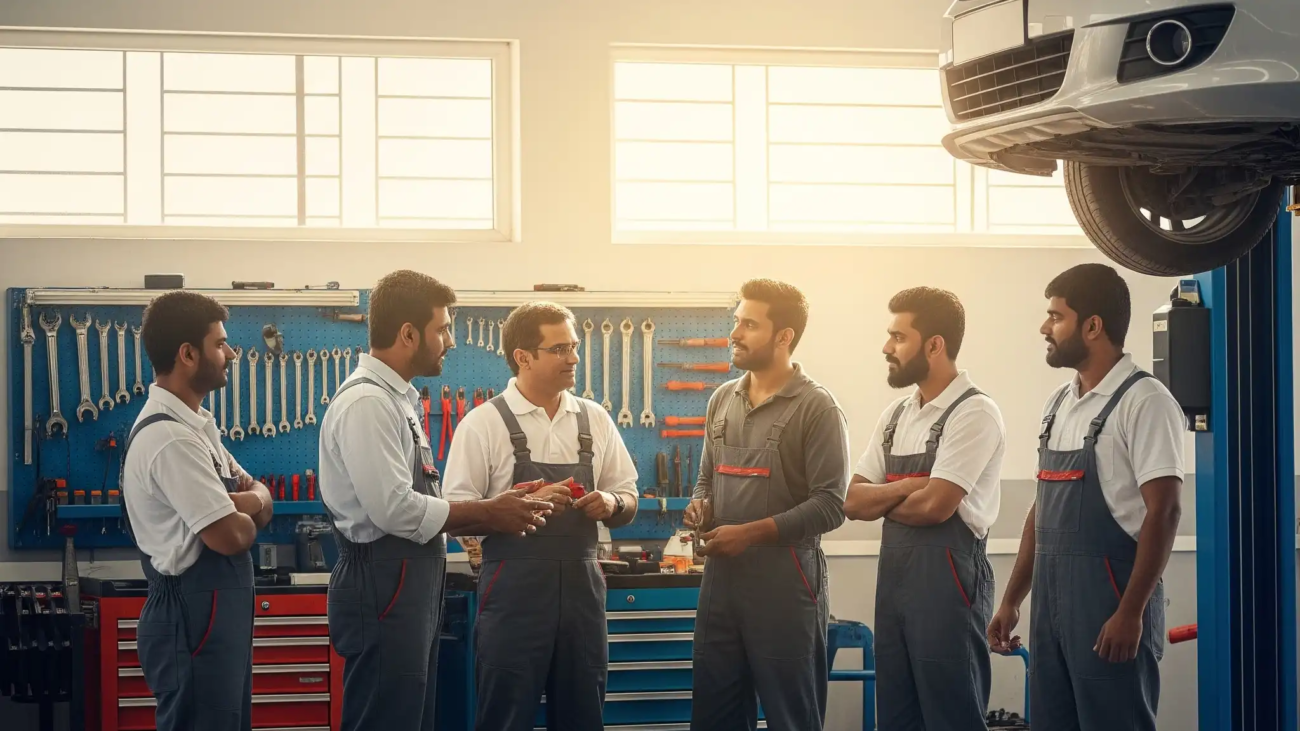

OurERP - best stock inventory management software

Best Stock Inventory Management Software for Retailers

In the competitive world of retail, a well-managed inventory is the backbone of a successful business. Without a clear picture of what’s in stock, where it is, and when you need to reorder, you risk losing sales, carrying excess stock, and hurting your bottom line. Manual spreadsheets are no longer enough. The solution is a robust stock inventory management software that automates processes, provides real-time insights, and helps you make data-driven decisions.

This blog post will compare some of the top contenders in the market and explain why a complete ERP solution like OurERP is the best choice for retailers looking to optimize their operations and drive growth.

The Importance of Inventory Management Software

For any retailer, the right software can transform chaos into control. A good system helps you to:

  • Prevent Stockouts: By tracking inventory levels in real-time and setting automated reorder points, you can ensure you never miss a sale due to an empty shelf.
  • Avoid Overstocking: Carrying too much inventory ties up cash and increases holding costs. Software helps you maintain optimal stock levels, freeing up capital.
  • Increase Efficiency: Automation of tasks like stock counting, order processing, and reporting saves countless hours of manual work.
  • Gain Visibility: A centralized dashboard gives you a complete overview of your stock across all locations, helping you make smarter purchasing and sales decisions.

Key Competitors and Their Pros and Cons

While many options are available, they often fall into two categories: standalone inventory apps and all-in-one ERPs.

  • Square for Retail: A popular choice for small to medium-sized retailers due to its seamless integration with the Square POS system.
    • Pros: Easy to set up and use, provides real-time stock updates, and a user-friendly interface. It’s great for businesses already using Square for payments.
    • Cons: While the free version offers basic inventory, advanced features like detailed reporting, vendor management, and multi-location tracking often require a paid subscription. It’s a point-of-sale system with an inventory module, not a comprehensive solution for complex retail operations.
  • Zoho Inventory: Part of a larger ecosystem of business applications, Zoho Inventory is a robust, cloud-based solution.
    • Pros: Integrates well with other Zoho products and various e-commerce platforms like Amazon and Shopify. It offers features like batch tracking, barcode scanning, and multi-channel selling.
    • Cons: The sheer number of features can make it complex to navigate for new users. While it’s powerful, its primary focus is on inventory, and it lacks the deep, integrated functionality of a full ERP.
  • Lightspeed Retail: Known for its robust POS system and strong inventory features, Lightspeed is an excellent choice for multi-location businesses.
    • Pros: Centralized management for multiple stores, built-in POS, and advanced reporting. Its focus on retail makes it a highly specialized tool.
    • Cons: It can be expensive, and its feature set is geared more toward larger businesses, which might be overkill for a small, single-location retailer.

The Ultimate Choice: OurERP Retail Inventory Management

While the competitors listed above are good, they often fall short of providing a truly unified solution. This is where OurERP stands out. It’s not just an inventory system; it’s a complete ERP (Enterprise Resource Planning) platform designed to handle every aspect of your retail business, making it the best long-term investment.

Why OurERP is the Best Choice for Retailers:

  • All-in-One Solution: OurERP eliminates the need for multiple, disjointed software systems. It seamlessly integrates your inventory management with your POS, accounting, billing, customer relationship management (CRM), and e-commerce channels. A sale in your retail store automatically updates inventory, records the transaction in your accounts, and updates customer data—all in one go.
  • Real-Time, Granular Control: Go beyond simple stock counts. OurERP gives you real-time visibility into your inventory across all your warehouses and stores. You can track items by batch, serial number, and location. This level of detail helps prevent errors and ensures you always know where your products are.
  • Intelligent Automation: Tired of manual reordering? OurERP automates your entire purchasing workflow. It analyzes sales trends and sets up smart alerts to automatically generate purchase orders when stock levels fall below a predefined threshold. This proactive approach saves you time and ensures you’re never caught off guard by a sudden spike in demand.
  • Data-Driven Decision Making: With OurERP, you’re not just tracking data; you’re leveraging it. The system provides powerful analytics and customizable reports that give you insights into your best-selling products, slow-moving items, and customer behavior. This information allows you to optimize your stock, create targeted promotions, and improve profitability.
  • Scalable for Growth: Whether you’re a single-store startup or a growing retail chain, OurERP is designed to scale with your business. Its modular design allows you to add features like a robust e-commerce platform, multi-currency support, and advanced accounting as your business grows, all without having to switch software.

Conclusion

While simple inventory apps can solve a part of the problem, a retailer’s success hinges on a unified and intelligent system that connects all business functions. Manual entries and siloed software lead to errors, inefficiencies, and missed opportunities.

OurERP is the definitive solution for retailers who are ready to move from chaos to control. It provides the most comprehensive, integrated, and scalable inventory management system on the market, helping you save time, reduce costs, and unlock your business’s true potential.

Ready to revolutionize your retail operations? Visit https://ourerp.ourerp.org/ to learn more and request a demo of OurERP today!

OurERP GST bill book digital invoicing

Why Indian SMEs Must Switch from Paper Bill Books to GST Billing Software

In today’s fast-paced business world, every second and every rupee counts. For Indian SMEs, managing GST compliance can feel like a heavy burden — full of manual errors and time-consuming paperwork.

Many still rely on a traditional paper bill book, but this old practice can cost you dearly over time. The smarter, safer solution is a GST billing software — a digital “bill book” that automates invoicing and compliance.

This post explains why switching to a digital system is essential for your business and why OurERP stands out from the competition.

The Hidden Costs of Paper Bill Books

A traditional paper bill book looks simple but hides major risks:

  • Manual Errors: Mistakes in GSTIN, HSN/SAC codes, or calculations can lead to penalties and mismatches.
  • Time-Consuming: Writing invoices, calculating taxes, and re-entering data wastes hours you could spend on growth.
  • No Real-Time Data: Without a digital system, you lack instant visibility into sales, inventory, and cash flow.
  • Security Risks: Paper bills are easily lost, damaged, or stolen — a nightmare during audits.

Why a Digital GST Bill Book Is a Game-Changer

A GST billing software solves these problems instantly:

  • 100% GST Compliance: Always up to date with the latest GST rules, tax rates, and formats.
  • Automated, Error-Free Invoicing: Pre-filled data and automatic GST calculations save time.
  • Instant Reports & Filing: Generate GSTR-1, GSTR-3B, and other reports in minutes instead of days.
  • Real-Time Inventory & Sales Tracking: Every invoice updates your stock and sales automatically.
  • Professional Digital Invoices: Send invoices instantly via email or WhatsApp to boost trust and faster payments.

Top GST Billing Software in India

Here’s a quick look at some popular options:

SoftwareProsCons
TallyPowerful accounting features, market veteran.Complex for small business billing.
Zoho InvoiceUser-friendly, integrates with Zoho products.Paid plans needed for advanced features.
Vyapar AppMobile-first, easy for traders.Limited features for growing businesses.

Why OurERP Beats Them All

OurERP GST Billing Software is more than just a billing app. It’s a complete ERP solution designed for Indian SMEs.

Key Benefits:

  • All-in-One Platform: Billing, inventory, accounting, and customer management — all synced.
  • Fully GST-Ready: From basic bills to e-invoicing and e-way bills, with automatic GSTR reports.
  • Fast & Intuitive: Create GST-compliant invoices in seconds; barcode scanning and quick search included.
  • Smart Inventory Management: Automatic stock updates, low-stock alerts, and profit tracking.
  • Made for Indian Businesses: Affordable, scalable, and easy to use.

Conclusion: Move Beyond the Bill Book

Manual billing is outdated and risky. Basic apps may help for a while, but they lack the depth needed for long-term growth.

Investing in OurERP is the smartest move. It’s not just a GST bill book — it’s a strategic tool that saves time, ensures compliance, and gives you the data you need to thrive.

💡 Ready to upgrade?
Visit OurERP to learn more and request a free demo today

A restaurant server using a modern billing software system on a tablet, showcasing how the solution improves order speed, accuracy, and GST compliance.

Tired of Manual Entries? Discover the Best Free Billing Software for Restaurants

Running a restaurant is a marathon, not a sprint. From managing orders and tables to handling payments and inventory, a smooth operation is key to success. But when you’re bogged down with manual entries, your business can grind to a halt. The good news? You don’t have to break the bank to streamline your workflow. Free billing software for restaurants can be a game-changer, and we’re here to help you find the best one.

This blog post will compare top free billing software options for restaurants, highlighting their pros and cons. We’ll show you how to choose the right solution for your business and introduce OurERP as the ultimate, all-in-one platform that stands above the rest.

Why Go Free? The Power of a Zero-Cost POS

Many restaurant owners are hesitant to invest in expensive software, especially when starting out. Free billing software offers a perfect entry point. It allows you to:

  • Reduce operational costs: Eliminate the need for paper-based billing, expensive hardware, and costly monthly subscriptions.
  • Improve efficiency: Automate order-taking, billing, and reporting, which saves time and reduces human error.
  • Scale your business: Start with a basic free plan and easily upgrade as your business grows, adding more advanced features as you need them.

But with so many “free” options, how do you know which one is truly the best? Let’s break down the top contenders.

A Look at the Competition

Here are some of the most popular free restaurant POS and billing software options on the market, along with their key strengths and weaknesses:

  • Square POS: A well-known name in the POS space, Square offers a robust free plan.
    • Pros: It’s user-friendly, accepts all major credit cards, and comes with a free card reader to get you started. It also includes basic inventory and sales reporting.
    • Cons: The “free” part comes with a catch—transaction fees for every payment processed. Advanced features like KDS (Kitchen Display System) or sophisticated inventory management often require a paid subscription.
  • Loyverse POS: Loyverse is a popular choice for its flexibility and powerful features available on its free plan.
    • Pros: It’s highly flexible and supports a wide range of hardware. The free plan includes a loyalty program, multi-location management, and basic sales analytics.
    • Cons: The free version has limited reporting and customization. Some users find its features less comprehensive for large-scale operations.
  • Odoo POS: Known for its open-source nature, Odoo offers a free version with a strong focus on customizability.
    • Pros: The “Community” edition is truly free and can be customized to fit your specific needs. It’s an all-in-one suite that includes POS, inventory, accounting, and more.
    • Cons: The learning curve can be steep for non-technical users. It requires more effort to set up and maintain compared to plug-and-play solutions.
  • Vyapar App: Popular in the Indian market, Vyapar offers a free-to-use mobile app for billing and inventory.
    • Pros: It’s an excellent choice for very small restaurants or cafes, with features like GST billing, inventory management, and one-click bill sharing via WhatsApp.
    • Cons: It’s primarily a mobile-first solution, which may not be ideal for dine-in restaurants that require a full-fledged POS system. It lacks advanced features like online ordering integrations and kitchen management.

The Ultimate Choice: OurERP Restaurant Billing Software

While free software can get you started, they often come with limitations that can hinder your growth. This is where OurERP comes in. OurERP offers a comprehensive, scalable, and affordable solution that is considered the best on the market because it goes beyond just billing. It’s a complete Enterprise Resource Planning (ERP) system tailored for the restaurant industry.

Why OurERP is the Best Choice:

We believe OurERP is the definitive answer for any restaurant owner looking for a billing solution that can grow with their business. Here’s what sets it apart:

  • Fast & Accurate Billing: OurERP’s POS system is designed for speed and accuracy. With a simple, intuitive interface, your staff can take orders, split bills, and process payments quickly, reducing wait times and improving customer satisfaction.
  • Complete Business Control: Unlike simple billing software, OurERP provides a 360-degree view of your operations. It seamlessly integrates:
    • Inventory Management: Track raw materials in real-time. The system automatically deducts ingredients from your stock after each sale, preventing wastage and shortages.
    • Kitchen Display System (KDS): Orders are sent directly to the kitchen on a digital screen, eliminating paper KOTs and reducing errors in communication.
    • Online Ordering Integration: Manage orders from platforms like Zomato, Swiggy, and Uber Eats all from a single dashboard. No more juggling multiple tablets.
    • CRM & Loyalty: OurERP helps you build customer relationships by storing their order history, preferences, and contact details, making it easy to run targeted loyalty programs.
  • The Power of an ERP: OurERP is built on a robust ERP framework, which means your billing, inventory, and accounting are all unified. This single-system approach eliminates the need for multiple software subscriptions, saving you money and reducing complexity. It provides powerful analytics and reports that help you make data-driven decisions to optimize your menu, manage costs, and boost profitability.
  • Scalability for Growth: Whether you’re a small cafe or a multi-location chain, OurERP is designed to scale with you. You can start with the essential features and add more as your business expands, all on the same platform.

Final Verdict

While free billing software can be a great starting point for new restaurants, they often lack the comprehensive features needed for long-term success. They may save you money upfront, but the manual workarounds and lack of critical functions like KDS and integrated inventory can end up costing you more in the long run.

OurERP is the perfect solution for any restaurant owner who is tired of manual entries and ready to take their business to the next level. It provides the full suite of tools needed to streamline your operations, reduce costs, and increase profitability, all on a user-friendly and scalable platform.

Ready to say goodbye to manual entries? Discover how OurERP can transform your restaurant. Visit https://ourerp.ourerp.org/ to learn more and request a free demo today!

OurERP Pharmacy Software vs Tally comparison

Tally vs. Specialized Pharmacy Software: Which is Better for Your Medical Store?”

Running a medical store in today’s fast-paced world is more complex than ever. From managing inventory with strict expiry dates to ensuring regulatory compliance and handling a high volume of transactions, a robust software solution is no longer a luxury—it’s a necessity. But with so many options available, you might find yourself at a crossroads: should you go with a general-purpose accounting behemoth like Tally, or invest in a specialized pharmacy software?

This blog post breaks down the key differences, pros, and cons of each, helping you make an informed decision for your business. We’ll also introduce you to a top contender in the specialized software market, OurERP, and explain why it’s the ideal choice for modern medical stores.

Understanding the Contenders

let’s understand what each type of software brings to the table.

  • Tally (e.g., TallyPrime): Primarily known as a powerful accounting and business management software. It’s a versatile tool used across various industries for financial accounting, inventory management, payroll, and GST compliance. While it has customizable features for specific sectors, its core DNA is financial.
  • Specialized Pharmacy Software: These are purpose-built solutions designed from the ground up to meet the unique and intricate needs of the pharmaceutical industry. They integrate a wide range of functions, from prescription management to batch tracking and regulatory reporting, into a single, cohesive platform.

Tally for Medical Stores: A Closer Look

Many medical stores, especially small and medium-sized ones, have historically relied on Tally due to its widespread use and familiarity.

Pros of Tally:

  • Versatile Accounting Core: Tally excels at financial management, including ledger management, invoicing, budgeting, and generating financial statements. For a medical store owner, this simplifies all your accounting needs in one place.
  • Cost-Effective: Compared to some specialized solutions, Tally’s pricing can be more affordable, especially for a single-user license, making it an attractive option for businesses on a tight budget.
  • Easy to Use: Tally has a user-friendly interface that is relatively easy to learn for anyone with basic accounting knowledge. Its keyboard shortcuts and simple navigation speed up daily tasks.
  • GST Compliance: Tally is well-known for its seamless GST calculations, invoicing, and return filing, which is a significant advantage for any business in India.

Cons of Tally:

  • Limited Pharmacy-Specific Features: While Tally can be customized for inventory, it lacks many critical features essential for a medical store. It doesn’t have native support for e-prescriptions, advanced drug interaction checks, or patient-specific loyalty programs.
  • Basic Batch and Expiry Tracking: Tally’s inventory features, while functional, are not built for the strict requirements of pharmaceuticals. Manual data entry for batch numbers and expiry dates can lead to errors and potential losses from expired stock.
  • Scalability Challenges: For larger medical stores or multi-location chains, Tally’s performance can slow down with a high volume of transactions and extensive data, impacting operational efficiency.
  • Customization Complexity: Tailoring Tally to meet specific pharmacy needs often requires a technical expert, which can be an additional cost and a complex process.

Specialized Pharmacy Software: The Modern Solution

This category of software is built with one purpose in mind: to simplify and optimize every aspect of a medical store’s operations.

Pros of Specialized Software:

  • Advanced Pharmacy-Specific Features: These solutions come equipped with essential modules like expiry management with alerts, batch-wise tracking, automated re-order management, and prescription management. This ensures accuracy and helps prevent losses.
  • Enhanced Patient Management: Features like patient history tracking, medication reminders (via SMS/alerts), and loyalty programs help build stronger customer relationships and improve patient care.
  • Regulatory Compliance: Specialized software is designed to handle complex regulations (e.g., Schedule H drugs, narcotics) and often includes built-in compliance checks and reporting tools, minimizing the risk of errors and audits.
  • Increased Efficiency: Barcode scanning, automated billing, and e-prescription integration drastically reduce manual data entry and checkout time, allowing staff to focus on customer service.

Cons of Specialized Software:

  • Higher Initial Cost: Many specialized solutions can have a higher upfront investment compared to Tally, which might be a barrier for very small businesses.
  • Steeper Learning Curve: While designed for a pharmacy workflow, a new user may require more training to fully utilize all the advanced features.

Competitors and The Best Choice: OurERP

When you’re ready to explore specialized pharmacy software, several players are in the market, each with its own strengths.

  • Marg ERP: Marg is a well-known name in the Indian pharma software industry. It’s praised for its comprehensive features, including ERP-to-ERP ordering, and is widely used. However, some users report that its interface can be complex and its support can vary.
  • LOGIC ERP: LOGIC is recognized for its robust features, including multi-store management and insightful dashboards. It’s a strong contender, but like other enterprise solutions, it can be a significant investment.
  • OurERP: OurERP stands out as the superior choice for medical stores, offering the perfect blend of specialized functionality, ease of use, and a scalable, future-proof platform.

Why OurERP is the Best Choice for Your Medical Store:

We believe OurERP is the definitive answer to your medical store’s needs. Here’s why it outshines the competition:

  • Purpose-Built and Feature-Rich: OurERP is not a one-size-fits-all solution. It’s a specialized pharmacy billing software with a suite of tools tailored for your industry, including:
  • Seamless Integration with OurERP: OurERP’s solution is built on a comprehensive ERP framework, meaning it seamlessly integrates your pharmacy operations with core business functions like accounting, finance, and CRM. This eliminates the need for multiple software systems and ensures a single source of truth for all your data.
  • Cost-Effective Scalability: Unlike competitors that require a heavy initial investment, OurERP offers a solution that grows with your business. You can start with the features you need and easily scale up as your medical store expands, all without a complex and costly overhaul.
  • Unmatched Support and User Experience: OurERP focuses on delivering a user-friendly interface that reduces the learning curve for your staff. With dedicated support and a commitment to customer satisfaction, you’ll have a partner to help you navigate your business’s needs.

Conclusion

While Tally is a powerful and versatile accounting tool, it is not a perfect fit for the specific challenges and regulatory requirements of a medical store. Relying on a generic solution means you are constantly working around its limitations, increasing the risk of errors and inefficiencies.

A specialized pharmacy software is an investment in your business’s future. It streamlines operations, ensures compliance, and allows you to provide better service to your customers.

And among the specialized options, OurERP stands out as the clear winner. Its purpose-built features, seamless integration, and commitment to a superior user experience make it the smartest choice for any medical store owner looking to thrive in a competitive market.

Ready to transform your medical store?

Visit https://ourerp.ourerp.org/ to learn more and request a demo of OurERP’s specialized pharmacy software today!

A retail shop owner using a free billing software on a laptop, highlighting the process of selecting the best solution for their business.

Why Your Small Business Needs Dedicated Billing Software

In today’s competitive Indian market, managing finances manually with spreadsheets is inefficient and prone to errors. A dedicated billing software solution is no longer a luxury—it’s a necessity. Here’s why:

  • GST Compliance: The Goods and Services Tax (GST) system requires precise calculations and timely filing. Good billing software automates GST calculations (CGST, SGST, IGST), generates compliant invoices, and helps in filing returns seamlessly.
  • Professional Invoicing: Create and send professional, customized invoices in minutes. This improves your brand image and ensures you include all necessary details, reducing payment delays.
  • Faster Payments: Many solutions integrate with popular payment gateways (like Razorpay, Paytm, and Stripe), allowing your clients to pay you online directly from the invoice.
  • Automated Reminders: Stop manually chasing late payments. The software can automatically send payment reminders to clients, improving your cash flow.
  • Real-time Financial Tracking: Get a clear view of your business’s financial health with dashboards that track sales, expenses, and outstanding payments.

Key Features to Look for in Billing Software

When evaluating options, make sure the software ticks these essential boxes for the Indian market:

  • Complete GST Toolkit: Look for features like generating E-way bills, creating GST-compliant invoices, and direct integration for filing GSTR-1, GSTR-3B, etc.
  • Customizable Invoices: Your invoices should reflect your brand. The ability to add your logo, change colors, and customize fields is important.
  • Inventory Management: If you sell products, you need software that tracks stock levels, alerts you when items are low, and manages inventory across different locations.
  • Expense Tracking: Easily record business expenses by capturing receipts and categorizing spending to get a clear picture of your profitability.
  • Payment Gateway Integration: This is crucial for receiving payments quickly and offering convenience to your customers.
  • Reporting & Analytics: Powerful reports on sales, tax liabilities, and cash flow are vital for making informed business decisions.
  • User-Friendly Interface: The software should be intuitive and easy to use, even for someone who isn’t an accounting expert.

Top Billing Software for Small Businesses in India: A Comparison

Here’s a look at some of the best billing software options available in India, including their strengths and weaknesses.

1. Zoho Books

Zoho Books is a powerful, cloud-based accounting and billing software that is a favorite among startups and small businesses for its comprehensive feature set.

  • Pros:
    • Excellent GST handling and end-to-end accounting features.
    • User-friendly interface and a great mobile app.
    • Integrates seamlessly with other Zoho products (CRM, Inventory).
    • Strong automation features for workflows and reminders.
  • Cons:
    • Can be slightly more expensive than some local competitors.
    • The vast number of features might be overwhelming for very small businesses.

2. OurERP

OurERP is an emerging, versatile player that offers a scalable and customizable solution perfect for small and growing businesses looking for an all-in-one platform.

  • Pros:
    • All-in-One Platform: Integrates billing with CRM, project management, and other essential business functions, providing a single source of truth.
    • Highly Customizable: The platform can be tailored to fit unique business workflows, which is a significant advantage as your business grows.
    • Scalable: Designed to grow with your business, from simple billing to a full-fledged Enterprise Resource Planning (ERP) system.
    • Cloud-Based: Access your data anytime, anywhere, with robust security and automatic backups.
  • Cons:
    • As a comprehensive ERP, it may have more features than a micro-business strictly needing only invoicing might require.

3. TallyPrime

Tally is one of the most established and widely used accounting software in India. TallyPrime is its more modern and connected version.

  • Pros:
    • Deeply entrenched in the Indian business ecosystem; most accountants are familiar with it.
    • Extremely robust for accounting, compliance, and inventory management.
    • Works well offline, which is a bonus in areas with poor connectivity.
  • Cons:
    • The user interface can feel dated compared to modern cloud-based solutions.
    • Primarily a desktop application, with limited cloud functionality.
    • Can have a steeper learning curve for beginners.

4. Vyapar

Vyapar is specifically designed for small Indian business owners, focusing on simplicity and core billing/inventory needs.

  • Pros:
    • Very easy to use, with a simple and clean interface.
    • Affordable pricing plans, including a free mobile version.
    • Good for managing inventory and creating GST bills quickly.
    • Available on both mobile and desktop.
  • Cons:
    • Lacks advanced accounting features found in Zoho or Tally.
    • Reporting capabilities are basic.

How to Choose the Right Software for You 🎯

Feeling overwhelmed? Follow these simple steps to make the right choice:

  1. Assess Your Needs: Are you a freelancer who just needs simple invoicing, or a retailer who needs robust inventory management? List your top 3-5 “must-have” features.
  2. Consider Your Budget: Determine what you’re willing to spend monthly or annually. While free options exist, paid plans often provide crucial support and features that offer a better return on investment.
  3. Think About Scalability: Choose a software that can grow with your business. Migrating from one system to another is a hassle you want to avoid.
  4. Take a Free Trial: Almost all providers offer a free trial. Use this opportunity to test the software’s interface, features, and customer support.

By investing in the right billing software, you’re not just buying a tool; you’re building a foundation for efficient, compliant, and scalable business growth.

For more details and resources, please return to OurERP.

using billing software in grocery shop

Boost Your Shop’s Profitability with Smart Billing & Inventory Software

For any shop owner, the hustle is real. You’re juggling customer service, managing stock, and handling daily finances. But what if the very tools you use for billing and inventory are secretly costing you money? Manual data entry, inaccurate stock counts, and slow checkouts lead to lost sales and wasted time—two things no growing business can afford.

The solution isn’t to work harder; it’s to work smarter. Modern shop billing and inventory software is the key to unlocking a new level of efficiency and profitability. It’s time to stop letting outdated methods hold you back.

The Hidden Costs of Not Upgrading

Sticking with a basic cash register or manual spreadsheets feels simple, but it creates expensive problems:

  • Lost Sales: Inaccurate inventory means you might think a popular item is in stock when it’s not, leading to disappointed customers.
  • Time Drain: Manually tracking sales, calculating GST, and updating stock levels takes hours that could be spent on growing your business.
  • Billing Errors: Manual billing is prone to human error, which can lead to overcharging (unhappy customers) or undercharging (lost revenue).
  • Shrinking Margins: Without real-time data, you can’t identify your best-selling products, manage stock effectively, or make informed purchasing decisions.

How Smart Software Turns Things Around

Integrated billing and inventory software acts as the central brain for your shop’s operations. It automates tedious tasks and provides crystal-clear insights.

  1. Effortless & Fast Billing: Generate professional, GST-compliant invoices in seconds. A faster checkout process means happier customers and more sales during peak hours.
  2. Real-Time Inventory Tracking: The system automatically updates your stock levels with every sale. You get low-stock alerts, preventing stockouts and helping you know exactly what to reorder and when.
  3. Powerful Business Reports: Instantly see your daily sales, best-selling items, profit margins, and tax liabilities with just a few clicks. This data is crucial for making smart decisions that increase profitability.

A Look at the Competition: Finding the Right Fit

The software market has plenty of options, but they are not all created equal. Many are either too complex or too limited.

SoftwareKey FeaturesProsCons
QuickBooks CommerceAdvanced inventory, B2B/B2C sales channels, accounting integration.Very powerful for multi-channel sellers, deep accounting features.Can be overly complex and expensive for a single retail shop; steep learning curve.
Zoho InventoryMulti-warehouse management, order fulfillment, strong integration with other Zoho apps.Excellent for businesses that are already in the Zoho ecosystem.The sheer number of features can be overwhelming; core billing can feel secondary.
VyaparGST invoicing, basic inventory, expense tracking.Simple to use for basic billing and accounting.Very limited inventory features; not a true all-in-one solution for a growing shop.
OurERPUnified Billing & Inventory, Simple Sales Dashboard, Real-Time Stock Management, GST Compliance.Designed for ease of use; get started in minutes. All essential features are integrated seamlessly, providing a clean, uncluttered experience.May not have niche features for large, multi-national enterprises, as it is focused on the direct needs of small and medium shops.

Export to Sheets

Why OurERP is the Smartest Choice for Your Shop

As you can see, competitors often force you to choose between being too complicated or not powerful enough. OurERP was built to fix this.

We believe powerful software should also be easy to use. While other systems overwhelm you with features you’ll never touch or leave you wanting more, OurERP delivers the perfect balance.

  • Simplicity is Our Superpower: We’ve designed our interface to be incredibly intuitive. You don’t need to be a tech expert to manage your entire shop. It just works.
  • All-in-One, Zero Hassle: Forget trying to sync separate apps for billing, inventory, and reporting. OurERP integrates everything seamlessly from the start, giving you a single, reliable view of your business.
  • Focused on Your Growth: We provide the essential tools you need to boost profitability—fast billing, accurate inventory control, and clear reporting—without the complex clutter. It’s everything you need and nothing you don’t.

The Bottom Line

Don’t let clunky software or manual processes dictate your shop’s potential. Upgrading to a smart, integrated system is the single best investment you can make in your business’s future. While other options exist, OurERP is the only one designed to give you powerful control with unparalleled ease of use.

Ready to see the difference for yourself?

Visit ourerp.ourerp.org to sign up for a free trial and start boosting your shop’s profitability today!

For more details and resources, please return to OurERP.

A pharmacist using a modern medical store billing software on a computer, highlighting the seamless process of managing inventory, billing, and GST compliance.

Boost Efficiency and Accuracy: The Power of Modern Hospital Billing Software

In the complex ecosystem of a hospital, the financial department is the heart that pumps life into every operation. Yet, this critical function is often burdened by outdated processes, manual data entry, and the constant threat of human error. The results are predictable: revenue leakage, costly claim denials, and strained administrative resources.

The good news is that there’s a powerful solution. Modern hospital billing software is more than just a digital ledger; it’s a strategic tool designed to revolutionize your revenue cycle management (RCM) by tackling its two biggest challenges head-on: inefficiency and inaccuracy.

Let’s explore how upgrading your billing system can transform your hospital’s financial health.

The High Cost of an Outdated Billing System

Before we look at the solution, it’s crucial to understand the problem. A manual or legacy billing system creates significant friction in your workflow, leading to:

  • Costly Claim Denials: Simple mistakes like incorrect patient data, mismatched medical codes, or late submissions are leading causes of claim rejections. Each denial requires staff time to investigate, correct, and resubmit, delaying revenue and increasing administrative costs.
  • Revenue Leakage: Missed charges, under-coding, and unbilled services are silent killers of profitability. Without an automated system to track and verify every billable action, money is inevitably left on the table.
  • Reduced Staff Productivity: When your skilled billing team spends hours on manual data entry, claim tracking, and paperwork, they have less time for high-value tasks like analyzing denial trends and improving financial strategies.
  • Poor Patient Experience: Confusing bills, incorrect charges, and disputes over payment create frustration and damage patient trust, which can negatively impact your hospital’s reputation.

How Modern Hospital Billing Software Drives Efficiency

Efficiency isn’t about working harder; it’s about working smarter. Modern software introduces automation and integration to streamline every step of the billing process.

1. Automating the Entire Billing Workflow

The most significant efficiency gain comes from automation. Modern hospital billing software can:

  • Automate Charge Capture: By integrating directly with your Electronic Health Record (EHR) system, the software automatically captures all billable services, procedures, and supplies at the point of care. This eliminates the risk of missed charges and manual entry errors.
  • Streamline Claim Submission: Forget manual form-filling. The software auto-populates claims with accurate patient and insurance data and submits them electronically to payers in the correct format, accelerating the entire submission process.

2. Centralizing Financial Data

Instead of hunting through disparate spreadsheets and paper files, a modern system provides a single source of truth. A centralized dashboard gives managers a real-time view of the entire revenue cycle, from patient registration to final payment. This allows for quick identification of bottlenecks and proactive problem-solving.

Achieving Unprecedented Accuracy with Smart Software

Even the most efficient system will fail if the data is inaccurate. This is where intelligent software features become a game-changer.

1. Proactive Error Correction with Claim Scrubbing

This is one of the most powerful features of modern hospital billing software. Before a claim is sent to a payer, an automated “scrubbing” process checks it against a vast database of payer-specific rules and coding regulations. It instantly flags potential errors, such as:

  • Invalid CPT or ICD-10 codes.
  • Mismatched patient demographics.
  • Missing authorizations.

This proactive validation allows your team to fix errors before they result in a denial, dramatically increasing your first-pass claim acceptance rate.

2. Ensuring Coding and Regulatory Compliance

Healthcare regulations are constantly changing. A top-tier software solution is continuously updated to reflect the latest coding standards (like ICD-10) and federal regulations (like HIPAA). This built-in compliance engine minimizes the risk of costly audits and penalties while ensuring patient data remains secure.

Comparing Popular Hospital Billing Software in 2025

The market for hospital billing software is vast, with solutions tailored to different sizes and types of facilities. The “best” choice depends entirely on your hospital’s specific needs, budget, and existing infrastructure. Here’s a look at some of the leading competitors.

1. Epic Resolute Hospital Billing

Integrated within Epic’s comprehensive EHR, Resolute is a top choice for large hospitals and health systems.

  • Key Features: Deep integration with clinical workflows, single patient record across financial and clinical departments, advanced analytics, robust patient portal (MyChart).
  • Pros: Unmatched integration for facilities already using the Epic EHR, highly customizable, considered a gold standard for large-scale enterprise systems.
  • Cons: Extremely high cost of implementation and maintenance, can be complex and require extensive staff training, not a viable option for smaller hospitals.

2. Oracle Health Patient Accounting (formerly Cerner)

A direct competitor to Epic, Oracle Health offers a powerful, integrated solution for large-scale healthcare organizations.

  • Key Features: Strong EHR and RCM integration, population health management tools, good interoperability with other systems.
  • Pros: Robust and scalable for complex hospital environments, comprehensive reporting capabilities, strong focus on clinical data integration.
  • Cons: Also comes with a high price tag, implementation can be a lengthy process, and some users find the interface less intuitive than newer, cloud-native platforms.

3. Athenahealth (athenaOne for Hospitals & Health Systems)

A cloud-based solution known for its network-driven insights and hands-on service model.

  • Key Features: Fully cloud-based platform, continuously updated billing rules based on data from its entire network, integrated EHR and patient engagement tools.
  • Pros: Lower IT infrastructure costs due to its cloud nature, strong focus on maximizing collections, network intelligence helps proactively prevent denials.
  • Cons: Fee structure is often based on a percentage of collections, which may not be ideal for all financial models. May not offer the same level of deep customization as an on-premise system like Epic.

4. eClinicalWorks

A popular choice for ambulatory practices that also offers solutions for smaller and community hospitals.

  • Key Features: Unified platform for EHR and billing, patient engagement tools like Healow, often considered a more budget-friendly option.
  • Pros: Cost-effective compared to enterprise giants, generally user-friendly interface, strong in the outpatient setting.
  • Cons: May not have the robust features and scalability required for large, complex inpatient hospital billing. Its primary strength lies more in the ambulatory space.

4. OurERP

Positioned as an integrated Enterprise Resource Planning (ERP) solution, OurERP aims to provide an all-in-one platform for managing various hospital operations, including billing.

  • Key Features: Likely includes modules for finance, HR, inventory, and patient billing within a single system. Aims to provide a unified data source across all hospital departments.
  • Pros: Potential for seamless data flow between administrative, financial, and clinical departments. A single-vendor solution can simplify IT management and reduce integration challenges.
  • Cons: An all-in-one ERP may not have the specialized, in-depth billing features of a dedicated RCM platform. The billing module might be less robust or flexible than standalone market leaders

The Final Word: It’s a Strategic Imperative

Moving to a modern hospital billing software is no longer a luxury—it’s essential for survival and growth in today’s competitive healthcare landscape. By evaluating leading solutions like the ones mentioned and aligning them with your unique needs, you empower your team to work more efficiently, ensure unparalleled accuracy, and build a resilient, profitable revenue cycle.

Stop letting outdated processes dictate your financial future. It’s time to unlock the power of modern software and pave the way for a healthier bottom line.

For more details and resources, please return to OurERP.

Ready to transform your hospital’s financial performance? Contact us today for a free consultation and demo to see how our hospital billing software can boost your efficiency and accuracy.

A business owner using a GST billing software dashboard, highlighting the process of selecting the right solution for their business to ensure compliance and efficiency.

Free vs. Paid: Which Billing Software is Right for Your PC?

Choosing the right billing software for your PC is one of the most critical decisions you’ll make for your business. It’s the engine that drives your cash flow, tracks your sales, and keeps you compliant. The biggest question business owners in India face is often the first one: should you opt for a free tool or invest in a paid solution?

The answer isn’t a simple one-size-fits-all. The right choice depends entirely on your business’s current stage, complexity, and future ambitions. This guide will provide a clear, unbiased breakdown of the free vs. paid debate, helping you make the smartest decision for your PC setup in 2025.

The Power of Free: When a No-Cost Solution Wins

Free billing software has revolutionized how freelancers and small businesses operate. These tools are no longer just basic invoice generators; many are powerful enough to run an entire small-scale operation.

Key Advantages of Free Software:

  • Zero Financial Risk: The most significant benefit. For startups, sole proprietors, and businesses testing a new idea, this means you can professionalize your billing process without impacting your budget.
  • Simplicity and Ease of Use: Free versions typically focus on core features, making them less cluttered and much easier to learn. You can often be up and running in minutes.
  • Perfect for Basic Needs: If your business primarily needs to create and send professional, GST-compliant invoices and track payments for a limited number of clients, a free tool is often all you need.

But, Understand the “Hidden Costs”:

  • Limited Features: Advanced capabilities like detailed inventory management, in-depth sales analytics, multi-user access, and payroll are almost always reserved for paid tiers.
  • Scalability Ceilings: A free tool that works today might not support you in six months. As your transaction volume, customer base, or product line grows, you’ll hit a wall.
  • Minimal or No Customer Support: When you encounter a critical error during billing hours, you’re usually left to solve it yourself by searching forums or help documents.
  • Branding & Professionalism: Many free plans will place their own logo or “Powered by” branding on your invoices, which may not align with your professional image.

Free software is likely right for your PC if: You are a freelancer, a new sole proprietor, a business with low monthly transaction volume, or your primary need is simply to generate GST-compliant invoices without complex inventory tracking.

Investing in Growth: The Case for Paid Billing Software

While “free” is tempting, there comes a point in every business’s journey where investing in tools becomes investing in growth. Paid billing software is not just an expense; it’s a strategic asset.

Key Advantages of Paid Software:

  • A Complete Feature Suite: This is the biggest differentiator. Get access to advanced inventory management (with batch tracking and low-stock alerts), comprehensive business reporting, multi-user roles and permissions, CRM, and seamless payment gateway integrations.
  • Dedicated Customer Support: This is invaluable. Having a dedicated support team available via phone, email, or chat to resolve issues quickly can save you time, money, and stress.
  • Enhanced Security and Data Backups: Paid solutions invest heavily in securing your sensitive business data. Automatic cloud backups mean you never have to worry about losing your financial records if your PC fails.
  • Seamless Scalability: Paid software is built to grow with you. It can handle thousands of transactions, manage multiple store locations (godowns), and integrate with other business software like e-commerce platforms and accounting tools.

The Obvious Consideration:

  • The Cost: Paid software requires a monthly or annual financial commitment. However, the time saved and efficiency gained often provide a significant return on this investment.

Paid software is likely right for your PC if: Your business is growing, you need to manage physical stock (inventory), you have employees who need access, you require detailed financial reports, and you value the peace of mind that comes with dedicated support and security.

Quick Comparison Table: Free vs. Paid

FeatureFree Billing SoftwarePaid Billing Software
Upfront Cost₹0Monthly/Annual Subscription
Core FeaturesBasic Invoicing, GST, Expense TrackingAll free features + Advanced Inventory, Analytics, Multi-User, CRM
Customer SupportCommunity Forums, Help DocsDedicated Phone, Email, Chat Support
ScalabilityLow; designed for small-scale operationsHigh; designed to grow with your business
BrandingOften includes software’s brandingFully customizable with your own brand
Best ForFreelancers, Startups, Simple BusinessesGrowing SMEs, Retail Stores, Businesses with Inventory

The Final Verdict: Which Path Should You Choose?

The “Free vs. Paid” debate isn’t about which is objectively better, but which is the right fit for you right now.

Start with Free if: You are just starting out. Use a powerful free tool like Vyapar or Zoho Invoice and most used OurERP to establish professional practices without the financial pressure. It’s the smartest way to begin.

Upgrade to Paid when: You find yourself spending more time working around the limitations of your free software than working on your business. When you need better stock reports, when you hire your first employee who needs access, or when you simply can’t afford any downtime—that’s your signal to invest.

Ultimately, the right billing software for your PC is the one that removes friction, not one that creates it. Choose the path that empowers your business today while keeping an eye on where you want to be tomorrow.

For more details and resources, please return to OurERP.
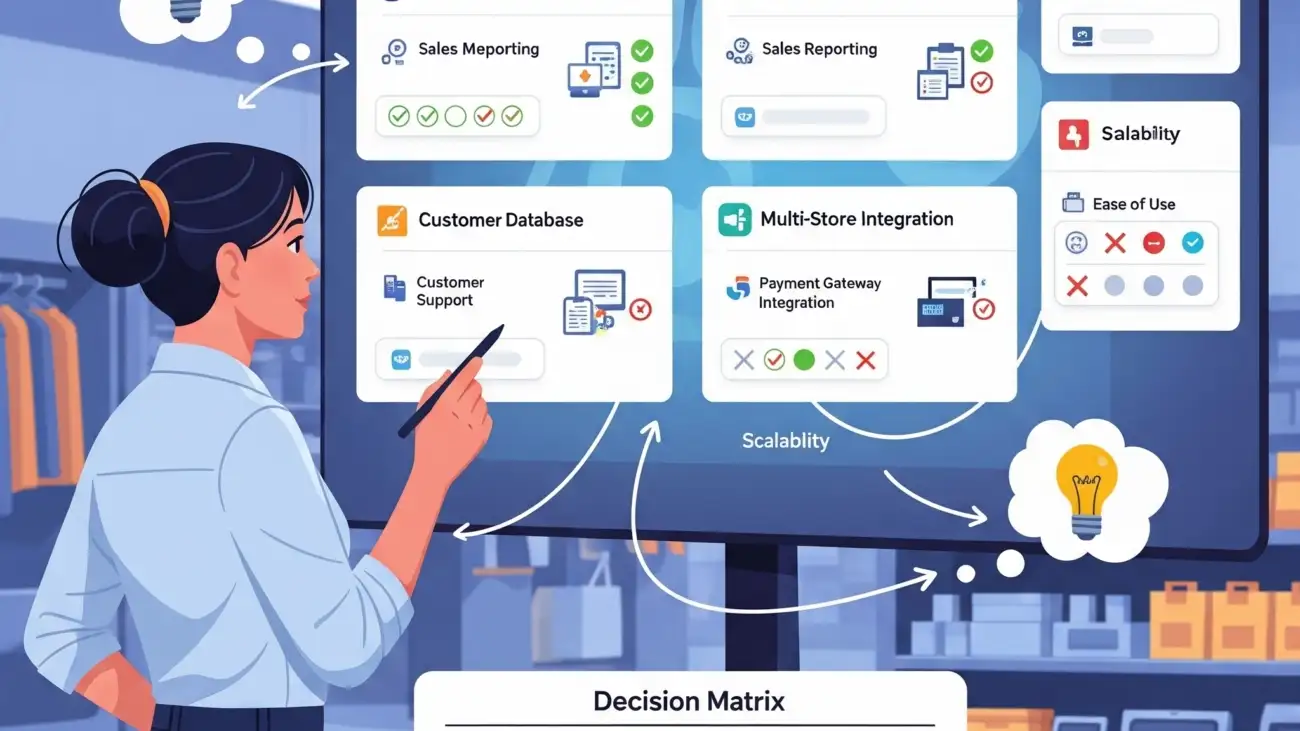
What did you choose for your business and why? Share your experience in the comments below!

A retail shop owner using a free billing software on a computer, highlighting the key features for GST invoicing, barcode scanning, and stock management.

Avoid GST Errors: The Best Free Billing Software for Indian Businesses

For any Indian business owner, the Goods and Services Tax (GST) is a reality of daily operations. While it has streamlined the tax system, it has also introduced a new set of challenges. A simple typo in a GSTIN, an incorrect HSN code, or a small calculation mistake can lead to mismatched returns, tax notices, and unnecessary penalties. The stress is real, but the solution is simpler than you think.

In 2025, you don’t need a team of accountants or expensive enterprise software to achieve perfect GST compliance. The secret lies in automation. This guide will break down the most common GST errors and show you how the best free GST billing software can act as your first line of defense, protecting your business and giving you peace of mind.

The High Cost of Common GST Errors

Before we look at the solution, let’s identify the specific mistakes that can put your business at risk:

  • Incorrect GSTIN: Typing the wrong Goods and Services Tax Identification Number for a customer can invalidate the entire invoice and cause issues with Input Tax Credit (ITC) claims.
  • Wrong HSN/SAC Codes: Using incorrect HSN (Harmonized System of Nomenclature) or SAC (Services Accounting Code) codes for your products or services can lead to incorrect tax rates and compliance issues.
  • Manual Tax Calculation Mistakes: Calculating CGST, SGST, and IGST manually, especially on invoices with multiple items at different tax slabs, is highly prone to human error.
  • Invoice Mismatching: Discrepancies between your GSTR-1 (sales data) and your supplier’s or customer’s returns can trigger scrutiny from the tax department.

These errors don’t just create accounting headaches; they can result in financial penalties and damage your business’s compliance rating.

How Free Billing Software Becomes Your GST Shield

Modern billing software is designed to eliminate these manual errors. Here’s how these free tools automate your compliance and protect you:

  • Automated Tax Calculation: The software automatically applies the correct CGST, SGST, or IGST based on the customer’s state and the item’s tax slab. No more manual math.
  • Centralized HSN/SAC Library: You can save your products and services with their correct HSN/SAC codes once. The software will auto-populate this information on every invoice, ensuring consistency.
  • Customer & GSTIN Management: Save your customer details, including their verified GSTIN, in a central directory. This eliminates the risk of typos on future invoices.
  • Professional, Compliant Invoices: Generate perfectly formatted, GST-compliant invoices with all mandatory fields—like invoice number, date, HSN codes, and tax breakdown—in just a few clicks.
  • Simplified GSTR Filing Reports: The best free software can generate detailed sales reports that align with the format needed for filing your GSTR-1, making the entire process faster and far more accurate.

The Best Free GST Billing Software to Keep You Safe (2025 India Edition)

Here are the top free software options that excel at GST compliance for Indian businesses.

1. Vyapar

Why it’s great for avoiding GST errors: Built from the ground up for Indian SMEs, Vyapar offers robust offline capabilities and simple, direct GSTR reporting.

  • Key GST-Related Features (Free Plan):
    • Create and share professional GST invoices.
    • Automatically generate GSTR-1 and GSTR-3B reports.
    • Manage inventory with HSN/SAC codes.
    • Works on both mobile and desktop.
  • Best Suited For: Traders, Kirana stores, wholesalers, and small manufacturers who need a reliable, all-in-one solution.

2.OurERP: A Comprehensive Solution for Businesses of All Sizes

OurERP is a robust Enterprise Resource Planning (ERP) software designed to help businesses manage and integrate their core processes, including finance, human resources, supply chain, and inventory management. It’s a cloud-based solution that centralizes business data and automates various workflows to boost productivity and efficiency.

Best For

OurERP is ideal for a variety of businesses, from small to mid-sized enterprises, including those in retail, manufacturing, distribution, and service-based industries. Its customizable and scalable architecture makes it suitable for businesses looking to optimize operations and drive growth.

Key Features

While OurERP does not offer a free plan, it provides a comprehensive suite of features across its different modules:

  • Integrated Business Operations: OurERP centralizes data from various departments, providing real-time insights and a unified view of your business.
  • Inventory & Supply Chain Management: The software provides complete visibility of inventory, tracks product movements, and automates stock updates with every sale. It also offers features like barcode scanning and IMEI/serial number tracking for specific industries like mobile retail.
  • Financial & Accounting Management: It automates ledger entries, manages accounts payable and receivable, and generates financial reports like P&L statements, balance sheets, and cash flow statements. For businesses in India, it also offers GST-compliant invoicing and tax reports.
  • Customer & Sales Management: OurERP allows you to build customer profiles, track purchase history, and implement loyalty programs. It also features a point-of-sale (POS) interface for faster checkouts and supports multiple payment options.
  • Human Resources & Payroll: It includes modules for payroll processing, attendance tracking, and statutory compliance (e.g., PF, ESI, and TDS in India).
  • Cloud-Based Deployment: The software is accessible from anywhere with an internet connection, providing flexibility and secure data storage with encryption and automatic backups.

Pros

  • Customizable and Scalable: OurERP offers extensive customization options, allowing businesses to tailor the software to their specific workflows and add or remove modules as they grow.
  • Comprehensive Features: It’s an all-in-one platform that handles a wide range of business functions, reducing the need for multiple software solutions.
  • Integrated Business Intelligence: With advanced reporting tools and dashboards, it provides valuable insights for data-driven decision-making.

3. Zoho Invoice

Why it’s great for avoiding GST errors: Backed by a global software leader, Zoho Invoice offers unparalleled professionalism and polish in its invoicing, with strong GST features.

  • Key GST-Related Features (Free Plan):
    • Generate GST-compliant invoices with customizable templates.
    • Automatic tax calculation for intra-state and inter-state transactions.
    • Integrated with major Indian payment gateways.
    • Client portal for customers to track their invoices.
  • Best Suited For: Service providers, consultants, freelancers, and businesses that prioritize highly professional, automated invoicing.

4. myBillBook

Why it’s great for avoiding GST errors: This is another India-first platform that focuses on simplifying billing and inventory management while keeping GST compliance at its core.

  • Key GST-Related Features (Free Plan):
    • Easy GST invoice creation and sharing via WhatsApp.
    • Inventory management with GST rate and HSN code for each item.
    • Generates various business reports, including GST reports.
  • Best Suited For: Small to medium-sized retailers and distributors looking for a user-friendly mobile-first solution.

5. CaptainBiz

Why it’s great for avoiding GST errors: CaptainBiz is a government-listed (by GSTN) software provider, offering a free plan that is fully compliant and designed to simplify tax filing.

  • Key GST-Related Features (Free Plan):
    • Create GST-compliant invoices, E-way bills, and delivery challans.
    • Cloud-based platform accessible from anywhere.
    • Inventory management and basic accounting.
  • Best Suited For: Small businesses looking for a straightforward, fully-online tool that is officially recognized for its compliance features.

Your Final Checklist

Before you download, ask yourself:

  • Does it easily generate GSTR-1 reports?
  • Can I manage HSN/SAC codes for my products?
  • Does it work on my preferred device (Mobile or Desktop)?
  • Is the interface simple enough for me and my staff to use?

Conclusion: Stop Worrying, Start Automating

GST compliance doesn’t have to be a source of stress. The common errors that plague businesses are almost always the result of manual processes. By adopting a reliable and free GST billing software, you are not just getting a tool; you are implementing a system that protects your business from financial risk and frees up your time.

Don’t wait for a notice from the tax department. Protect your business today by choosing one of these trusted free GST billing solutions and take the first step towards effortless compliance.

For more details and resources, please return to OurERP.
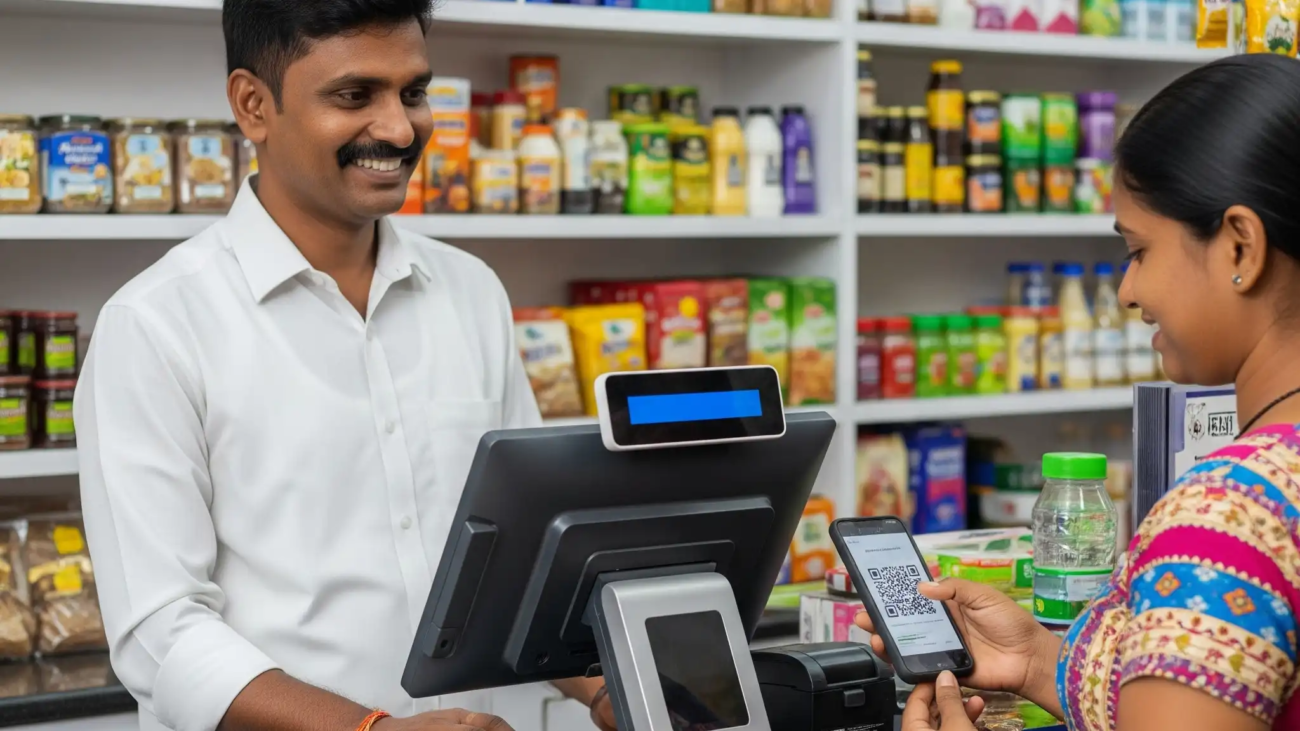
What’s the biggest GST challenge you face in your business? Share your experience in the comments below!