A hospital staff member using specialized billing software on a computer, showcasing the solution's ability to improve accuracy, compliance, and revenue management.

Hospital Billing Software That Improves Accuracy, Compliance & Revenue Management

In a healthcare environment, billing is more than just numbers — it’s about precision, compliance, and timely revenue collection. From outpatient consultations and diagnostic tests to surgeries and insurance claims, billing in a hospital is complex and sensitive. Manual systems or outdated software can lead to billing errors, delayed payments, and compliance risks.

This is where advanced hospital billing software makes a difference. It streamlines the entire revenue cycle, reduces human errors, and ensures accurate and compliant billing — ultimately improving the financial health of your hospital.

What Is Hospital Billing Software?

Hospital billing software is a specialized solution designed to handle billing and revenue management processes in hospitals, clinics, and diagnostic centers. It automates patient billing, insurance processing, departmental charges, GST compliance, and reporting.

Whether you’re running a single-doctor clinic or a multi-specialty hospital, the right software helps ensure that all services rendered are accurately billed and recorded.

Key Features of Hospital Billing Software

1. Patient Billing Automation

  • Generate bills for outpatient (OPD) and inpatient (IPD) services
  • Add consultation, room, lab, pharmacy, and procedure charges
  • Real-time billing during discharge or at front office
  • Customizable invoice formats with GST breakup

2. Insurance & TPA Integration

  • Maintain insurance policies, approvals, and TPA details
  • Auto-generate pre-authorizations and claim forms
  • Track claim status and settlement delays
  • Reduce revenue leakage due to denied claims

3. GST-Compliant Invoicing

  • Automatic calculation of applicable GST on services and items
  • Generate GST-compliant invoices with HSN/SAC codes
  • Create GSTR-1 and GSTR-3B reports for filing
  • Integrated with pharmacy and laboratory billing

4. OPD & IPD Management

  • Track patient visits, billing history, and payments
  • Add doctor-wise consultation charges and time-based services
  • Manage daily charges (bed, nursing, oxygen, etc.) for admitted patients

5. Inventory & Pharmacy Integration

  • Manage medical stock and consumables
  • Link pharmacy billing to patient ID and invoices
  • Track expiry, batch numbers, and reorder levels

6. Reporting & Revenue Analysis

  • Generate revenue reports by department, doctor, or service
  • View outstanding payments and collection summaries
  • Monitor top-earning departments and service utilization
  • Export reports for audits and financial planning

Benefits of Using Hospital Billing Software

Improved Accuracy

Manual billing is prone to errors and missed charges. Hospital billing software ensures that every consultation, test, and procedure is accounted for, reducing billing discrepancies and disputes.

Regulatory Compliance

Stay updated with India’s healthcare billing and GST rules. Generate accurate invoices and audit-ready reports without manual calculations.

Faster Revenue Cycle

Track pending bills, automate claim filing, and receive payments faster. This improves cash flow and reduces accounts receivable days.

Better Patient Experience

Transparent billing with breakdowns builds trust. Generate detailed invoices instantly during discharge or outpatient checkouts.

Operational Efficiency

Billing staff spend less time on repetitive tasks. The system can automatically pull data from EHRs, labs, and pharmacy modules, saving time and effort.


Who Should Use Hospital Billing Software?

  • Multispecialty hospitals
  • Private clinics and nursing homes
  • Diagnostic centers and labs
  • Specialty hospitals (orthopedic, pediatric, eye care, etc.)
  • Day-care centers and minor procedure clinics

Choosing the Right Hospital Billing Software

When evaluating billing solutions, look for:

  • Integration with OPD, IPD, lab, pharmacy, and radiology modules
  • Support for cashless/TPA/insurance workflows
  • Customizable templates and charges
  • Scalability as your hospital grows
  • Secure data backup and role-based access control
  • Compliance with local health billing norms and GST rules

Recommended Hospital Billing Software in India

OurERP – Healthcare Edition

  • End-to-end billing solution for hospitals and clinics
  • Integrated pharmacy, lab, and IPD billing
  • GST invoicing, discharge summary, and insurance claims
  • Scalable for multi-branch use

MediXcel EMR & HIS

  • Cloud-based hospital ERP
  • Full OPD, IPD, and billing automation
  • Insurance claim processing and revenue cycle management

Insta by Practo

  • Popular with mid to large hospitals
  • Covers billing, inventory, pharmacy, and doctor scheduling
  • Insurance integration and analytics dashboard

Conclusion

Adopting the right hospital billing software is no longer optional — it’s a necessity for any healthcare provider aiming for operational efficiency, legal compliance, and better revenue control. With automated billing, GST support, insurance integration, and real-time reporting, hospitals can focus more on patient care and less on paperwork.

Whether you’re starting a new clinic or upgrading an existing hospital system, investing in the right billing software is a step toward accuracy, transparency, and long-term success.

For more details and resources, please return to OurERP.

A business owner using billing software on a desktop computer, highlighting the ease of managing GST compliance and inventory tracking.

Billing Software for PC That Helps You File GST and Track Inventory with Ease

In today’s competitive market, small and medium-sized businesses can’t afford manual billing errors or delays in tax filing. If you’re still managing invoices, inventory, and GST reports on spreadsheets or paper, it’s time to upgrade. A reliable billing software for PC can help you streamline daily transactions, comply with GST regulations, and manage stock effectively — all from your desktop.

This blog explores how choosing the right PC-based billing solution can transform your business operations and why it’s still the most preferred choice for many Indian retailers and wholesalers.

Why Choose Billing Software for PC?

Unlike cloud-only or mobile apps, billing software for PC offers several practical benefits for small business owners:

  • Works offline — no need for constant internet
  • Supports thermal printers, barcode scanners, and cash drawers
  • Offers a full dashboard view for sales, inventory, and tax management
  • Secure data backup and local storage
  • Often more affordable for single-user businesses

Whether you own a retail store, wholesale shop, medical store, or electronics outlet, PC billing software offers reliability and control.

Key Features to Look for in PC-Based Billing Software

1. GST-Compliant Invoicing

  • Automatic CGST, SGST, IGST calculation
  • HSN/SAC code support
  • GSTR-1, GSTR-3B report generation
  • E-invoice and e-way bill (in advanced versions)

2. Inventory Management

  • Track stock levels in real time
  • Set low-stock alerts and reorder points
  • Manage batch numbers and expiry dates
  • Categorize products by brand, size, or unit

3. Barcode Billing Support

  • Scan products with a barcode scanner
  • Generate and print barcode labels
  • Speed up checkout and reduce human error

4. Customer and Vendor Management

  • Maintain customer profiles and GSTINs
  • Monitor credit sales and outstanding balances
  • Manage supplier purchases and returns

5. Sales and Tax Reports

  • Daily, weekly, and monthly sales summaries
  • Purchase and profit reports
  • GST-ready reports for returns filing

6. Customizable Invoice Printing

  • POS (thermal) and A4 invoice formats
  • Add logo, address, GST number, and terms
  • Print or save invoices as PDF

Billing Software for PC in India

Here are some of the most recommended PC-based billing solutions:

1. Vyapar (Windows Desktop Version)

  • Free for single users
  • GST-compliant billing and stock tracking
  • Invoice templates and barcode support
  • Paid mobile sync available

2. Hitech BillSoft Free Edition

  • Lightweight software with offline capability
  • Barcode-ready billing
  • GST support and basic inventory features
  • Ideal for small shops

3. OurERP – Desktop Edition

  • Designed for Indian retail and wholesale businesses
  • Multi-format billing (retail, wholesale, delivery challan, quotation)
  • Batch, expiry, barcode, and GST built-in
  • Free and premium plans available

4. TallyPrime with GST Module

  • Best for accountants and GST professionals
  • Supports full GST reports, ledgers, and tax audits
  • Advanced inventory management
  • Paid license required

Advantages of PC-Based Billing Software

  • Offline Functionality: Run your billing without internet interruptions
  • Data Security: Your data is stored locally and backed up manually or via external tools
  • Hardware Integration: Supports desktop printers, barcode scanners, and cash drawers
  • Speed & Performance: Desktop apps generally run faster than browser-based tools
  • No Monthly Fees: Many PC solutions are one-time purchases or offer lifetime free use

Who Should Use Billing Software for PC?

  • Retailers and wholesalers with fixed locations
  • Shops in areas with low or unstable internet
  • Businesses using POS peripherals like barcode printers
  • Owners who prefer full control over their billing system

Conclusion

A good billing software for PC is more than just an invoice generator — it’s a complete business management tool. From generating GST-compliant invoices and managing stock to analyzing sales trends and filing taxes, desktop billing software provides everything a growing business needs, without recurring costs.

If you’re looking for a reliable, offline, and GST-ready solution, explore options like Vyapar, OurERP, or Hitech BillSoft. They offer the speed, features, and ease-of-use that small businesses need — all from the convenience of your desktop.

For more details and resources, please return to OurERP.
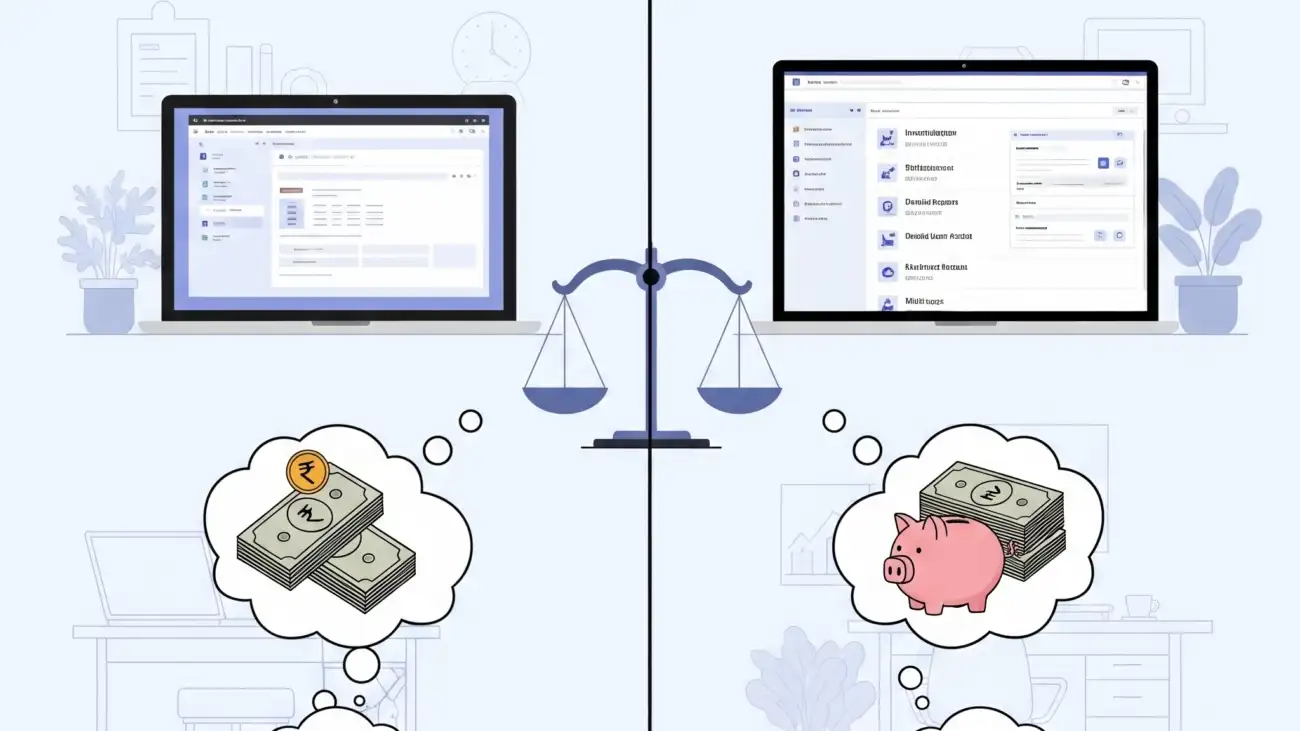
A startup owner comparing a free and a paid billing software solution on a screen, highlighting the decision-making process for managing GST compliance and finances.

Free GST Billing Software vs Paid Solutions: What’s Best for Startups?

For startups in India, managing finances and complying with GST regulations can be both overwhelming and expensive—especially in the early stages. Choosing the right GST billing software is a critical step, but should you start with a free solution or invest in a paid platform?

In this blog, we’ll compare free and paid GST billing software across key features, limitations, and benefits to help you decide what’s best for your startup.

Why Startups Need GST Billing Software

Since the rollout of the Goods and Services Tax (GST) in India, businesses are required to issue GST-compliant invoices, maintain accurate records, and file monthly or quarterly returns. Manual billing or spreadsheets can lead to errors, missed filings, and even penalties.

A good GST billing software helps you:

  • Automate invoice generation
  • Calculate CGST, SGST, IGST
  • Track sales and purchases
  • Generate GSTR reports
  • Manage inventory and stock
  • Stay compliant with changing GST rules

What Is Free GST Billing Software?

Free GST billing software offers basic invoicing and tax management features at no cost. It’s designed for small businesses and startups that are just beginning to digitize their operations.

Typical Free Features Include:

  • GST-compliant invoices
  • Limited number of invoices/month
  • Basic inventory tracking
  • PDF invoice generation
  • Customer and product database
  • Limited report exports

Popular Free GST Tools:

  • Vyapar (Free Desktop Version)
  • Hitech BillSoft Free Edition
  • Zoho Invoice (Free for all users)
  • OurERP – Free Plan (limited access)

What Are Paid GST Billing Solutions?

Paid GST billing software includes full features, higher invoice limits, customer support, data security, and often cloud access. These are better suited for growing businesses, wholesalers, retailers, and distributors.

Paid Features Typically Include:

  • Unlimited invoicing and transactions
  • Advanced GSTR reports (GSTR-1, 3B, 9)
  • E-invoicing and e-way bill generation
  • Barcode integration
  • Batch and expiry management
  • Multi-user, multi-branch support
  • Cloud backup and data security
  • Customer loyalty, offers, and payment tracking

Leading Paid Solutions:

Free vs Paid: Feature Comparison

FeatureFree SoftwarePaid Software
GST-Compliant Invoicing Basic support Full support + e-invoicing
Invoice Limits Limited Unlimited
Inventory & Stock Control Basic (manual updates) Real-time, barcode-enabled
GSTR Report Generation GSTR-1 basic format GSTR-1, 3B, 9 auto-calculation
Customer & Vendor ManagementLimited Advanced with credit tracking
Data Backup Manual Cloud/automated backups
Mobile/Desktop Access Desktop only (in most) Desktop, mobile, and web
Customer Support Community forums Live chat, call, onboarding help

Pros and Cons for Startups

Free GST Billing Software

Pros:

  • No investment required
  • Easy to install and learn
  • Great for micro businesses or single shops
  • Offline options available

Cons:

  • Limited invoice capacity
  • Manual stock updates
  • No support for barcode, e-invoice, or multi-user access
  • Lack of professional customer support

Paid GST Billing Software

Pros:

  • Full compliance with GST and audit-ready features
  • Scalable as your business grows
  • Time-saving automation tools
  • Customizable invoice formats and branding

Cons:

  • Monthly or annual fees
  • Slight learning curve for advanced features

When Should Startups Use Free Software?

  • You’re operating a small local shop with limited customers
  • Your monthly invoices are under 100
  • You do not need barcode or cloud access yet
  • You want to test digital billing before committing

When Should You Consider Paid Software?

  • You have growing sales volume and product range
  • You need advanced inventory, analytics, and barcode billing
  • You plan to file GST returns yourself
  • You want multi-user access, mobile billing, or cloud sync
  • You require ongoing customer support

Final Verdict: Free or Paid?

For early-stage startups, starting with a free GST billing software makes perfect sense. It allows you to get familiar with digital billing, invoice formats, and tax compliance without spending money.

However, as your business grows, moving to a paid billing solution will save you time, reduce human error, and help you scale faster. The additional features—like real-time inventory, advanced GST reporting, and e-invoice generation—are often worth the investment.

Conclusion

Choosing between free and paid GST billing software depends on your current business size, growth goals, and operational needs. Startups with tight budgets can begin with free tools but should be ready to upgrade when they outgrow the basic features.

If you’re looking for a software that scales with your retail or wholesale business, consider platforms like OurERP, which offer both free and affordable paid plans tailored for Indian GST compliance.

For more details and resources, please return to OurERP.
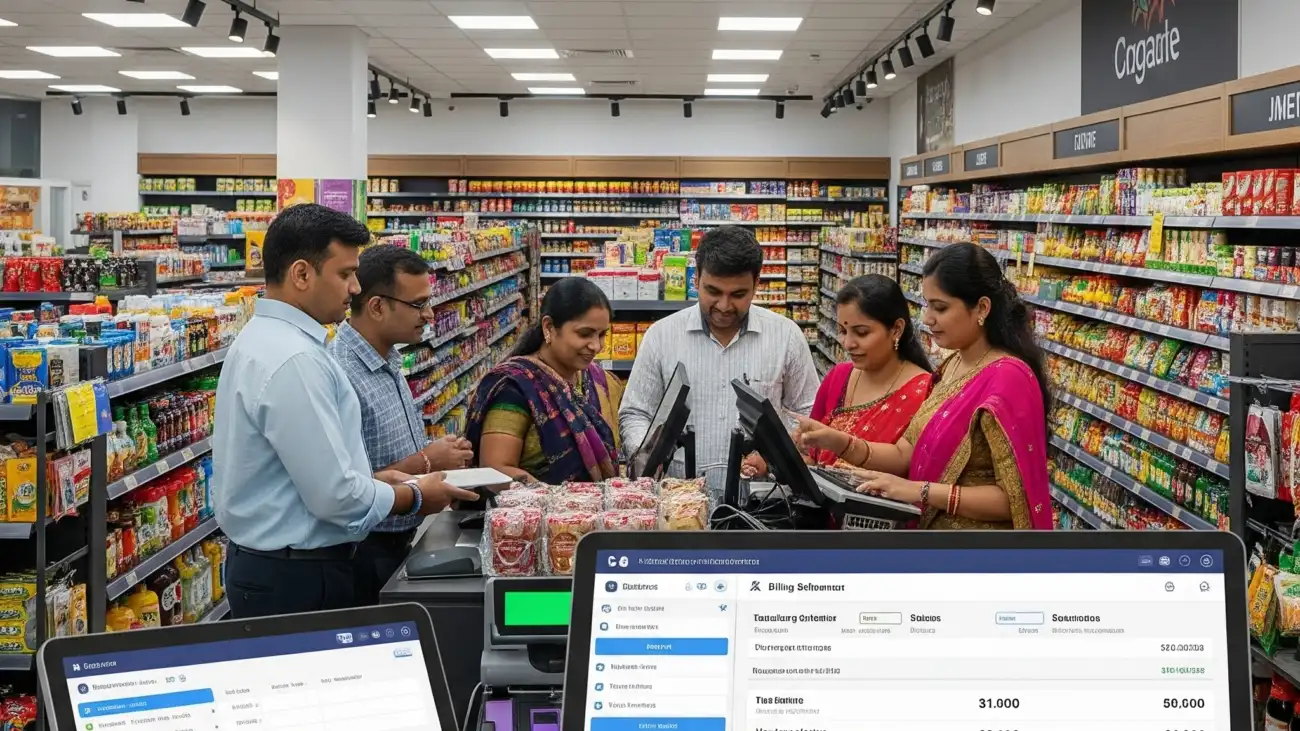
A supermarket cashier using a modern billing software system, highlighting its role in ensuring fast checkouts, accurate inventory, and GST compliance.

Why Supermarket Billing Software Is Essential for Fast Checkout, Inventory, and GST Compliance

Managing a supermarket is no small task. With hundreds or thousands of products, high customer footfall, and the need for accuracy in billing and stock control, traditional methods quickly fall short. That’s where supermarket billing software becomes an essential tool for modern retail operations.

Whether you’re running a small grocery store or a multi-counter hypermarket, the right billing software helps you streamline operations, reduce errors, ensure GST compliance, and improve customer satisfaction.

What Is Supermarket Billing Software?

Supermarket billing software is a specialized POS (Point of Sale) and inventory management system designed for retail stores that sell FMCG products. It automates billing, inventory tracking, barcode scanning, GST calculations, customer data handling, and payment processing — all in one solution.

Key Features of Supermarket Billing Software

1. Barcode Billing

  • Scan items using barcode scanners for quick and accurate billing
  • Generate and print barcodes for unlabelled products
  • Avoid manual entry errors during checkout

2. GST-Compliant Invoicing

  • Automatic tax calculation with CGST, SGST, IGST
  • Built-in HSN code management
  • Generates GST-compliant invoices and GSTR reports

3. Real-Time Inventory Management

  • Live tracking of stock by item, batch, expiry, and unit
  • Receive alerts for low stock and reorder levels
  • Supports multiple units like pieces, liters, kilograms, etc.

4. POS System Integration

  • Works seamlessly with barcode scanners, thermal printers, cash drawers
  • Touchscreen-friendly billing interface
  • Multi-counter and multi-user support

5. Multi-Payment Mode Billing

  • Accept payments via cash, card, UPI, wallet, or split transactions
  • Record credit and partial payments
  • Apply discounts, offers, or customer loyalty points

6. Reporting and Analytics

  • Sales reports by day, category, or cashier
  • Inventory valuation and wastage tracking
  • GST filing and tax summary reports

Why Supermarkets Need Dedicated Billing Software

Unlike general retail stores, supermarkets deal with:

  • High transaction volume per day
  • Perishable goods with expiry dates
  • Price variations by weight or pack size
  • Discount schemes, combo offers, and loyalty programs
  • Multiple billing counters and staff logins
  • Strict GST filing schedules

Using supermarket billing software helps you handle all of the above with speed, accuracy, and reliability.

Benefits of Using Supermarket Billing Software

  • Faster checkout and reduced billing time
  • Accurate tax calculation and GST return filing
  • Real-time stock visibility and alerts
  • Better customer experience with faster service
  • Smarter decision-making with sales and inventory reports
  • Improved staff efficiency through controlled access

Best Supermarket Billing Software in India

Here are some of the top supermarket billing solutions used by retailers across the country:

OurERP – Supermarket Edition

  • GST-ready billing with barcode and batch tracking
  • Real-time inventory management
  • Offers loyalty program and multi-location support
  • Custom reports and POS device compatibility

GoFrugal Retail POS

  • Cloud-based billing and inventory management
  • Mobile billing and sales tracking
  • Integrated with e-invoicing and e-way bill generation
  • Ideal for mid to large-format supermarkets

Marg ERP – Retail

  • Customizable supermarket software
  • Billing by quantity, weight, or packs
  • GST reports, barcode management, and discount schemes

Vyapar

  • Suitable for small grocery shops and kirana stores
  • Desktop-based GST billing
  • Simple dashboard with customer and payment tracking

How to Choose the Right Supermarket Billing Software

When evaluating billing software, consider the following:

  • Does it support barcode and product category management?
  • Can it handle multi-user or multi-counter setups?
  • Is it GST-compliant with proper invoice formats?
  • Does it support cloud backup or offline use?
  • Are customer support and training available?
  • Can it generate real-time reports for purchases, sales, and stock?

Conclusion

In a competitive retail market, using the right supermarket billing software is essential to run your business smoothly and legally. From improving billing speed and accuracy to managing large inventories and staying GST-compliant, supermarket software simplifies complex daily operations.

If you’re ready to digitize your store and eliminate manual processes, investing in a feature-rich billing software will deliver long-term efficiency, accuracy, and growth.

For more details and resources, please return to OurERP.
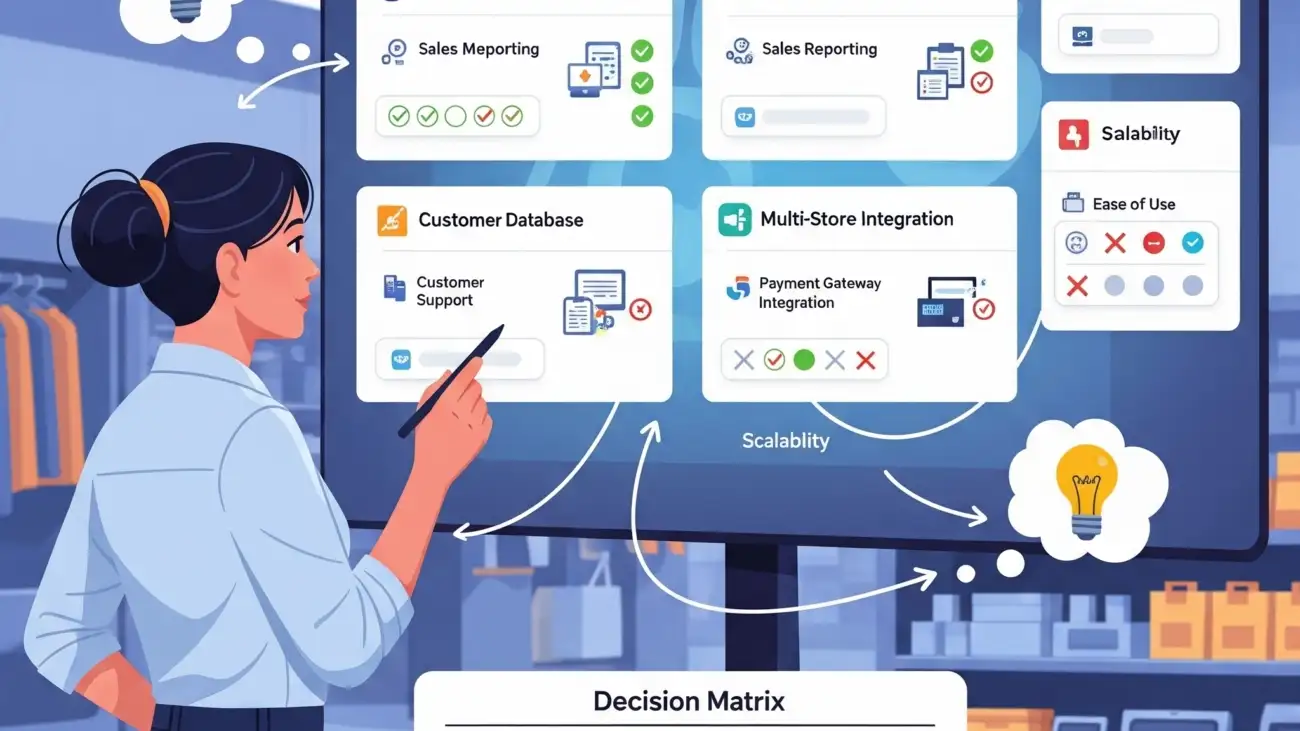
A retail shop owner using a free billing software on a laptop, highlighting the process of selecting the best solution for their business.

How to Choose the Best Free Retail Billing Software for Your Business

In today’s fast-paced retail environment, managing sales, inventory, and tax compliance manually can slow down your business. Whether you’re running a grocery store, mobile shop, apparel outlet, or a general store, having the right billing solution is essential. The good news? You don’t have to spend a fortune to get started.

With the rise of free retail billing software, small businesses in India can now digitize their billing operations without upfront investment. But with so many free options available, how do you choose the right one?

This blog breaks down the key features, must-have tools, and top tips to help you pick the best free retail billing software for your shop.

Why Use Free Retail Billing Software?

Free billing tools are especially useful for:

  • New business owners on a limited budget
  • Small retailers wanting to try digital billing before upgrading
  • Shops in semi-urban or rural areas with offline billing needs
  • Businesses that require simple POS, GST billing, and stock tracking

Benefits include:

  • No software cost
  • Faster invoice generation
  • Improved stock control
  • GST-ready invoice formats
  • Barcode scanning and printing (in some tools)

Key Features to Look for in Free Retail Billing Software

When choosing free billing software, don’t just look at the “free” label. Ensure it includes the features your business needs daily:

1. GST-Compliant Billing

  • Auto GST calculation (CGST, SGST, IGST)
  • HSN code support
  • GSTR report generation for returns filing

2. Inventory Management

  • Track stock by item, category, brand, and quantity
  • Get low-stock alerts
  • Manage product batches, expiry dates, and reorder levels

3. Barcode Integration

  • Generate barcode labels for products
  • Scan barcodes during billing for quick checkout
  • Sync barcode data with inventory

4. PDF & Print Invoice Support

  • Generate A4 or POS-size invoices
  • Export bills as PDF
  • Customize invoice design with your shop’s name and GSTIN

5. Customer & Supplier Management

  • Save customer data for credit tracking and loyalty
  • Maintain purchase records from suppliers
  • Monitor outstanding payments

6. Ease of Use

  • Simple, clean dashboard
  • Minimal training required
  • Fast billing speed for busy counters

Best Free Retail Billing Software Options in India

Here are some reliable tools offering free plans:

🔹 Vyapar (Desktop Free Version)

  • GST-ready billing
  • Inventory and expense management
  • Barcode support
  • Reports for sales, purchase, and tax
  • Free for PC (Mobile/cloud versions are paid)

🔹 Hitech BillSoft Free Edition

  • Offline software with barcode and thermal printer support
  • GST billing with auto tax calculation
  • Daily sales and stock summary
  • No internet required

🔹 JustBilling (Free Version)

  • Mobile and desktop compatibility
  • Easy-to-use retail POS interface
  • Cloud-based data sync with limited free usage
  • Basic inventory & customer tracking

🔹 Zoho Invoice (100% Free for Small Businesses)

  • GST fields in invoice templates
  • Branded PDF invoice download
  • Mobile app available
  • Ideal for freelancers or small shops with simple needs

🔹 OurERP Free Retail Plan

  • Customizable for Indian retail formats
  • Barcode billing, GST invoices, inventory & delivery challans
  • POS-compatible
  • Contact-based plan with demo access

Questions to Ask Before You Decide

  • Do I need offline or cloud-based software?
  • How many items/products will I manage?
  • Do I require barcode billing and printing?
  • Will I need multi-user access or reports?
  • Is there room to upgrade when my business grows?

Tips for a Smooth Setup

  1. Start with a demo or trial version
  2. Check compatibility with your printer, barcode scanner, or POS device
  3. Enter your shop details and GSTIN correctly
  4. Import existing inventory or add products manually
  5. Print a few test invoices to check format & tax calculations

Final Thoughts

With the right free retail billing software, even a small shop can run operations like a big business. From fast and accurate GST billing to inventory and barcode control, digital tools help reduce errors, save time, and improve customer experience.

Instead of sticking to manual billing, start with a free solution that suits your business needs and upgrade as you grow.

For more details and resources, please return to OurERP.
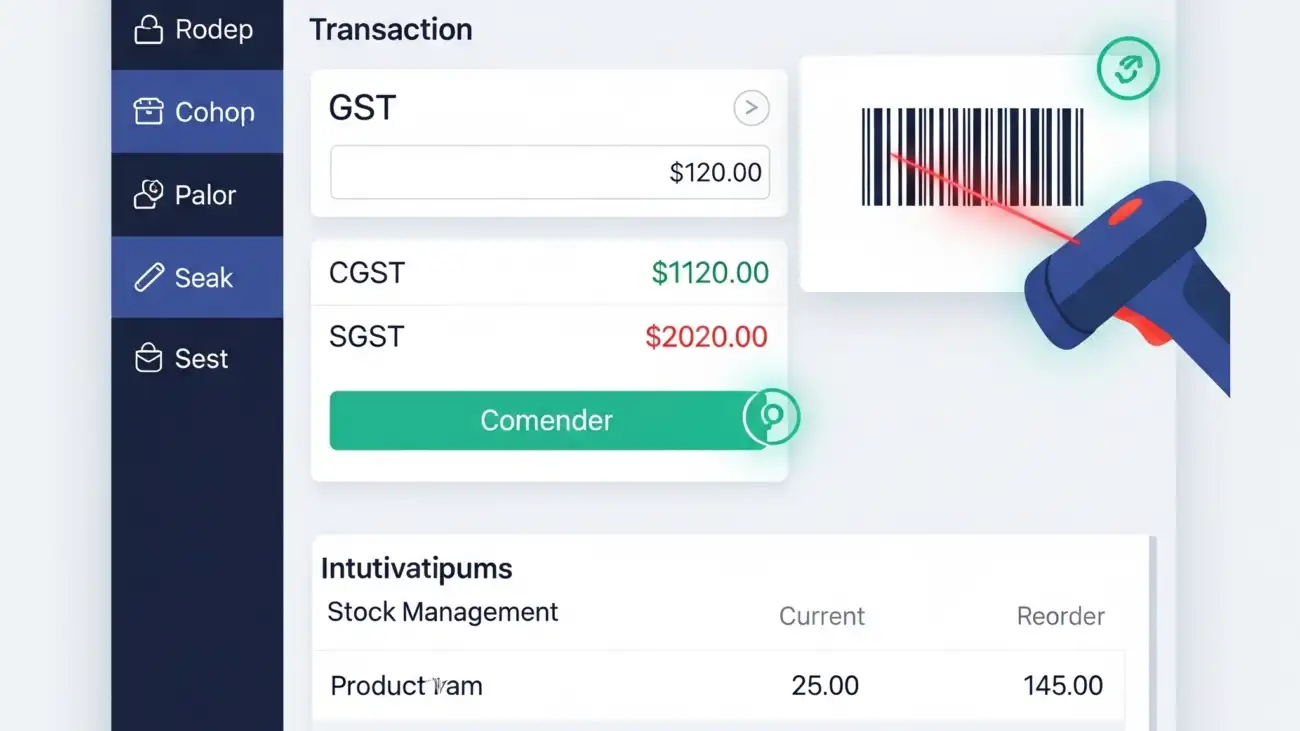
A retail shop owner using a free billing software on a computer, highlighting the key features for GST invoicing, barcode scanning, and stock management.

Best Free Billing Software for Retail Shops with GST, Barcode & Stock Management

For small and medium-sized retail shops in India, choosing the right billing software can be challenging—especially when you’re on a budget. Fortunately, there are several powerful free billing software options designed specifically for retail shops that support GST invoicing, barcode billing, and stock management.

In this guide, we’ll highlight the top free billing software for retail shops, key features to look for, and how you can get started without spending a rupee.

Why Free Billing Software Makes Sense for Retail Shops

Many small businesses still rely on manual billing or basic spreadsheets, which can lead to:

  • Invoice errors
  • Poor stock control
  • GST non-compliance
  • Slow customer checkout
  • Loss of sales data

With the right free billing software, even a small shop can enjoy:

  • Accurate and fast GST billing
  • Barcode scanning for faster checkout
  • Real-time inventory tracking
  • Professional PDF invoices
  • Better business insights

And best of all—it’s free!

Must-Have Features in Free Retail Billing Software

When choosing free billing software for a retail shop, make sure it includes:

GST Invoice Support

  • Auto calculation of CGST, SGST, IGST
  • HSN code mapping
  • GSTR reports (GSTR-1, GSTR-3B)
  • Customer GSTIN entry and tracking

Barcode Scanning & Generation

  • Add or scan products using barcodes
  • Generate and print barcode labels
  • Speed up checkout and stock entry

Inventory & Stock Management

  • Track product quantity in real time
  • Set low-stock alerts
  • Manage stock by brand, size, category, or expiry

PDF Invoice and Print Support

  • Customizable invoice formats
  • Print A4 or POS-sized bills
  • Email or download invoice PDFs

Customer & Supplier Management

  • Save customer details
  • Track credit sales and balances
  • Manage supplier purchases and payments

Best Free Billing Software for Retail Shops in India

Here are the most reliable options available for free use:

🔹 1. Vyapar (Free for Desktop)

Best for: Small retail shops needing GST billing
Key Features:

  • GST-compliant billing
  • Barcode and stock management
  • Expense tracking
  • Invoice printing (POS/A4)
  • Free for PC; paid for mobile & cloud sync

Pros:

  • Simple interface
  • GST & inventory ready
  • Easy to learn

🔹 2. Hitech BillSoft Free Edition

Best for: Retailers looking for fast offline billing
Key Features:

  • Barcode scanning
  • GST invoice format
  • Inventory management
  • Print-ready invoice templates

Pros:

  • Offline use
  • Ideal for small retailers
  • Quick setup

🔹 3. JustBilling Free Version

Best for: Multi-device retail billing
Key Features:

  • GST billing
  • Barcode & inventory
  • Sales reports
  • Mobile & desktop sync (limited in free version)

Pros:

  • Cloud-enabled
  • Easy POS interface
  • Customer database

🔹 4. Zoho Invoice (Cloud-based & Free)

Best for: Businesses that prefer online invoicing
Key Features:

  • Create GST-compliant invoices
  • Download/print PDF bills
  • Manage clients & products
  • Cloud storage

Pros:

  • 100% free for small businesses
  • Mobile app support
  • Integrates with Zoho Books (paid)

🔹 5. OurERP Free Plan (Contact for access)

Best for: Retailers needing customizable, India-specific features
Key Features:

  • Barcode billing
  • GST-ready invoice formats
  • Product-wise stock reports
  • POS hardware support

Pros:

  • Tailored for Indian retailers
  • Offline + online support
  • Multi-user access

How to Choose the Right Free Billing Software

When selecting a tool, consider:

  • Business size: Choose software that supports your item count and invoice volume.
  • Ease of use: Ensure your team can use it without extensive training.
  • Offline vs cloud: Decide if you need offline access or real-time cloud sync.
  • Scalability: Ensure the software can grow with your business (paid upgrades if needed).
  • Support: Check if the vendor provides free support or documentation.

Conclusion

A reliable free billing software for retail shops can help streamline your sales, manage inventory, and stay GST-compliant—without spending anything upfront. From barcode billing to PDF invoices and stock alerts, modern tools give small shop owners the same edge as large retailers.

If you’re ready to go digital and improve your shop’s efficiency, start with one of the free tools listed above. You can always upgrade later as your business scales.

For more details and resources, please return to OurERP.

A retail shop owner using a modern billing software, showcasing how the solution simplifies GST invoicing and inventory management.

How Retail Billing Software Simplifies GST Invoicing and Inventory Management

In today’s competitive retail landscape, efficiency, accuracy, and compliance are critical to success. Managing billing manually or with outdated tools often results in errors, delays, and missed GST filings. This is where modern retail billing software plays a game-changing role.

Whether you run a grocery store, apparel outlet, electronics shop, or a multi-chain retail business, the right billing software simplifies everyday operations—particularly GST invoicing and inventory management.

What Is Retail Billing Software?

Retail billing software is a digital solution designed to handle invoicing, tax calculation, stock tracking, and customer management for retail businesses. It automates billing tasks while ensuring compliance with Indian GST laws.

Unlike generic accounting tools, retail-focused software is equipped with:

  • Barcode scanning
  • GST-ready invoice generation
  • Inventory tracking across categories
  • POS integration
  • Multi-payment mode support
  • Customer loyalty features

Why GST Invoicing Matters for Retailers

Since the implementation of GST, retailers must issue invoices that include:

  • GSTIN numbers (where applicable)
  • Correct tax components: CGST, SGST, IGST
  • HSN/SAC codes for goods/services
  • Invoice serial numbers
  • GSTR report-ready formats

Non-compliance can lead to penalties, failed audits, and loss of input tax credits. A good retail billing software ensures every invoice is GST-compliant without requiring deep tax knowledge.

How Retail Billing Software Simplifies GST Invoicing

Automated Tax Calculations

  • Software auto-applies GST rates (5%, 12%, 18%, etc.)
  • Separates CGST, SGST, and IGST automatically based on location
  • Reduces human error in tax values

HSN Code & GSTIN Integration

  • Pre-mapped HSN codes for thousands of retail products
  • Saves and applies GSTINs of regular customers and suppliers

GSTR Report Generation

  • Ready-to-upload reports for GSTR-1, GSTR-3B, and GSTR-9
  • Reconciliation features for purchases and returns
  • Export to Excel or JSON format for filing

E-Invoicing and E-Way Bill Support

  • For businesses above threshold limits
  • Automatically generate and print IRNs or QR codes

Result: 100% compliant, error-free invoices in seconds—saving hours on monthly GST return preparation.

How Retail Billing Software Improves Inventory Management

Accurate stock tracking is crucial to avoid overstocking, dead stock, or missed sales opportunities. Retail billing software handles this effortlessly.

Real-Time Stock Updates

  • Every sale/purchase instantly updates inventory
  • No need to manually adjust stock levels

Batch, Expiry & Category Management

  • Track products by size, color, brand, batch number, or expiry date
  • Categorize inventory for fast search and filtering

Low Stock & Reorder Alerts

  • Set minimum quantity levels
  • Get notified when stock drops below threshold

Multi-Store and Multi-Warehouse Support

  • Centralized stock control for chain stores
  • View stock movement across branches

Barcode Integration

  • Generate and scan barcodes for fast billing
  • Track stock by barcode for each SKU or product variant

Result: Fewer stockouts, improved sales tracking, and better purchase planning.

Bonus Features That Add More Value

Most advanced retail billing software also includes:

  • POS (Point of Sale) Integration
  • Multi-user access with role control
  • Customer database with purchase history
  • Discount & loyalty management
  • Custom invoice formats (A4, POS size, thermal printing)
  • Daily, weekly, and monthly sales reports

Who Should Use Retail Billing Software?

  • Grocery stores & supermarkets
  • Fashion & apparel stores
  • Mobile & electronics shops
  • Home appliances & furniture stores
  • Toy, cosmetics, and gift stores
  • Multi-outlet retail chains

Best Retail Billing Software Options in India

Here are a few reliable names for Indian retailers:

🔹 OurERP

  • GST-ready invoicing
  • Barcode support
  • Inventory and multi-store management
  • Custom dashboards and reports

🔹 Vyapar

  • Simple interface
  • GST and inventory support
  • Free desktop version

🔹 Marg ERP – Retail Edition

  • Advanced inventory control
  • Batch, expiry, and barcode features
  • Highly customizable

🔹 GoFrugal POS

  • Cloud-based retail POS
  • Mobile app and inventory sync
  • Supports e-invoice generation

Final Thoughts

Managing retail billing and stock manually is no longer sustainable in 2025. With increasing customer demands, competitive pricing, and regulatory requirements, retail billing software provides a reliable and scalable solution.

From GST invoicing to real-time inventory tracking, modern billing tools help you stay compliant, efficient, and profitable. If you’re looking to streamline operations and eliminate billing errors, upgrading to the right software is your smartest move.

For more details and resources, please return to OurERP.
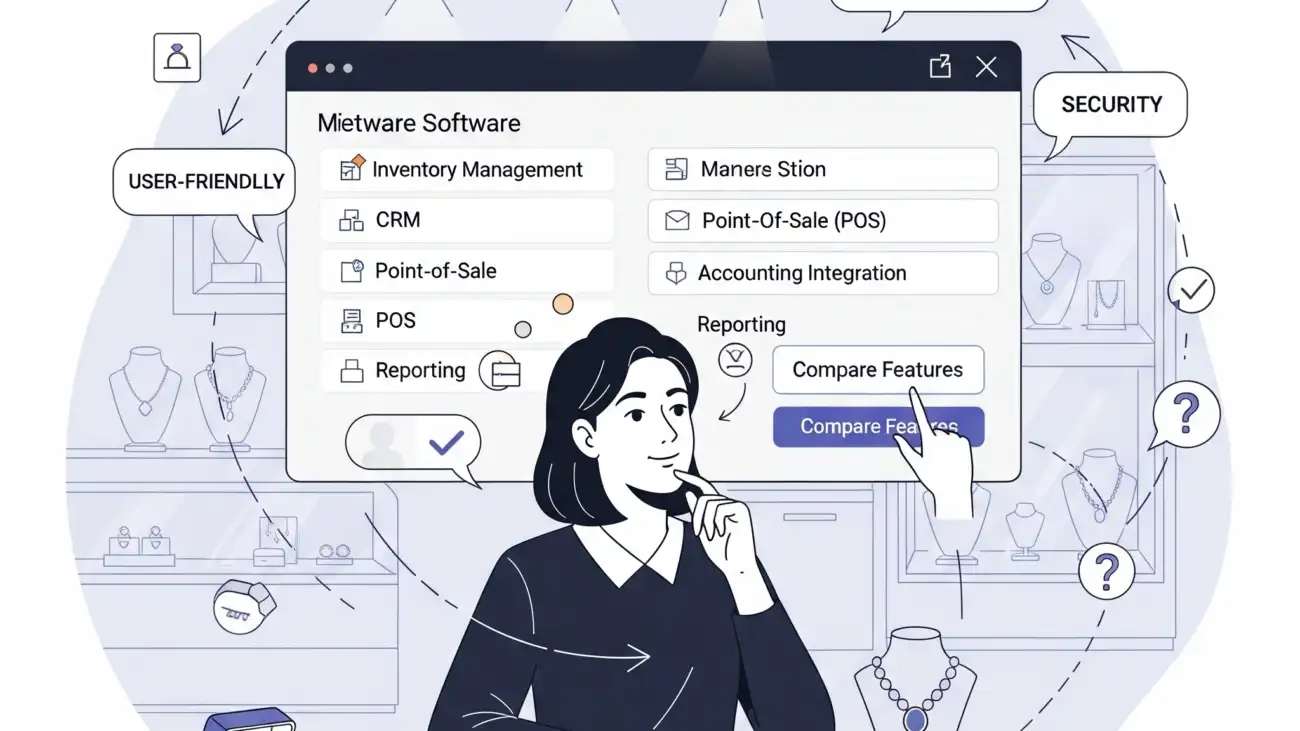
A jewellery shop owner using specialized billing software on a screen, showcasing the solution's ability to handle the complexities of jewellery billing and inventory.

How to Choose the Right Jewellery Billing Software for Your Business

Running a jewellery store requires more than just showcasing sparkling pieces—it demands accuracy in billing, weight-based inventory management, GST compliance, and seamless customer tracking. Manual invoicing or generic billing software can’t meet these unique needs. That’s why choosing the right jewellery billing software is essential for every jewellery business in India.

In this blog, we’ll walk you through the key features, selection criteria, and best practices for selecting a jewellery billing solution tailored to your business.

Why Jewellery Stores Need Specialised Billing Software

Unlike general retail shops, jewellery businesses deal with:

  • Weight-based and karat-wise pricing
  • Making charges and wastage tracking
  • Gold, silver, diamond, and gemstone valuation
  • Hallmarking compliance
  • Old gold/exchange management
  • GST invoicing and HSN code classification

A specialized jewellery billing software helps manage these complexities while ensuring compliance, inventory accuracy, and faster billing.

Key Features to Look for in Jewellery Billing Software

1. Weight & Karat-Based Billing

Your software must support billing by:

  • Gross weight and net weight
  • Gold purity (18k, 22k, 24k, etc.)
  • Auto-calculation of final price based on market rates and purity

2. Making Charges and Wastage Handling

  • Add fixed or percentage-based making charges
  • Track wastage separately for each item
  • Customize charges for ornaments, coins, and custom designs

3. Real-Time Inventory Tracking

  • Manage stock by weight, purity, and metal type
  • Batch tracking for gemstones and diamond sets
  • Get alerts for low stock or out-of-stock items

4. GST & HSN Code Integration

  • Auto-calculated CGST, SGST, and IGST
  • Assign correct HSN codes for jewellery, coins, and services
  • Generate GST-compliant invoices instantly

5. Old Gold Exchange & Buy-Back Support

  • Accept old jewellery from customers
  • Deduct exchange value in the final bill
  • Track purity, weight, and transaction details

6. Customer & Order Management

  • Store customer purchase history
  • Send payment reminders and SMS alerts
  • Manage advance bookings, custom orders, and deliveries

7. Barcode & Label Printing

  • Barcode-based item tracking
  • Print product tags with karat, weight, and price
  • Scan items for quick billing and stock updates

8. Multi-Branch and Cloud Access

  • Access reports and billing from multiple locations
  • Enable staff-wise login control
  • Cloud backup for secure data storage and continuity

Additional Features to Consider

  • Daily gold rate integration
  • Repair/alteration billing
  • Payment mode tracking (UPI, cards, EMI)
  • Sales, purchase, and profit reports
  • Role-based user access
  • Data export to Excel, PDF, or accounting software

Tips to Choose the Right Jewellery Billing Software

Choose Industry-Specific Software

Generic billing tools won’t support karat-based pricing or gold rate fluctuations. Go for software built exclusively for jewellers.

Look for GST-Ready Functionality

Ensure the tool includes GST invoicing, tax reports, HSN/SAC code mapping, and e-invoicing support.

Evaluate Ease of Use

The interface should be easy for your staff to learn and operate—even during busy hours.

Check for Integration Options

Make sure the software works well with barcode scanners, weighing scales, printers, and cloud storage.

Consider Support and Training

Opt for vendors that offer onboarding, user training, and customer support—especially important during audits or software issues.


Top Jewellery Billing Software Options in India

While there are many tools available, a few reliable names for Indian jewellery shops include:

Tip: Start with a demo or free trial to test software compatibility with your store’s workflow.

Final Thoughts

Choosing the right jewellery billing software isn’t just a technical upgrade—it’s an investment in your store’s efficiency, compliance, and growth. With rising competition and GST regulations, switching from manual processes to a tailored digital solution can help you serve customers better, track stock accurately, and make confident business decisions.

If you’re ready to modernize your jewellery business, start by selecting software that understands gold—and your goals.

For more details and resources, please return to OurERP.
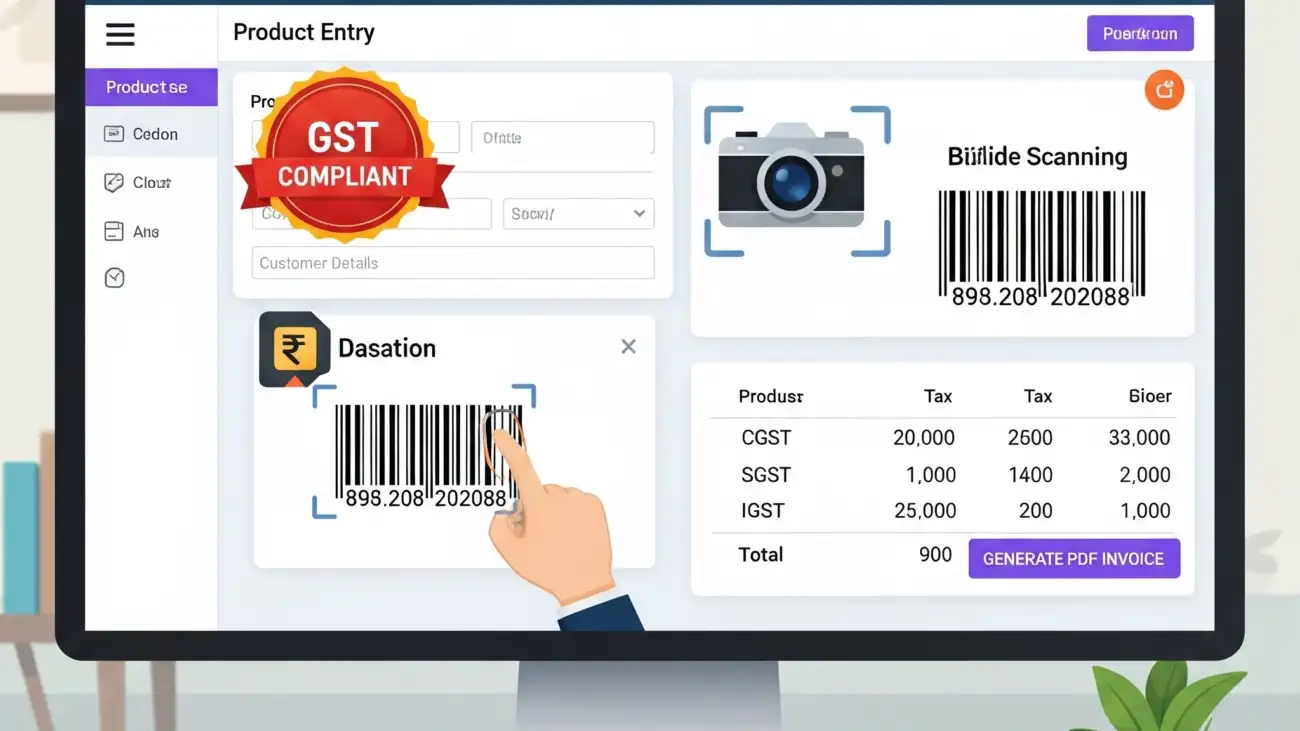
A business owner using free billing software on a desktop computer, highlighting the features for GST invoicing, barcode support, and PDF invoice generation.

Billing Software Free for PC That Supports GST, Barcode & PDF Invoices

For small businesses, choosing the right billing solution can be the difference between growth and chaos. But if you’re just starting out, paying for expensive software might not be feasible. Thankfully, there are several billing software free for PC that offer robust features like GST compliance, barcode scanning, and PDF invoicing—without costing a rupee.

This blog highlights the key features to look for, benefits, and top tools you can start using today—right from your desktop.

Why Use Free Billing Software for PC?

While cloud-based billing tools are rising in popularity, many businesses still prefer desktop software for reasons like:

  • Offline access without internet dependency
  • Faster processing on local machines
  • Higher data privacy and control
  • Compatibility with thermal printers, barcode scanners, and POS devices

Free billing software for PC is especially helpful for:

  • Retail shops
  • Medical stores
  • Wholesalers and distributors
  • Service providers
  • Startups and freelancers

Must-Have Features in Free Billing Software

When evaluating billing software free for PC, ensure it includes these features:

GST Invoicing Support

  • Auto-calculation of CGST, SGST, and IGST
  • HSN/SAC code integration
  • GSTR-1, GSTR-3B report generation
  • GSTIN-wise customer management

Barcode Billing

  • Barcode printing and scanning integration
  • Item-level tracking by barcode
  • Faster checkout and inventory updates

PDF Invoice Export

  • Print-ready invoices in A4, POS or custom sizes
  • Branded invoice templates
  • Email invoices as PDF attachments

Inventory & Stock Management

  • Track stock by quantity, batch, and expiry
  • Receive low-stock alerts
  • Auto stock deduction with each sale

Customer & Supplier Records

  • Save GSTIN, contact info, and transaction history
  • Credit tracking and outstanding reports
  • Custom pricing or discount levels

Top Billing Software Free for PC (GST & Barcode Ready)

Here are some reliable tools you can explore:

1. Vyapar (Free Desktop Version)

  • Ideal for small Indian businesses
  • GST-ready invoices
  • Inventory and party management
  • Barcode support
  • PDF billing with print preview
  • Note: Free for desktop, paid for mobile/cloud sync

2. Hitech BillSoft Free Edition

  • Simple interface with POS integration
  • Barcode generation and printing
  • Supports GST calculations
  • PDF invoice downloads
  • Data backup options

3. JustBilling Free (Lite Version)

  • User-friendly dashboard
  • Billing with barcode & PDF
  • Stock and purchase tracking
  • GST filing reports
  • Works on Windows PC

4. Zoho Invoice (PC Browser-Based)

  • 100% free with cloud access
  • Download PDF invoices
  • GST fields and automated taxes
  • Limited offline use

5. Marg ERP Free Trial

  • Robust features with GST and barcode
  • Free for 30 days (some features may continue for free)
  • Suited for pharmacies and retail outlets

💡 Tip: Always back up your billing data regularly when using offline software to prevent data loss.

Benefits of Using Billing Software with Barcode & PDF Support

  • Faster Checkout: Barcode integration speeds up billing at counters
  • Professional Invoicing: PDF bills can be printed or emailed instantly
  • Compliance Assurance: GST structure helps with filing returns
  • Cost Savings: Free desktop solutions save upfront investment
  • Data Privacy: Offline billing means full control over customer data

Who Should Use Free Billing Software on PC?

This type of software is ideal for:

  • Retailers (grocery, electronics, apparel)
  • Pharmacies and medical stores
  • Wholesale traders
  • Distributors and agents
  • Small business owners and freelancers

Things to Keep in Mind

  • Free versions may come with feature or user limits
  • Look for regular updates and customer support options
  • Consider future upgrades if your business scales
  • Always verify GST compliance with current tax rules

Final Thoughts

Finding the perfect billing software free for PC doesn’t mean compromising on quality or functionality. With the right tool, you can generate professional GST invoices, scan barcodes, and export PDF bills—all without spending a single rupee.

If you’re a small business owner looking for an affordable yet powerful billing solution, tools like Vyapar, Hitech BillSoft, and JustBilling are great places to start. And when your business grows, you can upgrade to premium features without changing your system entirely.

For more details and resources, please return to OurERP.

OurERP GST bill book digital invoicing

Custom Bill Book Design Tips for GST Invoicing in India

In India, invoicing is more than just a payment slip—it’s a legal document. Whether you’re a retailer, wholesaler, freelancer, or service provider, having a professionally designed bill book ensures that your invoices are not only GST-compliant but also reflect your brand’s identity.

This blog covers the best bill book design practices tailored for Indian businesses, including layout essentials, branding tips, and must-have elements for GST compliance.

Why Bill Book Design Matters

A well-designed bill book does more than document a sale—it serves several important functions:

  • Builds customer trust with a professional appearance
  • Ensures legal compliance under GST rules
  • Helps in easy record-keeping and tax filing
  • Strengthens your business branding

Whether printed or digital, your bill book should combine legal accuracy with visual clarity.

Essential Elements of a GST-Compliant Bill Book Design

Your bill book design must follow the invoicing rules set by the Goods and Services Tax (GST) Act. Here’s what every invoice in India must include:

1. Business Details

  • Business name (with logo, if possible)
  • Address, phone number, email
  • GSTIN (Goods and Services Tax Identification Number)

2. Invoice Information

  • Invoice number (unique and sequential)
  • Date of issue
  • Due date (if applicable)

3. Buyer Details

  • Customer name and address
  • Customer’s GSTIN (for B2B transactions)

4. Itemized List of Goods or Services

  • Description of products/services
  • HSN or SAC code
  • Quantity and unit price
  • Taxable value

5. GST Breakdown

  • CGST, SGST, and IGST (with percentage and amount)
  • Total tax amount
  • Total invoice value (in figures and words)

6. Additional Details (Optional but Useful)

  • Terms and conditions
  • Payment mode (cash, UPI, credit)
  • Signature or digital seal
  • QR code for instant payments or digital access

Custom Bill Book Design Tips for Branding

1. Use Your Brand Colors

Incorporate your brand’s primary colors into the header, footer, or borders of the bill book. This adds brand recall without affecting legibility.

2. Add a Professional Logo

A sharp, high-resolution logo at the top left or center instantly elevates the look of your bill.

3. Choose a Clean, Readable Font

Avoid fancy fonts. Use modern, professional fonts like Roboto, Open Sans, or Arial to ensure clarity, especially for numeric data.

4. Keep the Layout Organized

  • Use clear columns and rows for item descriptions, pricing, and taxes.
  • Align text for readability.
  • Add lines, boxes, or shading to separate sections.

5. Add a Barcode or QR Code

For modern billing, include a scannable QR code for payment or order tracking—great for both retail and online businesses.

Tips for Printed Bill Book Design

  • Use high-quality paper (minimum 80 GSM)
  • Choose between A5 or A4 sizes based on invoice length
  • Use triplicate or duplicate pages with carbon copy options
  • Number your bills sequentially
  • Bind the pages securely with a soft or hard cover

Tips for Digital Bill Book Design

  • Use PDF templates with editable fields
  • Ensure mobile responsiveness for billing on-the-go
  • Integrate with POS systems and GST return tools
  • Use cloud backup for invoice storage and access

Bill Book Design Software & Tools

You can design custom bill books using these tools:

  • Canva (free design templates)
  • Microsoft Word/Excel (basic layout setup)
  • Zoho Invoice / Vyapar / OurERP (automated billing with design options)
  • Photoshop / Illustrator (for full design control)

For Indian businesses, OurERP also offers customizable bill book formats that are 100% GST-compliant, barcode-ready, and fit for both digital and printed use.

Industries That Benefit from Custom Bill Book Design

  • Retail shops (grocery, garments, electronics)
  • Pharmacies and medical stores
  • Service providers (freelancers, consultants, repair services)
  • Wholesalers and distributors
  • Clinics and educational institutions

Final Thoughts

Investing in a well-structured and branded bill book design is more than just aesthetic—it’s about professionalism, compliance, and customer trust. Whether you use printed invoices or digital billing software, ensure your format meets GST standards and reflects your business identity.

A clean, customized, and legally sound bill book not only improves record-keeping but also positions your business as credible and reliable.

For more details and resources, please return to OurERP.