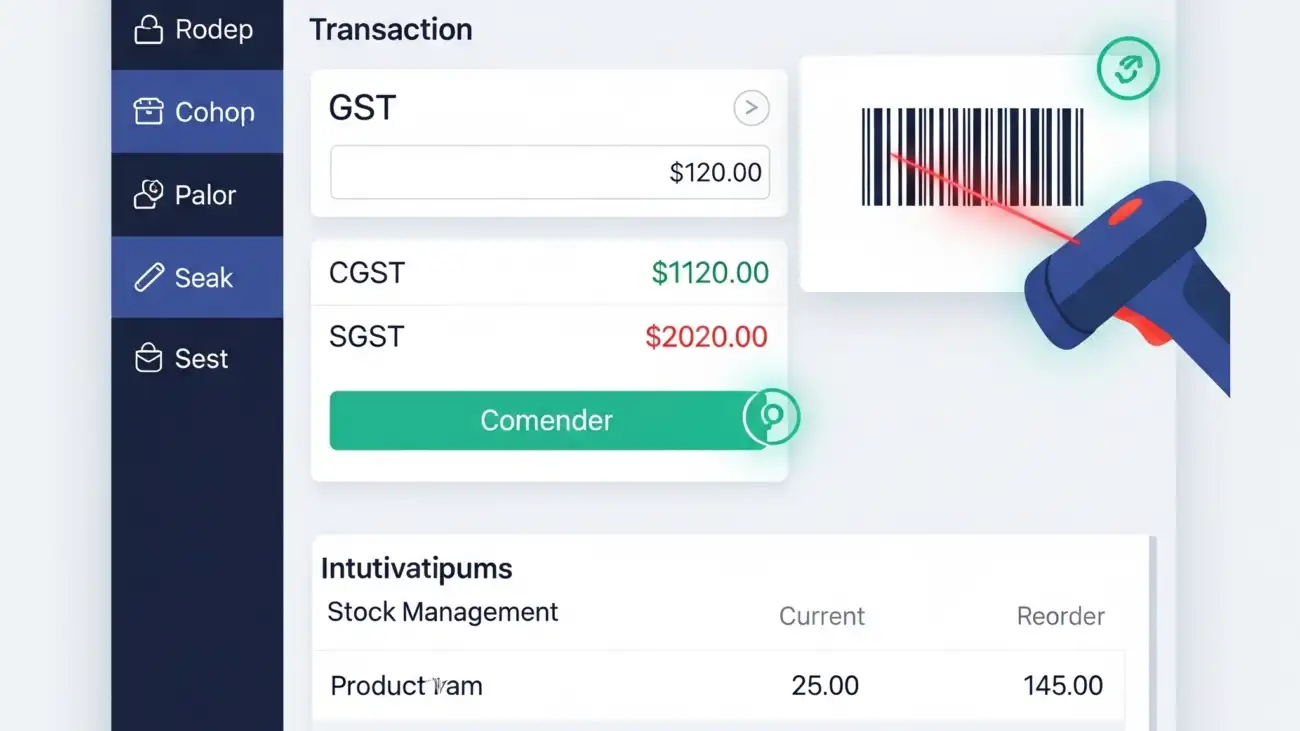
A retail shop owner using a free billing software on a computer, highlighting the key features for GST invoicing, barcode scanning, and stock management.

Best Free Billing Software for Retail Shops with GST, Barcode & Stock Management

For small and medium-sized retail shops in India, choosing the right billing software can be challenging—especially when you’re on a budget. Fortunately, there are several powerful free billing software options designed specifically for retail shops that support GST invoicing, barcode billing, and stock management.

In this guide, we’ll highlight the top free billing software for retail shops, key features to look for, and how you can get started without spending a rupee.

Why Free Billing Software Makes Sense for Retail Shops

Many small businesses still rely on manual billing or basic spreadsheets, which can lead to:

  • Invoice errors
  • Poor stock control
  • GST non-compliance
  • Slow customer checkout
  • Loss of sales data

With the right free billing software, even a small shop can enjoy:

  • Accurate and fast GST billing
  • Barcode scanning for faster checkout
  • Real-time inventory tracking
  • Professional PDF invoices
  • Better business insights

And best of all—it’s free!

Must-Have Features in Free Retail Billing Software

When choosing free billing software for a retail shop, make sure it includes:

GST Invoice Support

  • Auto calculation of CGST, SGST, IGST
  • HSN code mapping
  • GSTR reports (GSTR-1, GSTR-3B)
  • Customer GSTIN entry and tracking

Barcode Scanning & Generation

  • Add or scan products using barcodes
  • Generate and print barcode labels
  • Speed up checkout and stock entry

Inventory & Stock Management

  • Track product quantity in real time
  • Set low-stock alerts
  • Manage stock by brand, size, category, or expiry

PDF Invoice and Print Support

  • Customizable invoice formats
  • Print A4 or POS-sized bills
  • Email or download invoice PDFs

Customer & Supplier Management

  • Save customer details
  • Track credit sales and balances
  • Manage supplier purchases and payments

Best Free Billing Software for Retail Shops in India

Here are the most reliable options available for free use:

🔹 1. Vyapar (Free for Desktop)

Best for: Small retail shops needing GST billing
Key Features:

  • GST-compliant billing
  • Barcode and stock management
  • Expense tracking
  • Invoice printing (POS/A4)
  • Free for PC; paid for mobile & cloud sync

Pros:

  • Simple interface
  • GST & inventory ready
  • Easy to learn

🔹 2. Hitech BillSoft Free Edition

Best for: Retailers looking for fast offline billing
Key Features:

  • Barcode scanning
  • GST invoice format
  • Inventory management
  • Print-ready invoice templates

Pros:

  • Offline use
  • Ideal for small retailers
  • Quick setup

🔹 3. JustBilling Free Version

Best for: Multi-device retail billing
Key Features:

  • GST billing
  • Barcode & inventory
  • Sales reports
  • Mobile & desktop sync (limited in free version)

Pros:

  • Cloud-enabled
  • Easy POS interface
  • Customer database

🔹 4. Zoho Invoice (Cloud-based & Free)

Best for: Businesses that prefer online invoicing
Key Features:

  • Create GST-compliant invoices
  • Download/print PDF bills
  • Manage clients & products
  • Cloud storage

Pros:

  • 100% free for small businesses
  • Mobile app support
  • Integrates with Zoho Books (paid)

🔹 5. OurERP Free Plan (Contact for access)

Best for: Retailers needing customizable, India-specific features
Key Features:

  • Barcode billing
  • GST-ready invoice formats
  • Product-wise stock reports
  • POS hardware support

Pros:

  • Tailored for Indian retailers
  • Offline + online support
  • Multi-user access

How to Choose the Right Free Billing Software

When selecting a tool, consider:

  • Business size: Choose software that supports your item count and invoice volume.
  • Ease of use: Ensure your team can use it without extensive training.
  • Offline vs cloud: Decide if you need offline access or real-time cloud sync.
  • Scalability: Ensure the software can grow with your business (paid upgrades if needed).
  • Support: Check if the vendor provides free support or documentation.

Conclusion

A reliable free billing software for retail shops can help streamline your sales, manage inventory, and stay GST-compliant—without spending anything upfront. From barcode billing to PDF invoices and stock alerts, modern tools give small shop owners the same edge as large retailers.

If you’re ready to go digital and improve your shop’s efficiency, start with one of the free tools listed above. You can always upgrade later as your business scales.

For more details and resources, please return to OurERP.

A retail shop owner using a modern billing software, showcasing how the solution simplifies GST invoicing and inventory management.

How Retail Billing Software Simplifies GST Invoicing and Inventory Management

In today’s competitive retail landscape, efficiency, accuracy, and compliance are critical to success. Managing billing manually or with outdated tools often results in errors, delays, and missed GST filings. This is where modern retail billing software plays a game-changing role.

Whether you run a grocery store, apparel outlet, electronics shop, or a multi-chain retail business, the right billing software simplifies everyday operations—particularly GST invoicing and inventory management.

What Is Retail Billing Software?

Retail billing software is a digital solution designed to handle invoicing, tax calculation, stock tracking, and customer management for retail businesses. It automates billing tasks while ensuring compliance with Indian GST laws.

Unlike generic accounting tools, retail-focused software is equipped with:

  • Barcode scanning
  • GST-ready invoice generation
  • Inventory tracking across categories
  • POS integration
  • Multi-payment mode support
  • Customer loyalty features

Why GST Invoicing Matters for Retailers

Since the implementation of GST, retailers must issue invoices that include:

  • GSTIN numbers (where applicable)
  • Correct tax components: CGST, SGST, IGST
  • HSN/SAC codes for goods/services
  • Invoice serial numbers
  • GSTR report-ready formats

Non-compliance can lead to penalties, failed audits, and loss of input tax credits. A good retail billing software ensures every invoice is GST-compliant without requiring deep tax knowledge.

How Retail Billing Software Simplifies GST Invoicing

Automated Tax Calculations

  • Software auto-applies GST rates (5%, 12%, 18%, etc.)
  • Separates CGST, SGST, and IGST automatically based on location
  • Reduces human error in tax values

HSN Code & GSTIN Integration

  • Pre-mapped HSN codes for thousands of retail products
  • Saves and applies GSTINs of regular customers and suppliers

GSTR Report Generation

  • Ready-to-upload reports for GSTR-1, GSTR-3B, and GSTR-9
  • Reconciliation features for purchases and returns
  • Export to Excel or JSON format for filing

E-Invoicing and E-Way Bill Support

  • For businesses above threshold limits
  • Automatically generate and print IRNs or QR codes

Result: 100% compliant, error-free invoices in seconds—saving hours on monthly GST return preparation.

How Retail Billing Software Improves Inventory Management

Accurate stock tracking is crucial to avoid overstocking, dead stock, or missed sales opportunities. Retail billing software handles this effortlessly.

Real-Time Stock Updates

  • Every sale/purchase instantly updates inventory
  • No need to manually adjust stock levels

Batch, Expiry & Category Management

  • Track products by size, color, brand, batch number, or expiry date
  • Categorize inventory for fast search and filtering

Low Stock & Reorder Alerts

  • Set minimum quantity levels
  • Get notified when stock drops below threshold

Multi-Store and Multi-Warehouse Support

  • Centralized stock control for chain stores
  • View stock movement across branches

Barcode Integration

  • Generate and scan barcodes for fast billing
  • Track stock by barcode for each SKU or product variant

Result: Fewer stockouts, improved sales tracking, and better purchase planning.

Bonus Features That Add More Value

Most advanced retail billing software also includes:

  • POS (Point of Sale) Integration
  • Multi-user access with role control
  • Customer database with purchase history
  • Discount & loyalty management
  • Custom invoice formats (A4, POS size, thermal printing)
  • Daily, weekly, and monthly sales reports

Who Should Use Retail Billing Software?

  • Grocery stores & supermarkets
  • Fashion & apparel stores
  • Mobile & electronics shops
  • Home appliances & furniture stores
  • Toy, cosmetics, and gift stores
  • Multi-outlet retail chains

Best Retail Billing Software Options in India

Here are a few reliable names for Indian retailers:

🔹 OurERP

  • GST-ready invoicing
  • Barcode support
  • Inventory and multi-store management
  • Custom dashboards and reports

🔹 Vyapar

  • Simple interface
  • GST and inventory support
  • Free desktop version

🔹 Marg ERP – Retail Edition

  • Advanced inventory control
  • Batch, expiry, and barcode features
  • Highly customizable

🔹 GoFrugal POS

  • Cloud-based retail POS
  • Mobile app and inventory sync
  • Supports e-invoice generation

Final Thoughts

Managing retail billing and stock manually is no longer sustainable in 2025. With increasing customer demands, competitive pricing, and regulatory requirements, retail billing software provides a reliable and scalable solution.

From GST invoicing to real-time inventory tracking, modern billing tools help you stay compliant, efficient, and profitable. If you’re looking to streamline operations and eliminate billing errors, upgrading to the right software is your smartest move.

For more details and resources, please return to OurERP.
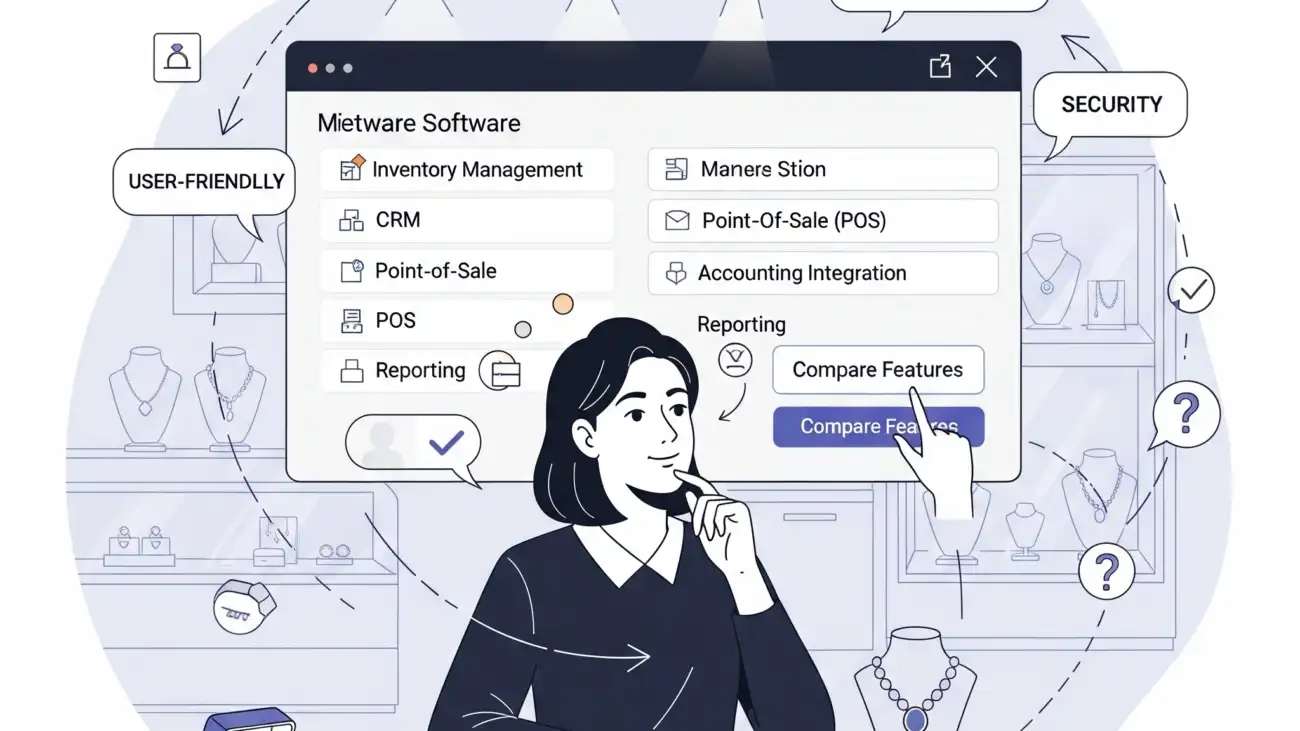
A jewellery shop owner using specialized billing software on a screen, showcasing the solution's ability to handle the complexities of jewellery billing and inventory.

How to Choose the Right Jewellery Billing Software for Your Business

Running a jewellery store requires more than just showcasing sparkling pieces—it demands accuracy in billing, weight-based inventory management, GST compliance, and seamless customer tracking. Manual invoicing or generic billing software can’t meet these unique needs. That’s why choosing the right jewellery billing software is essential for every jewellery business in India.

In this blog, we’ll walk you through the key features, selection criteria, and best practices for selecting a jewellery billing solution tailored to your business.

Why Jewellery Stores Need Specialised Billing Software

Unlike general retail shops, jewellery businesses deal with:

  • Weight-based and karat-wise pricing
  • Making charges and wastage tracking
  • Gold, silver, diamond, and gemstone valuation
  • Hallmarking compliance
  • Old gold/exchange management
  • GST invoicing and HSN code classification

A specialized jewellery billing software helps manage these complexities while ensuring compliance, inventory accuracy, and faster billing.

Key Features to Look for in Jewellery Billing Software

1. Weight & Karat-Based Billing

Your software must support billing by:

  • Gross weight and net weight
  • Gold purity (18k, 22k, 24k, etc.)
  • Auto-calculation of final price based on market rates and purity

2. Making Charges and Wastage Handling

  • Add fixed or percentage-based making charges
  • Track wastage separately for each item
  • Customize charges for ornaments, coins, and custom designs

3. Real-Time Inventory Tracking

  • Manage stock by weight, purity, and metal type
  • Batch tracking for gemstones and diamond sets
  • Get alerts for low stock or out-of-stock items

4. GST & HSN Code Integration

  • Auto-calculated CGST, SGST, and IGST
  • Assign correct HSN codes for jewellery, coins, and services
  • Generate GST-compliant invoices instantly

5. Old Gold Exchange & Buy-Back Support

  • Accept old jewellery from customers
  • Deduct exchange value in the final bill
  • Track purity, weight, and transaction details

6. Customer & Order Management

  • Store customer purchase history
  • Send payment reminders and SMS alerts
  • Manage advance bookings, custom orders, and deliveries

7. Barcode & Label Printing

  • Barcode-based item tracking
  • Print product tags with karat, weight, and price
  • Scan items for quick billing and stock updates

8. Multi-Branch and Cloud Access

  • Access reports and billing from multiple locations
  • Enable staff-wise login control
  • Cloud backup for secure data storage and continuity

Additional Features to Consider

  • Daily gold rate integration
  • Repair/alteration billing
  • Payment mode tracking (UPI, cards, EMI)
  • Sales, purchase, and profit reports
  • Role-based user access
  • Data export to Excel, PDF, or accounting software

Tips to Choose the Right Jewellery Billing Software

Choose Industry-Specific Software

Generic billing tools won’t support karat-based pricing or gold rate fluctuations. Go for software built exclusively for jewellers.

Look for GST-Ready Functionality

Ensure the tool includes GST invoicing, tax reports, HSN/SAC code mapping, and e-invoicing support.

Evaluate Ease of Use

The interface should be easy for your staff to learn and operate—even during busy hours.

Check for Integration Options

Make sure the software works well with barcode scanners, weighing scales, printers, and cloud storage.

Consider Support and Training

Opt for vendors that offer onboarding, user training, and customer support—especially important during audits or software issues.


Top Jewellery Billing Software Options in India

While there are many tools available, a few reliable names for Indian jewellery shops include:

Tip: Start with a demo or free trial to test software compatibility with your store’s workflow.

Final Thoughts

Choosing the right jewellery billing software isn’t just a technical upgrade—it’s an investment in your store’s efficiency, compliance, and growth. With rising competition and GST regulations, switching from manual processes to a tailored digital solution can help you serve customers better, track stock accurately, and make confident business decisions.

If you’re ready to modernize your jewellery business, start by selecting software that understands gold—and your goals.

For more details and resources, please return to OurERP.
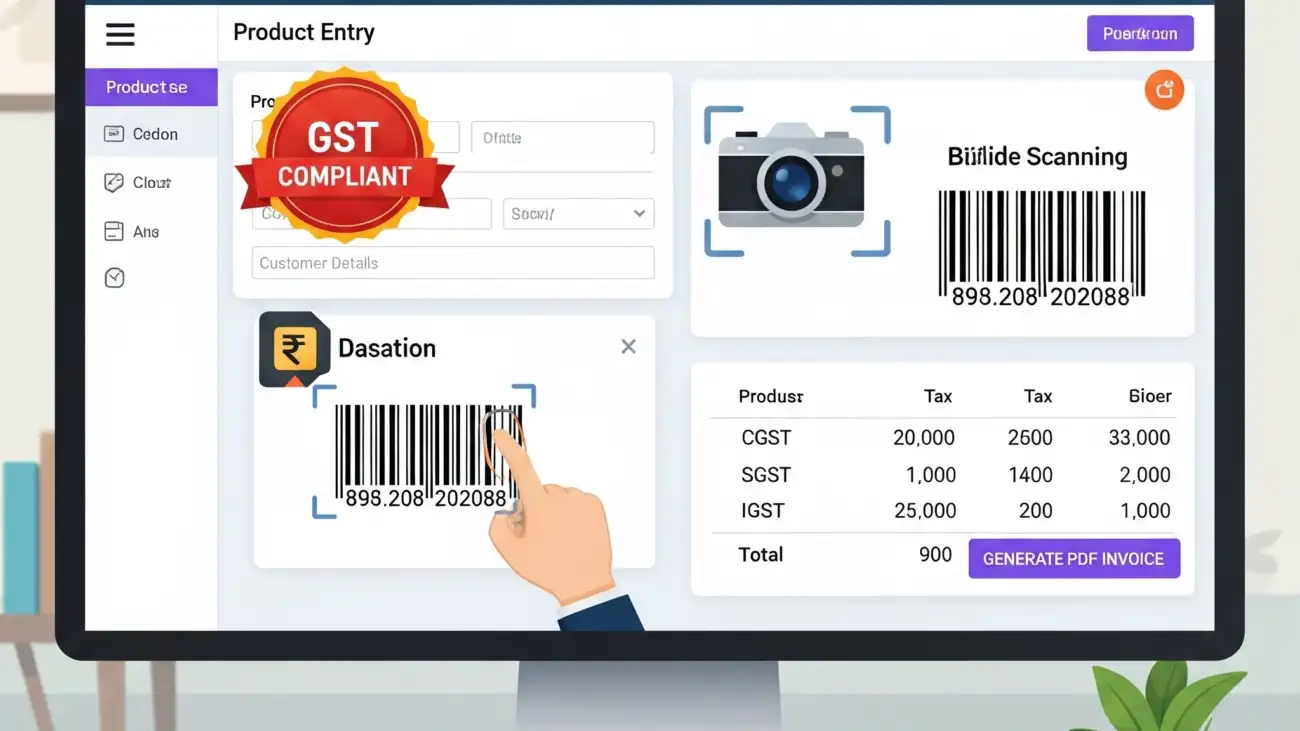
A business owner using free billing software on a desktop computer, highlighting the features for GST invoicing, barcode support, and PDF invoice generation.

Billing Software Free for PC That Supports GST, Barcode & PDF Invoices

For small businesses, choosing the right billing solution can be the difference between growth and chaos. But if you’re just starting out, paying for expensive software might not be feasible. Thankfully, there are several billing software free for PC that offer robust features like GST compliance, barcode scanning, and PDF invoicing—without costing a rupee.

This blog highlights the key features to look for, benefits, and top tools you can start using today—right from your desktop.

Why Use Free Billing Software for PC?

While cloud-based billing tools are rising in popularity, many businesses still prefer desktop software for reasons like:

  • Offline access without internet dependency
  • Faster processing on local machines
  • Higher data privacy and control
  • Compatibility with thermal printers, barcode scanners, and POS devices

Free billing software for PC is especially helpful for:

  • Retail shops
  • Medical stores
  • Wholesalers and distributors
  • Service providers
  • Startups and freelancers

Must-Have Features in Free Billing Software

When evaluating billing software free for PC, ensure it includes these features:

GST Invoicing Support

  • Auto-calculation of CGST, SGST, and IGST
  • HSN/SAC code integration
  • GSTR-1, GSTR-3B report generation
  • GSTIN-wise customer management

Barcode Billing

  • Barcode printing and scanning integration
  • Item-level tracking by barcode
  • Faster checkout and inventory updates

PDF Invoice Export

  • Print-ready invoices in A4, POS or custom sizes
  • Branded invoice templates
  • Email invoices as PDF attachments

Inventory & Stock Management

  • Track stock by quantity, batch, and expiry
  • Receive low-stock alerts
  • Auto stock deduction with each sale

Customer & Supplier Records

  • Save GSTIN, contact info, and transaction history
  • Credit tracking and outstanding reports
  • Custom pricing or discount levels

Top Billing Software Free for PC (GST & Barcode Ready)

Here are some reliable tools you can explore:

1. Vyapar (Free Desktop Version)

  • Ideal for small Indian businesses
  • GST-ready invoices
  • Inventory and party management
  • Barcode support
  • PDF billing with print preview
  • Note: Free for desktop, paid for mobile/cloud sync

2. Hitech BillSoft Free Edition

  • Simple interface with POS integration
  • Barcode generation and printing
  • Supports GST calculations
  • PDF invoice downloads
  • Data backup options

3. JustBilling Free (Lite Version)

  • User-friendly dashboard
  • Billing with barcode & PDF
  • Stock and purchase tracking
  • GST filing reports
  • Works on Windows PC

4. Zoho Invoice (PC Browser-Based)

  • 100% free with cloud access
  • Download PDF invoices
  • GST fields and automated taxes
  • Limited offline use

5. Marg ERP Free Trial

  • Robust features with GST and barcode
  • Free for 30 days (some features may continue for free)
  • Suited for pharmacies and retail outlets

💡 Tip: Always back up your billing data regularly when using offline software to prevent data loss.

Benefits of Using Billing Software with Barcode & PDF Support

  • Faster Checkout: Barcode integration speeds up billing at counters
  • Professional Invoicing: PDF bills can be printed or emailed instantly
  • Compliance Assurance: GST structure helps with filing returns
  • Cost Savings: Free desktop solutions save upfront investment
  • Data Privacy: Offline billing means full control over customer data

Who Should Use Free Billing Software on PC?

This type of software is ideal for:

  • Retailers (grocery, electronics, apparel)
  • Pharmacies and medical stores
  • Wholesale traders
  • Distributors and agents
  • Small business owners and freelancers

Things to Keep in Mind

  • Free versions may come with feature or user limits
  • Look for regular updates and customer support options
  • Consider future upgrades if your business scales
  • Always verify GST compliance with current tax rules

Final Thoughts

Finding the perfect billing software free for PC doesn’t mean compromising on quality or functionality. With the right tool, you can generate professional GST invoices, scan barcodes, and export PDF bills—all without spending a single rupee.

If you’re a small business owner looking for an affordable yet powerful billing solution, tools like Vyapar, Hitech BillSoft, and JustBilling are great places to start. And when your business grows, you can upgrade to premium features without changing your system entirely.

For more details and resources, please return to OurERP.

OurERP GST bill book digital invoicing

Custom Bill Book Design Tips for GST Invoicing in India

In India, invoicing is more than just a payment slip—it’s a legal document. Whether you’re a retailer, wholesaler, freelancer, or service provider, having a professionally designed bill book ensures that your invoices are not only GST-compliant but also reflect your brand’s identity.

This blog covers the best bill book design practices tailored for Indian businesses, including layout essentials, branding tips, and must-have elements for GST compliance.

Why Bill Book Design Matters

A well-designed bill book does more than document a sale—it serves several important functions:

  • Builds customer trust with a professional appearance
  • Ensures legal compliance under GST rules
  • Helps in easy record-keeping and tax filing
  • Strengthens your business branding

Whether printed or digital, your bill book should combine legal accuracy with visual clarity.

Essential Elements of a GST-Compliant Bill Book Design

Your bill book design must follow the invoicing rules set by the Goods and Services Tax (GST) Act. Here’s what every invoice in India must include:

1. Business Details

  • Business name (with logo, if possible)
  • Address, phone number, email
  • GSTIN (Goods and Services Tax Identification Number)

2. Invoice Information

  • Invoice number (unique and sequential)
  • Date of issue
  • Due date (if applicable)

3. Buyer Details

  • Customer name and address
  • Customer’s GSTIN (for B2B transactions)

4. Itemized List of Goods or Services

  • Description of products/services
  • HSN or SAC code
  • Quantity and unit price
  • Taxable value

5. GST Breakdown

  • CGST, SGST, and IGST (with percentage and amount)
  • Total tax amount
  • Total invoice value (in figures and words)

6. Additional Details (Optional but Useful)

  • Terms and conditions
  • Payment mode (cash, UPI, credit)
  • Signature or digital seal
  • QR code for instant payments or digital access

Custom Bill Book Design Tips for Branding

1. Use Your Brand Colors

Incorporate your brand’s primary colors into the header, footer, or borders of the bill book. This adds brand recall without affecting legibility.

2. Add a Professional Logo

A sharp, high-resolution logo at the top left or center instantly elevates the look of your bill.

3. Choose a Clean, Readable Font

Avoid fancy fonts. Use modern, professional fonts like Roboto, Open Sans, or Arial to ensure clarity, especially for numeric data.

4. Keep the Layout Organized

  • Use clear columns and rows for item descriptions, pricing, and taxes.
  • Align text for readability.
  • Add lines, boxes, or shading to separate sections.

5. Add a Barcode or QR Code

For modern billing, include a scannable QR code for payment or order tracking—great for both retail and online businesses.

Tips for Printed Bill Book Design

  • Use high-quality paper (minimum 80 GSM)
  • Choose between A5 or A4 sizes based on invoice length
  • Use triplicate or duplicate pages with carbon copy options
  • Number your bills sequentially
  • Bind the pages securely with a soft or hard cover

Tips for Digital Bill Book Design

  • Use PDF templates with editable fields
  • Ensure mobile responsiveness for billing on-the-go
  • Integrate with POS systems and GST return tools
  • Use cloud backup for invoice storage and access

Bill Book Design Software & Tools

You can design custom bill books using these tools:

  • Canva (free design templates)
  • Microsoft Word/Excel (basic layout setup)
  • Zoho Invoice / Vyapar / OurERP (automated billing with design options)
  • Photoshop / Illustrator (for full design control)

For Indian businesses, OurERP also offers customizable bill book formats that are 100% GST-compliant, barcode-ready, and fit for both digital and printed use.

Industries That Benefit from Custom Bill Book Design

  • Retail shops (grocery, garments, electronics)
  • Pharmacies and medical stores
  • Service providers (freelancers, consultants, repair services)
  • Wholesalers and distributors
  • Clinics and educational institutions

Final Thoughts

Investing in a well-structured and branded bill book design is more than just aesthetic—it’s about professionalism, compliance, and customer trust. Whether you use printed invoices or digital billing software, ensure your format meets GST standards and reflects your business identity.

A clean, customized, and legally sound bill book not only improves record-keeping but also positions your business as credible and reliable.

For more details and resources, please return to OurERP.

A hospital staff member using specialized billing software on a computer, showcasing the solution's ability to improve accuracy, compliance, and revenue management.

How Pharmacy Billing Software Improves Accuracy, Compliance & Efficiency

In today’s fast-paced pharmaceutical retail environment, accuracy, regulatory compliance, and operational efficiency are critical to success. Manual billing methods are no longer enough to handle increasing customer demands, GST requirements, and inventory complexities.

That’s where pharmacy billing software comes in. Tailored specifically for medical stores, this software streamlines the entire billing process—ensuring precise invoicing, automated tax calculations, and effective inventory management.

What Is Pharmacy Billing Software?

Pharmacy billing software is a digital solution designed to handle end-to-end billing, stock tracking, GST compliance, and reporting in a medical store or pharmacy. Unlike generic billing tools, pharmacy software is equipped with:

  • Batch & expiry date tracking
  • Schedule H drug compliance
  • HSN code & GST integration
  • Supplier and customer management
  • Prescription-based billing

It helps medical shops maintain regulatory standards while ensuring efficient service delivery.

1. Improved Billing Accuracy

Auto Product Lookup & Rate Management

With pharmacy software, you can instantly scan barcodes or search for medicines by name, salt, or code—reducing manual entry errors.

Preloaded Drug Database

Many platforms come with a built-in drug database that includes dosage forms, MRP, HSN codes, and tax rates.

GST-Ready Invoices

The software auto-applies applicable GST (5%, 12%, etc.) based on the product, ensuring precise tax calculations and legal compliance.

Prescription Handling

Link invoices with prescriptions and maintain proper records for scheduled drugs, as required by law.

Result: Accurate bills, fewer returns, and faster service during peak hours.

2. Enhanced GST & Drug Law Compliance

GST Integration

  • Automatic GST breakdown (CGST, SGST, IGST)
  • GSTR-1, GSTR-3B, and tax summary reports
  • HSN code tagging for each medicine
  • E-invoice and e-way bill support (if applicable)

Drug Schedule Compliance

  • Flags Schedule H and X drugs
  • Maintains records for pharmacist-authorized sale
  • Prevents illegal or over-the-counter sale of restricted items

Purchase and Sales Record Keeping

  • Stores supplier GSTINs and customer data
  • Tracks purchase and sale returns with tax impact

Result: Easy tax filing, reduced audit risks, and legal pharmacy operations.

3. Efficient Inventory Management

Batch & Expiry Tracking

Track stock batches with expiry dates to avoid dead stock or expired sales.

Auto Stock Deduction

Inventory updates in real-time with every bill—no manual updates needed.

Low Stock & Expiry Alerts

Set alerts for reordering medicines or removing nearly expired items.

Multi-Store & Rack Management

Manage multiple store locations and arrange medicines by rack or category for faster retrieval.

Result: Reduced wastage, no overstocking, and smarter purchase planning.

4. Streamlined Business Operations

Fast Counter Billing

Print bills instantly using barcode-enabled POS systems, even during rush hours.

Customer & Supplier Management

Maintain a centralized database of regular customers, doctors, and drug suppliers.

Credit Sales & Payment Tracking

  • Manage customer dues and credit limits
  • Monitor outstanding payments
  • Generate payment reminders

Sales & Profit Reports

Track daily sales, best-selling products, profit margins, and purchase trends.

Result: Informed decision-making and improved business profitability.

Who Should Use Pharmacy Billing Software?

  • Independent retail pharmacies
  • Medical wholesalers
  • Clinic-attached pharmacies
  • Hospital pharmacies
  • Franchise chains

Whether you run a single-store operation or manage multiple locations, pharmacy billing software helps scale your business while staying compliant with healthcare and tax regulations.

Choosing the Right Pharmacy Billing Software

When selecting the best solution, look for features like:

  • GST-ready invoicing with drug schedule compliance
  • Batch-wise inventory and expiry alerts
  • Prescription-based billing and patient history
  • Cloud access and mobile app support
  • Integration with thermal printers and barcode scanners

OurERP is one such reliable solution trusted by hundreds of Indian pharmacies, offering GST compliance, smart inventory tracking, customer management, and fast billing—all in one easy-to-use platform.

Conclusion

Manual billing and outdated software put your pharmacy at risk of errors, regulatory issues, and revenue loss. Investing in the right pharmacy billing software helps you deliver faster, more accurate service, maintain compliance with drug and tax laws, and run your store with greater efficiency.

If you’re looking to upgrade your billing process and grow your medical business in 2025, switching to a digital pharmacy billing solution is a smart and future-ready move.

For more details and resources, please return to OurERP.
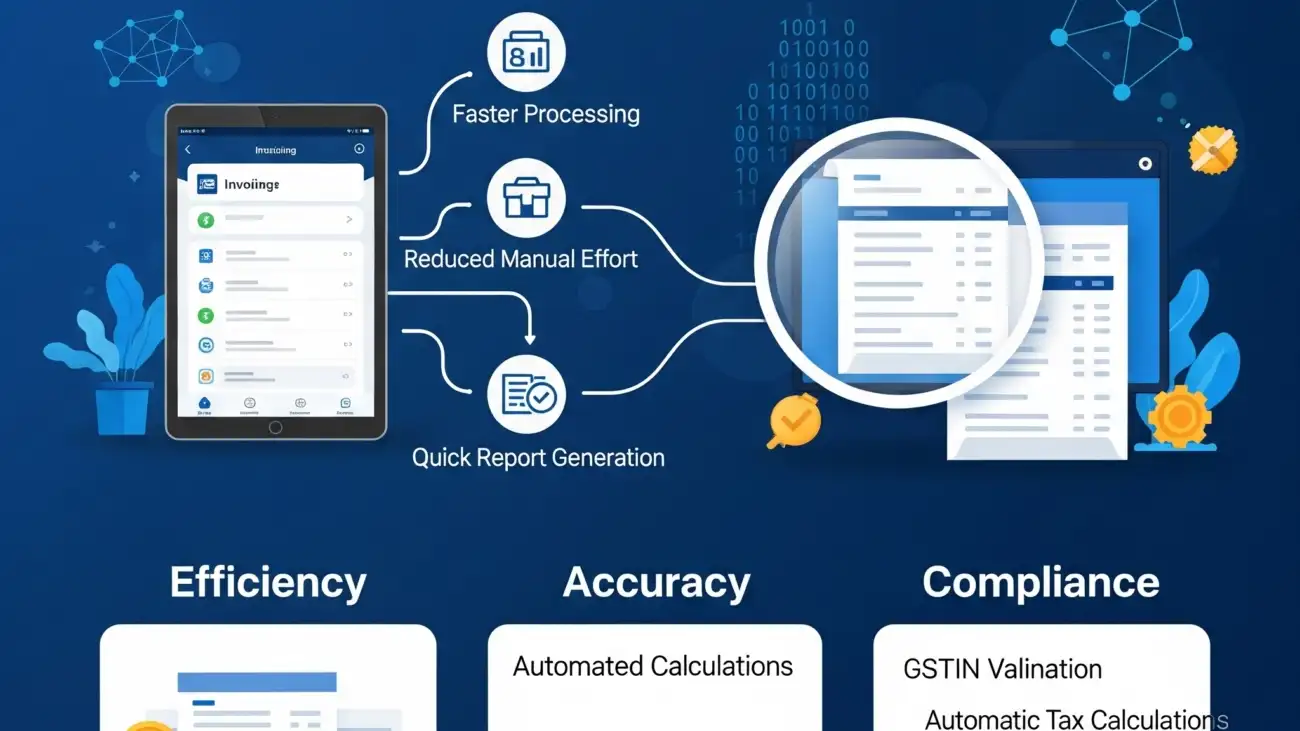
A business owner using a digital bill book on a tablet, showcasing the essential features for GST-ready invoicing and compliance.

Why Digital Bill Bookks Are Essential for GST-Ready Invoicing

As India’s tax landscape continues to evolve, businesses—whether small shops or large enterprises—can no longer rely on manual invoicing systems. Traditional paper bill books are prone to errors, hard to track, and time-consuming. Enter the digital bill bookk: a smarter, faster, and more compliant way to manage business billing.

This blog explores why switching to a digital bill bookk is crucial for GST compliance, invoice accuracy, and overall operational efficiency.

What Is a Digital Bill Bookk?

A digital bill bookk is an electronic system or software that allows businesses to create, store, and manage invoices digitally. Unlike traditional paper bill books, digital bill bookks provide:

  • Instant invoice generation
  • Auto GST calculation
  • Customer record management
  • Cloud-based access
  • Secure data storage

They serve as a modern replacement for manual billing, ensuring your invoices are not only professional but also GST-ready.

Why Businesses Need GST-Ready Invoicing

Since the introduction of the Goods and Services Tax (GST) in India, businesses must follow strict rules regarding invoicing. GST-ready invoices must:

  • Include proper HSN/SAC codes
  • Clearly show CGST, SGST, and IGST
  • Reflect GSTIN of the supplier and buyer (where applicable)
  • Be stored digitally for audit and return purposes

Manual bill books often fall short of these requirements, leading to compliance issues, penalties, or tax filing delays.

Benefits of Using a Digital Bill Bookk for GST Compliance

1. Automatic GST Calculation

A digital bill bookk auto-calculates applicable taxes for each item, saving time and eliminating human error. It supports:

  • CGST, SGST, IGST breakdowns
  • Reverse charge entries
  • Multiple tax slabs on a single invoice

2. HSN & SAC Code Integration

GST-compliant invoices must include HSN (for goods) or SAC (for services) codes. Digital systems ensure:

  • Easy product classification
  • Error-free invoice generation
  • Quick retrieval of GST data

3. GSTIN Validation and Party Details

Digital bill bookks allow storage of customer and supplier GSTINs, enabling:

  • Quick autofill of billing details
  • GSTR report generation with party-wise tax values
  • Accurate B2B and B2C invoice creation

4. Seamless GSTR Filing Support

Most advanced billing apps and software provide:

  • Exportable GSTR-1, GSTR-3B data
  • Tax summary reports
  • Reconciliation of input/output GST

Result: Hassle-free monthly or quarterly GST return filing.

Other Advantages of Digital Bill Bookks

1. Professional Invoicing

  • Custom invoice designs
  • Branded with logo and business info
  • Print or email in one click

2. Real-Time Invoice Tracking

  • Know which invoices are paid, unpaid, or overdue
  • Set payment reminders
  • Improve cash flow visibility

3. Cloud Access and Mobile Billing

  • Generate invoices on the go
  • Access from desktop, tablet, or mobile
  • Sync data across multiple users or devices

4. Inventory and Stock Integration

  • Auto deduction of stock after billing
  • Alerts for low inventory
  • Better control of purchase and sales

Who Should Use a Digital Bill Bookk?

  • Retail shops (grocery, garments, electronics, mobile stores)
  • Wholesalers & distributors
  • Pharmacies & medical stores
  • Freelancers & service providers
  • Restaurants & cloud kitchens
  • Startups & small businesses

Whether you’re a local business or scaling fast, adopting a digital bill bookk ensures you’re always tax-ready and audit-proof.

Choosing the Right Digital Bill Bookk Software

When selecting a digital billing tool, ensure it includes:

  • GST-compliant invoice generation
  • Customer and product database
  • Tax report generation for filing
  • Cloud storage and data backup
  • Multi-user, role-based access
  • Easy integration with thermal printers and barcode scanners

One reliable solution that ticks all boxes is OurERP – a robust billing software tailored for Indian businesses with full GST compliance, inventory tracking, and POS features.

Final Thoughts

The move from manual to digital isn’t just about convenience — it’s about staying compliant, competitive, and future-ready. A digital bill bookk empowers your business with speed, accuracy, and GST-readiness, all while keeping your records secure and accessible.

If you’re still using paper invoices or outdated billing methods, now is the time to upgrade. Digital bill bookks are not just better — they’re essential.

For more details and resources, please return to OurERP.

A retail shop owner using a modern billing software, highlighting its features that boost accuracy, sales, and GST compliance.

Billing Software for Retail Shops: Boost Accuracy, Sales & Compliance

In the highly competitive retail sector, speed, accuracy, and compliance are critical to success. Whether you run a small convenience store or a large retail outlet, using the right billing software for retail shop operations can drastically improve day-to-day performance, reduce errors, and keep your business GST-compliant.

This blog explores how billing software helps retailers manage invoicing, inventory, taxation, and customer data—all from one powerful platform.

What is Billing Software for Retail Shops?

Billing software for retail shops is a digital tool designed to automate the process of generating invoices, managing inventory, calculating GST, and handling customer transactions. It replaces manual billing with a fast, error-free, and reliable system tailored to retail needs.

With features like barcode scanning, POS integration, real-time stock updates, and sales analytics, it helps retailers improve efficiency, reduce manual work, and make informed decisions.

How Billing Software Boosts Billing Accuracy

1. Automatic Price and Tax Calculation

  • Real-time GST and discount application
  • HSN/SAC code integration
  • Preloaded product pricing and tax rates

Result: Zero calculation errors at checkout.

2. Barcode and POS Integration

  • Scan items instantly for billing
  • Auto-fetch product details and prices
  • Support for multi-item and bulk billing

Result: Faster billing with fewer human errors.

3. Centralized Product and Customer Database

  • Avoids duplication or manual entry mistakes
  • Quick access to past bills and customer history
  • Tracks returns, credit notes, and exchanges easily

Result: Organized and accurate transaction handling.

How Billing Software Increases Retail Sales

1. Fast and Professional Invoicing

  • Branded, GST-compliant invoices
  • Faster checkout during peak hours
  • Split billing and multiple payment mode support

Result: Improved customer satisfaction and faster service.

2. Inventory Control with Smart Alerts

  • Real-time stock monitoring
  • Low stock and expiry alerts
  • Auto stock deduction after each sale

Result: Never miss a sale due to out-of-stock products.

3. Promotions, Loyalty & Discount Management

  • Manage festive discounts and offers
  • Create combo deals and reward points
  • Send SMS/email alerts to regular customers

Result: Increase repeat business and footfall.

Ensuring GST Compliance with Retail Billing Software

1. GST-Ready Invoices

  • Automatic application of CGST, SGST, or IGST
  • HSN code tagging for every product
  • Bill-wise tax summaries for easy auditing

2. GSTR Reports & Filing Support

  • Generate GSTR-1, GSTR-3B, and other reports
  • Export data for accountant or filing portals
  • Monthly and quarterly GST reports in a few clicks

3. E-Invoice & E-Way Bill Generation (if applicable)

  • Seamless integration with government systems
  • One-click generation for compliant transactions

Result: Full GST compliance without the manual headache.

Key Features to Look for in Billing Software for Retail Shops

  • Barcode billing and POS compatibility
  • GST-ready invoicing and tax reports
  • Inventory and stock control
  • Customer management and loyalty tracking
  • Multi-device/cloud access
  • Easy integration with thermal printers, scanners, and POS hardware

Who Should Use Retail Billing Software?

  • Grocery stores and supermarkets
  • Fashion and garment outlets
  • Mobile and electronics stores
  • Cosmetic and gift shops
  • Medical and pharmacy retailers
  • FMCG and convenience stores

Whether you run a single outlet or multiple branches, using the right billing software ensures your retail shop stays competitive, accurate, and compliant.

Why OurERP Is the Right Choice for Retail Shops

OurERP offers a powerful yet user-friendly billing software solution designed for Indian retail businesses. It provides:

  • GST-compliant invoicing with HSN code support
  • POS billing with barcode scanning
  • Smart inventory and reorder alerts
  • Cloud access and multi-branch support
  • SMS alerts, loyalty features, and detailed business reports

OurERP helps you reduce operational errors, speed up billing, and scale your retail shop effortlessly.

Conclusion

In 2025, digital efficiency is no longer optional for retailers. Adopting the right billing software for retail shop operations can lead to faster billing, better inventory control, higher customer satisfaction, and full GST compliance.

Whether you’re managing a kirana store, fashion boutique, or electronics shop, smart billing is the foundation for business growth—and OurERP is the tool to make it happen.

For more details and resources, please return to OurERP.

A restaurant server using a modern billing software system on a tablet, showcasing how the solution improves order speed, accuracy, and GST compliance.

How Restaurant Billing Software Improves Order Speed, Accuracy & GST Compliance

In the fast-paced restaurant industry, quick service, accurate billing, and tax compliance are non-negotiable. Long wait times, manual errors, and improper invoicing can affect customer satisfaction and financial health. This is where restaurant billing software becomes a game-changer.

From managing orders and printing KOTs to generating GST-compliant invoices and tracking inventory, modern billing solutions are designed to streamline every aspect of your restaurant operations.

What is Restaurant Billing Software?

Restaurant billing software is a specialized digital solution that automates the order-to-invoice process in food businesses. It not only generates invoices but also integrates with kitchen order tickets (KOT), manages tables, handles multiple payment modes, tracks inventory, and ensures compliance with GST regulations.

Designed for various formats like dine-in, takeaway, delivery, food courts, and cloud kitchens, this software increases operational efficiency and customer satisfaction.

How Restaurant Billing Software Enhances Order Speed

1. Fast Order Entry and POS Integration

Restaurant billing systems come with intuitive POS interfaces that enable staff to:

  • Quickly select items from digital menus
  • Apply customizations, combos, and offers
  • Split bills or handle multiple orders per table
  • Generate instant KOTs for kitchen staff

Result: Faster turnaround time and smoother kitchen coordination.

2. Table and Token Management

Managing multiple tables or tokens during peak hours becomes effortless with:

  • Table-wise billing
  • Token number assignment for QSRs
  • Real-time table status tracking (vacant/occupied/served)

Result: Reduced wait time and efficient order flow.

3. Integration with Online Orders

Modern restaurant billing software integrates with:

  • Food delivery platforms like Swiggy and Zomato
  • Online ordering websites or mobile apps
  • QR code menus for contactless ordering

Result: Seamless online and offline order management on a single screen.

How Restaurant Billing Software Improves Accuracy

1. Error-Free Billing and Itemization

Manual billing increases the risk of wrong item entries, incorrect totals, or missed discounts. Restaurant billing software ensures:

  • Auto item pricing and tax calculation
  • Real-time syncing with updated menu items
  • Discounts, service charges, and taxes applied systematically

Result: Precise billing every time, with reduced staff training needs.

2. Inventory and Recipe Management

Advanced billing systems allow:

  • Linking ingredients to menu items (recipe-wise consumption)
  • Auto stock deduction per order
  • Alerts for low or expiring stock

Result: Accurate inventory tracking and cost control.

3. Role-Based User Access

Staff can be assigned different permissions:

  • Cashiers handle billing
  • Managers access reports
  • Kitchen staff receive KOTs only

Result: Operational control with minimal mistakes or unauthorized access.

Ensuring GST Compliance with Restaurant Billing Software

1. GST-Compliant Invoicing

Restaurant billing software automatically generates:

  • Tax invoices with applicable CGST, SGST or IGST
  • GSTIN validation and customer details
  • Separate itemized GST breakdowns

2. Auto GSTR Reports

You can generate and export:

  • GSTR-1, GSTR-3B for return filing
  • Tax summaries for accountants
  • Purchase and sales GST reports

3. E-Invoice and E-Way Bill Support (if applicable)

For large chains or food supply distribution:

  • E-invoice generation as per government portal
  • E-way bills for dispatch of bulk stock

Result: Zero manual tax errors and stress-free compliance.

Key Benefits of Restaurant Billing Software

  • Faster order processing and reduced customer wait time
  • Accurate billing with minimal human intervention
  • Complete GST compliance with one-click report exports
  • Centralized control for multi-branch restaurant chains
  • Integrated KOT, inventory, and customer management in one system

Who Should Use Restaurant Billing Software?

  • Dine-in restaurants needing table management and printed KOTs
  • Quick service restaurants (QSRs) requiring fast counter billing and token systems
  • Cloud kitchens and takeaways handling high-volume online orders
  • Cafes and bakeries managing combos, discounts, and loyalty programs
  • Food chains and franchises looking for centralized billing, reporting, and tax compliance

Restaurant billing software is no longer a luxury — it’s a necessity in 2025. The right tool will not only improve order speed and accuracy but also keep your business fully compliant with GST regulations. For food businesses that value customer experience and operational efficiency, investing in a reliable restaurant billing solution is a smart move.

For more details and resources, please return to OurERP.

A business owner using a GST billing software dashboard, highlighting the process of selecting the right solution for their business to ensure compliance and efficiency.

How to Choose the Right GST Billings Software for Your Business

As GST regulations continue to evolve in India, businesses must adopt modern tools that simplify tax compliance and invoicing. Choosing the right GST billings software is critical for ensuring smooth operations, accurate record-keeping, and seamless GST return filing.

Whether you run a retail store, wholesale operation, or service-based business, this guide will help you evaluate the best GST billings software for your specific needs in 2025.

What is GST Billings Software?

GST billings software is a digital solution designed to create GST-compliant invoices, calculate taxes automatically, manage inventory, track payments, and generate business reports. These systems streamline daily operations while ensuring you remain compliant with the Goods and Services Tax laws in India.

Good GST billings software also supports features like e-invoicing, e-way bills, GSTR return generation, and real-time inventory updates.

Why Businesses Need GST Billings Software

Relying on manual invoicing or outdated systems can lead to:

  • Incorrect GST calculations
  • Missed tax deadlines
  • Non-compliant invoices
  • Higher audit risks

Benefits of using GST billings software include:

  • Automated tax handling and invoice generation
  • Seamless GST return filing
  • Real-time stock and sales tracking
  • Improved accuracy and efficiency

Key Features to Look for in GST Billings Software

1. GST-Compliant Invoicing

  • Auto-calculation of CGST, SGST, and IGST
  • HSN/SAC code integration
  • Professional invoice templates

2. Inventory and Stock Management

  • Real-time inventory updates
  • Batch and expiry management
  • Multi-location warehouse tracking

3. E-Invoice and E-Way Bill Generation

  • Direct API connection with government portals
  • One-click e-invoice and e-way bill creation
  • Auto-filled transport and goods data

4. GST Return Filing Support

  • Automatic generation of GSTR-1, GSTR-3B
  • Easy reconciliation of sales and purchase data
  • Exportable reports for accountant collaboration

5. Cloud Access and Multi-User Control

  • Web-based access on mobile and desktop
  • Role-based access for team members
  • Daily backups and high data security

6. Customer and Supplier Management

  • Centralized database of all parties
  • Credit tracking and payment follow-ups
  • SMS/email invoice sharing

How to Select the Right GST Billings Software

1. Match Features to Business Type

  • Retailers need barcode billing and quick POS invoicing
  • Wholesalers require bulk billing and dispatch integration
  • Service providers benefit from recurring invoices and quotations
  • Online stores need integration with eCommerce platforms

2. Look for Industry-Specific Tools

Some GST billings platforms (like OurERP) cater to industries like:

  • FMCG and supermarkets
  • Pharma and medical distributors
  • Garment and electronics stores

3. Check for Ease of Use

  • Simple interface with minimal training required
  • Multi-language support
  • Mobile-friendly design

4. Ensure Scalability and Support

  • Software should support growth (multi-branch, multi-user)
  • 24/7 support or onboarding assistance
  • Regular updates aligned with GST rule changes

Why Choose OurERP as Your GST Billings Software

OurERP offers one of the most reliable and feature-rich GST billings solutions tailored for Indian businesses. Key highlights include:

  • GST-ready invoicing for B2B and B2C
  • Barcode and batch billing support
  • e-Invoice and e-Way bill automation
  • Multi-location inventory and warehouse control
  • Powerful dashboards and business reports

OurERP is built for scalability and supports businesses in retail, wholesale, pharma, grocery, and more — with complete compliance and simplicity.

Final Thoughts

Choosing the right GST billings software can transform the way your business handles invoicing, inventory, taxation, and reporting. It ensures compliance, reduces manual work, and improves overall operational efficiency.

Whether you’re just getting started or running a growing enterprise, investing in software like OurERP ensures your GST processes are fast, accurate, and audit-ready.

For more details and resources, please return to OurERP.